
Mods / Status Hud Continued
Author: Gravydigger
Side: Client
Created: Jan 5th 2024 at 9:40 AM
Last modified: Nov 20th at 9:37 AM
Downloads: 76274
Follow Unfollow 1817
Recommended download (for Vintage Story 1.21.0 - 1.21.5):
statushudcont_4.0.2.zip
1-click install
A continuation of Rangelost's original Status HUD:
This is a not-so-simple mod with the objective of relaying information to the player. If your character can feel it, then you should see it.
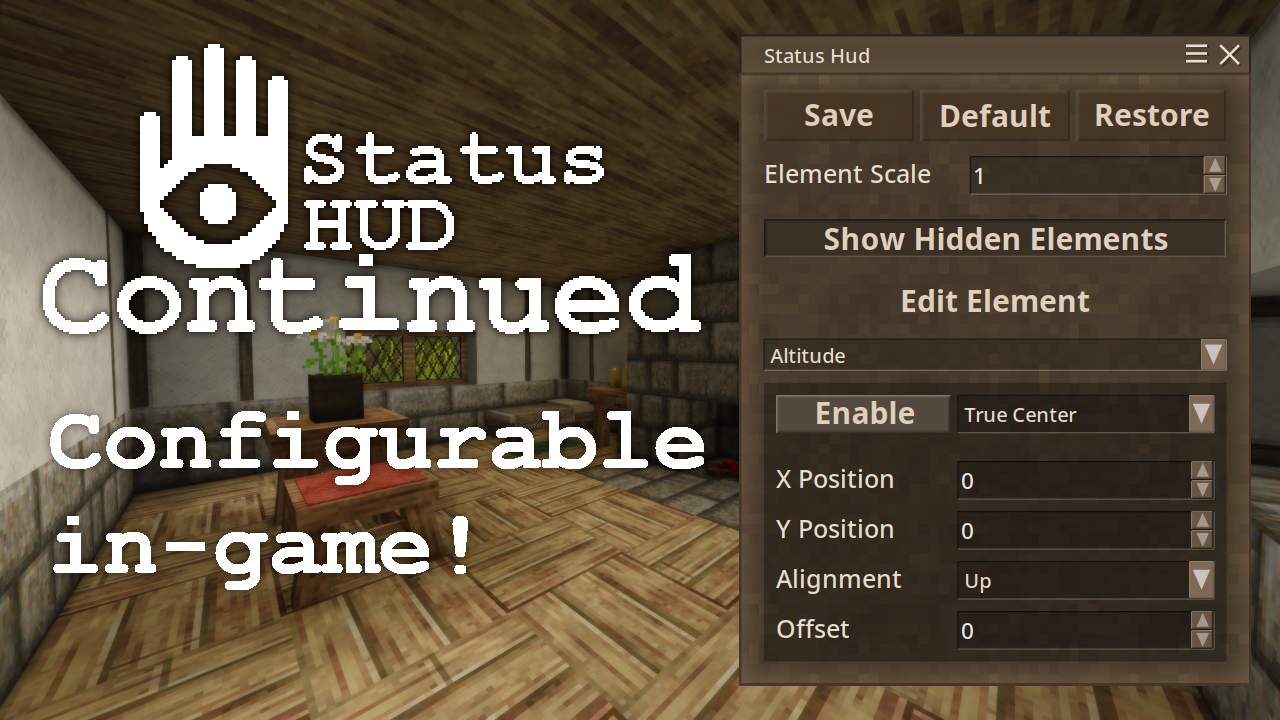
Now configurable in-game with a GUI! Press [U] to configure in-game!
Works on both singleplayer & multiplayer!
Description
Status HUD Continued offers a collection of various elements to display on the HUD. The available elements are:
Altitude: displays the player's current height (in meters) in relation to sea level;Armour: displays the equipped armour's average durability (in %). If no armour is equipped, it is hidden;Body heat: displays the player's relative tempature deviation from normal body heat. If it is at normal body heat (37°C ± 0.5°C), this element is hidden (Note: remained hidden above 37°C as there is no penalty for overheating);Compass: element displays the player's facing direction (in degrees) in relation to North;Date: displays the current date (e.g.1 Jul) and an icon for the current season (sprout for spring, sun for summer, leaf for autumn, and snowflake for winter);Durability: element displays the selected item's remaining durability. If the item does not have durability, it is hidden;Latitude: displays the player's current latitude (in degrees);Light: element displays the hovered block's light level. If no block is being hovered over, it is hidden;Ping: displays your server ping in milliseconds. If you are on singleplayer, this element is hidden;Players: displays the number of players currently online;Rift Activity: displays the number of hours until the next change in activity, and changes icons depending on the current activity. If rifts are turned off, this element is hidden. When adding this element to the HUD, a reload may be required;Room: displays a house icon when the player is inside a room (house for large room, cabin for small room or cellar), and a sun icon above when inside a greenhouse. If the player is outside, this element is hidden;Sleep: displays a countdown until the next time the player is able to sleep. If the player can sleep, this element is hidden;Speed: displays the player's current speed (in m/s);Stability: displays the temporal stability (e.g.76%) at the player's position if it is below 150%. If the temporal stability is 150%, this element is hidden;Temporal Storm: displays a timer when a temporal storm is approaching or is in progress. Otherwise, it is hidden. When adding this element to the HUD, a reload may be required;Time: displays the current time (e.g.19:43) and an icon for the position of the sun relative to the horizon. Support both 24 & 12 hour time;Time (Local): displays the system's local time;Weather: displays the current temperature (e.g. 21°C) and an icon for the current condition (clear, fair skies, cloudy, rain, snow or hail). Supports multiple temperature scales;Wetness: displays how wet (e.g.72%) the player is. If the player is dry, this element is hidden;Wind: displays the current wind speed (e.g.20%) and direction at the player's position.
Only one instance of an element can be active at a time.
Note: A default layout is installed on first run. Use the in-game GUI (Press [U]) to customize the elements to your liking.
Resources
- In your Mods folder (
VintagestoryData/Mods/), create a new folder with the name of your choice. In this example, it will be calledmylangtranslation; - In this new
mylangtranslationfolder, create a file calledmodinfo.json, and open it in the text editor of your choice; - In this new
modinfo.jsonfile, enter the following:{ "type": "content", "name": "My Language Translation", "modid": "mylangtranslation", "version": "1.0.0", "authors": ["Your name here"], "description": "This is my Language Translation!", "side": "Client", "dependencies": { "statushudcont": "4.0.0" } }Note: You can edit thename,modid,authorsanddescriptionfields to your liking in accordance with the Vintage Story Wiki. - Save the changes and close the
modinfo.jsonfile; - Download the latest English translation from the source code;
- Translate the right hand English text from English to the language of your choice (Do not translate the left hand text, it is used by the code to grab the correct translation).
- Don't forget to replace the text in "lang-authors" with your name!
- Rename the file to [language code].json (e.g. es.json for Spanish)
- Place the language file under
mylangpack/assets/statushudcont/lang/ - When you next launch Vintage Story, make sure that your mod is enabled in the Mod Manager. Your translation should now be displayed if Vintage Story is set to that language. Congratulations, you have created an translation mod!
- Notes:
- Any missing entries will default back to the English Translation
- Feel free to send me your translation for your language as a Github Issue
Check out the Status HUD Example Element for documentation and an example element.
Making bug reports / Requesting features
To make my life easier, and to make sure your request / bug is fixed sooner, please raise an issue on the mod's Github Page.
I get notifed if any issues are raised, and I can track my progress to see what is being made. It also makes sure reports aren't missed in the discussion.
| Mod Version | Mod Identifier | For Game version | Downloads | Released | Changelog | Download | 1-click mod install* |
|---|---|---|---|---|---|---|---|
| 4.0.2 | statushudcont | 2887 | Nov 20th at 9:37 AM | statushudcont_4.0.2.zip | 1-click install | ||
| |||||||
| 4.0.1 | statushudcont | 11331 | Sep 27th at 4:50 AM | statushudcont_4.0.1.zip | 1-click install | ||
|
| |||||||
| 4.0.0 | statushudcont | 2002 | Sep 21st at 2:34 AM | statushudcont_4.0.0.zip | 1-click install | ||
| |||||||
| 3.3.1 | statushudcont | 7498 | Aug 28th at 8:46 AM | statushudcont_3.3.1.zip | 1-click install | ||
| |||||||
| 3.3.0 | statushudcont | 1344 | Aug 26th at 7:55 AM | statushudcont_3.3.0.zip | 1-click install | ||
| |||||||
| 3.2.7 | statushudcont | 11803 | Jun 6th at 5:40 PM | statushudcont_3.2.7.zip | 1-click install | ||
| |||||||
| 3.2.6 | statushudcont | 14268 | Feb 11th at 9:28 AM | statushudcont_3.2.6.zip | 1-click install | ||
| |||||||
| 3.2.5 | statushudcont | 2976 | Jan 31st at 3:58 AM | statushudcont_3.2.5.zip | 1-click install | ||
| |||||||
| 3.2.4 | statushudcont | 623 | Jan 30th at 9:05 AM | statushudcont_3.2.4.zip | 1-click install | ||
| |||||||
| 3.2.3 | statushudcont | 1793 | Jan 26th at 1:33 AM | statushudcont_3.2.3.zip | 1-click install | ||
|
- wind element now correctly shows wind direction | |||||||
| 3.2.2 | statushudcont | 2458 | Jan 18th at 12:03 AM | statushudcont_3.2.2.zip | 1-click install | ||
| |||||||
| 3.2.1 | statushudcont | 1245 | Jan 5th at 10:41 AM | statushudcont_3.2.1.zip | 1-click install | ||
| |||||||
| 3.1.1 | statushudcont | 681 | Jan 1st at 6:53 AM | statushudcont_3.1.1.zip | 1-click install | ||
| |||||||
| 3.1.0 | statushudcont | 412 | Dec 31st 2024 at 4:36 AM | statushudcont_3.1.0.zip | 1-click install | ||
| |||||||
| 3.0.0 | statushudcont | 796 | Dec 31st 2024 at 2:30 AM | statushudcont_3.0.0.zip | 1-click install | ||
|
Changelog:
| |||||||
| 2.1.2 | statushudcont | 3487 | Oct 19th 2024 at 1:47 AM | statushudcont_2.1.2.zip | 1-click install | ||
|
Fixed crash when having Rift Activity Element present on a world with Rifts disabled | |||||||
| 2.1.1 | statushudcont | 8000 | Jan 18th 2024 at 11:33 AM | statushudcont_2.1.1.zip | 1-click install | ||
|
Bump to game version 1.19.0 Updated dependencies to latest version | |||||||
| 2.1.0 | statushudcont | 642 | Jan 9th 2024 at 11:10 PM | statushudcont_2.1.0.zip | 1-click install | ||
| |||||||
| 2.0.3 | statushudcont | 268 | Jan 9th 2024 at 9:40 AM | statushudcont_2.0.3.zip | 1-click install | ||
|
v2.0.3:
v2.0.2:
| |||||||
| 2.0.1 | statushudcont | 296 | Jan 8th 2024 at 11:48 AM | statushudcont_2.0.1.zip | 1-click install | ||
|
Fixed memory leak when reloading world / reconnecting to server | |||||||
| 2.0.0 | statushudcont | 224 | Jan 8th 2024 at 8:16 AM | statushudcont_2.0.0.zip | 1-click install | ||
|
Added ConfigLib Dependancy, press P to configure the elements in a GUI Added Ping element, which is disabled on singleplayer
| |||||||
| 1.5.3 | statushudcont | 462 | Jan 6th 2024 at 4:24 AM | statushudcont_1.5.3.zip | 1-click install | ||
|
Fixed local-time only showing in 12hour time, regardless of option set. | |||||||
| 1.5.2 | statushudcont | 209 | Jan 6th 2024 at 3:55 AM | statushudcont_1.5.2.zip | 1-click install | ||
|
Added new element, | |||||||
| 1.5.1 | statushudcont | 250 | Jan 5th 2024 at 11:12 PM | statushudcont_1.5.1.zip | 1-click install | ||
|
Fixed issue with armour element when wearing night vision mask | |||||||
| 1.5.0 | statushudcont | 308 | Jan 5th 2024 at 10:45 AM | statushudcont_1.5.0.zip | 1-click install | ||
|
Inital release
- Changed how the body heat element is displayed
- Created format options to configure elements globally
- Added tempscale
- Added timeformat | |||||||
Still getting frequent lock-ups and game freezing with the latest version. No crash report, game just freezes and windows says it's not responding.
I did all the usual things: update drivers, reinstall game and .NET framework and deleting mod, cache, config, unpack folders.
Interestingly, it seems to work without issues on my Intel laptop, but does not work well with my AMD Ryzen desktop.
I also don't think I'm getting run out of memory crashes, as I can monitor the memory usage and the game never gets even close to maxing out allocated RAM or VRAM.
4.0.2 doesn't lock up the game but still has memory leak issues. After 2-3 hours of gameplay memory usage of VS hit 21-22GB, removing the mod solved it, never exceeding 12GB after hours of gameplay. Also taxes the CPU a lot for no apparent reason, my 5800x hit 91C up from the usual 77-78C without the mod even while generating new chunks on 512 render distance.
Thanks, I'll take a look as soon as I can, maybe during the weekend.
Ryilo - If you're willing to run a few developer commands, we could get a stack trace that would help us debug. The important thing would be do the stack trace when the process is frozen. Here's what you could try (and totally fine if not): https://gist.github.com/dizzyd/f5bc783863ace66c2463c4bd3e6a2d11
Gravydigger I didn't have any issue with version 4.0.1. With the 4.0.2 version, while building outside, the game kept freezing very frequently (every X minutes, I didn't time it, with X going between 1 and 5). Reverted to 4.0.1 solved the issue.
I don't know if there is any way I could troubleshoot this. I am using multiple mods, and I am building with a LOT of cobblestone right now.
Fix for the freezing issue merged and released as an update. HUGE shoutout to dizzyd to whom debugged and fixed this issue.
Baughn Azraile Gravydigger - I submitted a PR for the freezing issue. It seems to fully fix the issue in my few hours of play testing. It was crashing every 15 mins or less before the patch, so I think I found it. :)
The timer on rift activity is not working at all for me.
The rift activity shows 0.00 permanently.
No other mods I've got seems to touch rifts, not obviously anyway.
Edited to remove mention of temporal storms because I didn't realise I'd disabled it in the options.
Well, see https://github.com/Gravydigger/statushud/issues/28.
I haven't given up on resolving the bug. But for those affected by it, try turning off the 'Room' element; that seems to be the buggy one.
Firstly, thanks for the useful mod. Second, this might not fit into the intent of this specific mod, but I have a long running world that I have spent many years in and would love to see a simple day counter of what in game day it is currently. Others might find useful.
uuuggg..... anyone figure out what is causing the frezzing up is it some interaction with another mod because i might ditch the other mod if thats the case.... because if the author can't replicate it's likely mod interactions
the information this mod gives is just too usefull not to have... though i wish the level of rift activity was more clear than an icon and just said something or had a number>.> please make that an option
im getting game freezes too a lot i don't know if it's this mod or not but yah it's always when im in a room usaly when doing an action or invitory thing
how do i make univursal (across all server) settings? and how do i get settings from one to another?
I sent a SIGILL while it was frozen, and got this. One commonality seems to be that it happens during saves, but I'm not sure if that's every time or not. It's also a memory leak; the mod isn't so much frozen as stuck in a loop.
TerrorBite
Are you seeing the full lockups when you were recently around buildings, too? Like you were in and out of rooms and left or are just around a building. I've been locking up pretty consistently mostly around buildings when I was inside or around, shortly after. I don't see much happening farther away from builds.
Seems to crash if used in multiplayer, but only running around the rooms or something.
There needs to be an option of always showing specific status elements. Stuff like body temp, I always wanna have avalible so its a quick reference.
Is anyone getting game freezes (whole game stops responding without crashing) when using this mod?
I'm encountering an odd issue where what seems to be a rare vanilla bug is being triggered by Status HUD's room indicator. Basically, the game gets stuck in an infinite loop searching for the boundaries of a room.
The issue isn't caused by Status HUD (would still occur in vanilla), but with Status HUD installed the buggy code would be called much more frequently than in vanilla, so a higher chance of triggering the bug.
Gravydigger Lmao, that explains it. Thank you! It's a great mod!
CathCath it depends on your key config - for me it's ctrl+U
CathCath The mod is client only. Installing it on the server will do nothing. You'll need to add it to your mods folder on your computer.
Gravydigger I've added this mod to my server, but the [U] key doesn't show anything. Is there a solution?
Elemiach If you are wanting to blacklist the use of certain elements, I'm afriaid that isn't really feasable with the mods current implementation due to it being purely client side.
However, each element can be disabled individually by the player, but that is on the players themselves to do such a thing.
Hello Gravydigger your mod is excellent.
Is there a way to somehow limit the amount of stats a clientside version can use?
There is also a great mod called Craftable Cartography and I would love the ability to cut out lattitude or the compass from the hud for immersion reasons.
While these two can work together just fine, I don't want players to feel cheated or find stuff in that mod useless, because they already have a better latitude pos and compass versions in their head already that they don't have to lug around with them everywhere :)
Tyrnn If you are still having an issue, please raise an issue of the mod's github page with your log files and I can help you from there
Gravydigger I hadn't but the default was even changed in the config but, they still resorted to their own defaults.
Mattais A dumb question but when you configure your HUD icons how you like them, are you pressing the save button so they are saved to the config file?
Currently on a modded server, but I am using this mod client side, not server side. How do I prevent the HUD icons from reseting to a default value when I relog in ? Currently using version 3.2.7 for game 1.20.12
Thanks for answering. Still a very happy camper with your mod! I just thought it would be a 'nice to have' feature to include some of the added player status measurements from other mods like stamina and thirst. I can totally appreciate that that's out of your scope though. Thanks again for all your work on this mod!
TheRealFlynn Unfortunately, this mod only has compatability in mind with the base game. Support for other mods will not be considered.
Oh blessed maker of fine additions to Vintage Story, might thee see it fit as to add compatability with Vigor and Hydrate or Diedrate?
love this mod. it's a must have and should be entirely vanilla options.
Gravydigger I corrected the mistake you pointed out. It is not possible to shorten the words any further.
DeanBro The reason why is to provide a discussion & tracking of progress, a place not suited for the comment section of a mod.
It also helps highlights issues, which your translation has. See https://github.com/Gravydigger/statushud/issues/23 for details.
From a few hours of playtime thus far, all HUD options seem to work flawlessly in 1.21. Thank you for the quick update!
Gravydigger Sorry, I've never used GitHub and don't know how to do that. Why don't you just download the language file from my Google Drive?
DeanBro Can you please raise an issue on the mods GitHub page and attach your translation there? Thanks!
Gravydigger Hi! I made a translation for this mod
Hello, please rebuild targeting .NET 8 with updated API refs
The U key doesn't work for me either. The configuration UI doesn't display.
The Date is kinda breaking - yesterday it showing it correctly. Duno what changed. Haha. Not that it's so much of an Issue.
So I know I was able to mess with the config at some point, but now it does not work.
For several versions I think actually, but my old config that I was very happy with got deleted, and now I need to redo it.
I am not sure if it is a mod conflict or not, but would it be possible to make the key to open the config GUI configurable?
Distance Measure - on github, <3 & thanks for Mod!
Do take time for yourself and enjoy your holidays Gravydigger :-)
Is there any option that makes the stability element continue working/displaying while stability is above 150%?
Getting crashes on my server in 1.20.12, seems to be a mod conflict, unsure of what speficially atm. Trying to figure that out.
Hello, seems to not be working on our server atm :-/
Tasshroom33 Thank you! I greatly appreciate it. You even motivated me to work on a released even tho I am on holiday XD
I am glad that so many people are enjoying using the mod :)
Wahazar I am unable to replicate, please make an issue on the mods Github page
This is a great example of a perfect fitting feature complete mod. It does want you want, allows you to customize it, and looks sleek. Thanks for making this, it really adds to the "i can't feel or taste or touch, so this makes up for that info in game".
Sent a few $$ your way. Thanks again.
Seems that this mod stopped woring on 1.20.11 (it doesn't show up on my client, after server upgrade to 1.20.11)
I am not getting any warning of an approaching temporal storm. I also note that I am not seeing any warning in the / menu either. So unsure if this is new default behavior or if this is Status HUD behavior. I am finding the lack of any warning to be extremely disconcerting.
@Gravydigger Thank you! I completely missed that setting (duh!)
SigynL there is a temperature conversion option with both the weather element and the body heat element. You can see it in the element options when configuring them
This mod works great! I'm using it on 1.20.10 & have used it for several previous versions. I just with it had a fahrenheit option as I can't do the conversion for outdoor temp in my head.
This mod does work. I do not know if the original statushud mod works. but i know this one works.
This mod does not work at all. original statushud mod works. but i would like this one to work.
seems like there is desync between days and date display. if i open character view where ii see my date it says 18 september but on hud it shows 22 september
Quack,
Thanks a lot for this mod, this is soooooo handy :-)
I am using the spyglass mod and when you zoom you can enable hiding all the HUD information. The minimap as well as all the textual info from this mod properly disappear but the icons do not.
It's not very important but reporting in case you have time to look into it.
\_o<
Gravydigger you know what? You're right, this is not an issue. I also tried to reproduce and realized I wasn't clicking the save button. 😳
Jjmboni I am unable to replicate, please raise an issue of the Github Page
Hey great mod, I'm loving it! Just wanted to let you know when I changed the weather to report ℉ in the GUI, it defaulted back to ℃ the next time I played the game. If I edited the json file to have it show ℉, it stayed. Seems like the GUI was not saving the ℉ weather setting.
hey i know you asked to request features on github but i could not for life of me get my log in to work lol. anyway i was wondering if your could add an optional day tracker to track how many in game days have been played.
Is there a way to change the number for position to a slider?
VaelophisNyx
Yep, where you'd rebind your controls normally in the settings menu
is there a way to rebind the UI opening key? it overlaps with Alloy Calculator's :(
Whiteshadoh
Two questions:
Is there a way to enable or add the numerical value to the health and food bar?
Is there a way to enable display of character body temperature?
Best UI mod there is, thanks for all you do.
Gravydigger
Thanks for the Mod. Having and issue with 3.0.0 on VS 1.19.8(stable).
When loaded my left mouse doesn't seem to work normally (have to use alt to interact with environment).
Am I doing something wrong?
Edit: Seem to have normalized after I saved config.
The old version would show body heat as a %, so you could tell when you were fully warmed
im pretty sure im not fully warm when it disappears because my run speed is still impared. plus i can be outside naked in -30 for a while before it even pops up
Gravydigger Hello, i have translated your mod in french, please checkout your github.
Kalmorph Thanks for reporting the issue, it has now been fixed
Hey Gravydigger! Posted an issue about wind in your Git page, if you could check please. Thanks!
Could you raise that as an issue on the Mods github page? This is so I don't forget it, as I'll look into it later
Nevermind, I've raise it (https://github.com/Gravydigger/statushud/issues/3)
There seems to be an issue, this mod, along with Self-Recording Thermometer, do not use the correct room temperature. For example, on the same floor, I have a smithing room, as well as my celler room. Both your mod and Self-Recording Thermometer, seem to be using some kind of Y-level based system or something, but does not follow the in-game celler room. You can use the Storage Vessel for example. I'm in my celler, and the food perish speed is in the teens/twenties (0.1-0.3), while a Storage Vessel in my smithing room shows all the stats close to 1.0 (0.9-1.1), or over. Therefore clearly, whether through an API, something isn't correct.
Essentially, I would like this mod to of course use the Y-level temp, but if in some kind of room, such as a celler, or non-celler room, to have the temp be specific to that room, than just the Y-level. If that is possible, which I hope it is.
Anyway, hope you can add something like this. Great mod, nontheless.
Thanks for continuing this great mod!
UA_Shaman I've just added multi-language support to the mod. I've added a guide on how to add a translation in the description
Gravydigger
Is it possible to add month names in another language to the date? How do I do that? Thank you.
@Gravydigger
Just updated to 1.20-rc8, and now it is working fine! Thank you.
AnunnakiNibiru can you see if the issue occures on 1.20-rc.8? rc7 appears to cause issues with mods.
Hi.
After updating from version 1.20 rc6 to version 1.20 rc7, the game crashes immediately after loading a save game when the game world is displayed. When I remove this mod, everything works as it should. Can anyone confirm this? Thanks.
Running on 64 bit Windows 10.0.22631.0 with 65444 MB RAM
Game Version: v1.20.0-rc.7 (Unstable)
03.01.2025 19:42:01: Critical error occurred in the following mod: statushudcont@3.1.1
Loaded Mods: buzzwords@1.7.0, chiseltools@1.14.6, terraprety@6.0.1, game@1.20.0-rc.7, vsimgui@1.1.7, egocaribautomapmarkers@4.0.0, configlib@1.4.1, extrainfo@1.9.4, particlesplus@1.1.0, prospecttogether@1.4.0, RareDenseOres@0.2.6, statushudcont@3.1.1, creative@1.20.0-rc.7, survival@1.20.0-rc.7, waypointtogethercontiued@2.1.2
System.MissingFieldException: Field not found: 'Vintagestory.API.Common.Entities.Entity.Pos'.
at StatusHud.StatusHudDateElement.Tick()
at StatusHud.StatusHudSystem.SlowTick(Single dt) in /home/gravy/git/statushud/statushud/system.cs:line 155
at Vintagestory.Common.GameTickListener.OnTriggered(Int64 ellapsedMilliseconds) in VintagestoryLib\Common\Model\GameTickListener.cs:line 27
at Vintagestory.Common.EventManager.TriggerGameTick(Int64 ellapsedMilliseconds, IWorldAccessor world) in VintagestoryLib\Common\EventManager.cs:line 57
at Vintagestory.Client.NoObf.ClientMain.MainRenderLoop(Single dt) in VintagestoryLib\Client\ClientMain.cs:line 825
at Vintagestory.Client.GuiScreenRunningGame.RenderToPrimary(Single dt) in VintagestoryLib\Client\MainMenu\Screens\GuiScreenRunningGame.cs:line 161
at Vintagestory.Client.ScreenManager.Render(Single dt) in VintagestoryLib\Client\ScreenManager.cs:line 695
at Vintagestory.Client.ScreenManager.OnNewFrame(Single dt) in VintagestoryLib\Client\ScreenManager.cs:line 670
at Vintagestory.Client.NoObf.ClientPlatformWindows.window_RenderFrame(FrameEventArgs e) in VintagestoryLib\Client\ClientPlatform\GameWindow.cs:line 88
at OpenTK.Windowing.Desktop.GameWindow.Run()
at Vintagestory.Client.ClientProgram.Start(ClientProgramArgs args, String[] rawArgs) in VintagestoryLib\Client\ClientProgram.cs:line 334
at Vintagestory.Client.ClientProgram.<>c__DisplayClass10_0.<.ctor>b__1() in VintagestoryLib\Client\ClientProgram.cs:line 130
at Vintagestory.ClientNative.CrashReporter.Start(ThreadStart start) in VintagestoryLib\Client\ClientPlatform\ClientNative\CrashReporter.cs:line 93
Gravydigger Thank you! Love this work.
heh, i did not read the comment before mine. ty @Gravydigger
TheRealFlynn Psyborg Compass has now been fixed in latest patch
Great mod. so helpful. tysm. Question, why is East 0 degrees for the compass? shouldn't north be 0 degrees?
Wow it has got so many useful info!
Though... why is the compas pointing East instead of North?
Just an absolutely freaking awesome mod. Thank you for keeping this updated.
Any chance you could let us adjust the positions of these things more easily? Having to type into the coordinate boxes is great for precision adjustments but i just roughly and quickly want to throw them around the screen to see how they look and then finely tune the exact coordinates by hand
Also, negative coordinates, please?
Hi! While Playing on my dedicated server the mod settings button is unresponsive. I'm on game version 1.19.8 and this seems to be only an issue with this mod installed
Any update on 1.20.0-rc.1 compatability?:-)
Looks like someone has patched it here:
https://news.kalataka.ru/statushudpatch
currently unable to save any changes in the mod menu, the "save" button doesnt react nore is the "save all" button up top even able to be pushed, all settings are restored back to default upon closing and reopening the game, rather annoying to have to reset up my hud every time i boot up the game
All my elements are in place but the text with them has disappeared any one know why or how to get it back.
i cant find any settings that fix it and nothing in .shud help seems to fit. i have no idea what else to try
Savrs B0bb0 I'll probably wait until a release canadate is out before I start working on 1.20
This could happen in the new year! But we need to live now!
KiriRae
Both the listed mods are closed source, so I am unable add indicators to such things.
Also adding indicators for other mods is something I'd be unlikely to do, due to the overhead provided in doing such a thing
Would it be possible to add indicators for things like alchemy potion effects, starving, or poison damage from things like poison oak (wildcraft) and snake bites (primitive survival) and their duration.
1Joachim1Wolfraider Bug is now fixed
Savrs B0bb0 I'll probably wait until a release canadate is out before I start working on 1.20
-The speed control is crashing it (1.20-pre4).
this is a misfortune!
-If you remove the speed control from the config file, it will run.
The problem is that the speed indicator is the most important thing in this mod.
Especially since 1.20 has a huge transport update.
Savrs, Gravydigger,
I did some testing. The speed control is crashing it (1.20-pre4). If you remove the speed control from the config file, it will run.
I also noticed that the compassAbsolute variable no longer aligns the player marker with the compass north. Facing north, and toggling the variable either shows 270 or 90 degrees on the compass. I like having both the compass and the minimap; especially in the snow since it is hard to see your player pointer on the map.
1Joachim1
I had the same problem, turns out rift activity is on a timer, and it needs to run out before it updates. Then it will show on your hud. Give it a day and it should work.
very nise 👍
is there any way to add an icon and text or something to an already existing element from the mod? i've tried to activate the "riftactivity" element and it's just invisible. everything else is by default (text colors, elements of the gui.. haven't touch anything) riftactivity has been set to bottom left corner with a vertical offset of 12 and an horizontal one of 400, which should put it like middle-right part of the bottom left corner. if i manually set it to top/bottom it shows me a "box" that tells me where the icon is (or should be ) but yet the "info" is transparent no matter what i do.

Not sureh ow difficult it is, but it would be great t if the durability element could be made to work with Toolworks tools. Only the lowest durability of the tool parts(head, handle, binding) needs to be displayed since that is when the tool breaks.
ForeverChrysalis
you need config lib and imgui. Then you can hit escape and click the mod config button. the key bind is changable, the name you are looking for is "(Config lib) open configs window" at the very bottom in debug and macros.
Linrox
No, it still crashes for me.
I don't seem to be able to get the UI open. P does nothing. Shouldn't the key be remappable anyways..?
Has the issue that GON raised, "crashing if rifts disabled" been fixed???
Gravydigger Any word on compatibility with 1.19.7 or if that is in the works? This looks great and doesn't clutter up your screen either!
Looks like the mod crashes and burns if you have surface rifts disabled in the world config.
5.4.2024 18:50:20 [Error] [statushudcont] An exception was thrown when trying to start the mod:
5.4.2024 18:50:20 [Error] [statushudcont] Exception: Object reference not set to an instance of an object.
at StatusHud.StatusHudText.Set(String value) in D:\Git Repositories\statushud\statushud\text.cs:line 191
at StatusHud.StatusHudRiftAvtivityRenderer.setText(String value) in D:\Git Repositories\statushud\statushud\elements\riftactivity.cs:line 149
at StatusHud.StatusHudRiftActivityElement..ctor(StatusHudSystem system, Int32 slot, StatusHudTextConfig config) in D:\Git Repositories\statushud\statushud\elements\riftactivity.cs:line 44
at StatusHud.StatusHudSystem.instantiate(Int32 slot, String name) in D:\Git Repositories\statushud\statushud\system.cs:line 107
at StatusHud.StatusHudSystem.Set(Int32 slot, String name) in D:\Git Repositories\statushud\statushud\system.cs:line 285
at StatusHud.StatusHudConfigManager.LoadElements(StatusHudSystem system) in D:\Git Repositories\statushud\statushud\config.cs:line 115
at StatusHud.StatusHudSystem.StartClientSide(ICoreClientAPI capi) in D:\Git Repositories\statushud\statushud\system.cs:line 156
at Vintagestory.Common.ModLoader.TryRunModPhase(Mod mod, ModSystem system, ICoreAPI api, ModRunPhase phase) in VintagestoryLib\Common\API\ModLoader.cs:line 660
5.4.2024 18:50:20 [Error] Failed to start system StatusHud.StatusHudSystem
OpPointBaker
I want this as well, been trying to figure out where the data is stored to have it displayed on screen.
Very nice mode, thank you for that.
Hey, just having some issues with the GUI Editing feature, the mouse seems to be offset making modifying the HUD a real pain. Is there something im missing or installed incorrectly? Thanks.
Gravydigger@
Thank you for the rift activity widget. Very useful. Any way to turn off the timer that comes with it?
Gravydigger
Sorry, didn't really see that. Thank you. It is very nice to see that the author of the mod communicates with the players who use his mod. Keep doing this in the future
BarenAD Sadly I do not have the time currently to delve too deep into why this is happening, as cross compatability between other mods can be rather rough to diagnose. I'll be unlikely to look into this for quite some time
Iver I'd be suprised if it wasn't compatible; minor released don't have major API changes that break things
Sp0wN I've already provided a non-gui version if you look at the comments below, but I've added a direct link in the mod description. Enjoy!
Gravydigger
There is a small problem with the mod for multiplayer servers. Previously, the mod was independent and was a client mod that players installed in the mod deck. Now you need to install two more mods on the server machine in order for your mod to work properly. I have been using your mod since its release. I really like it, but unfortunately I will refuse, because for the sake of my comfort, I will not install additional mods. Is there any way to solve this issue?
Is it compatible with 1.19.3 Gravydigger?
Gravydigger
hi! I found compatibility issues with the following mods: PlayerList with Status Hud Continued. See youtube video for full demonstration:
In short: in the presence of both mods and when a player is excluded, a crash occurs. But if you open the inventory, there is no problem. This is especially critical when using a the mod FairPlayGuardian because players are excluded for mods, but they crumble and cannot understand the problem.
I do not know what the problem is, so I informed both authors about it :)
Logs
Thank you for for the non-gui version. Tried and adopted.
Great mod and replaced the simple clock mod for me. I have one critique though: The rift activity icons...
I have honestly no idea what I'm looking at and what icon represents what level of activity. It would be great to maybe have at least a screenshot on the modpage here that shows each icon and its corresponding activity.
Can I request that fucntionallity be added to the mod? Specificly I would like to have an element that says what the rainfail for the current location is. [i.e. very rare, rare, uncommon, common, very common, almost all the time, etc.] Either as a numeric value that the game uses internally or as a text/icon output. Like how you have weather state displayed.
Thank you. I am enjoying the mod so far. 😍
Saricane
I've made a non-gui version on the Git-hub releases page, which you can find here. Note that testing and updates will not be as frequent as the GUI version, as well as support being limited.
Hope this helps
Hi Gravydigger and thanks for continuing this super mod. I just would like to use it in CLI mode only, without installing the GUI dependancies. Is this possible ? I made a test and cannot use .shud command.
SunshineFaith
This mod has been developed and tested to work on any multiplayer server. As the mod is client-sided, it does not need to be installed on the server.
Will this mod work on a multiplayer hosted server?
Thank you for taking the burden and continuing this lovely mod.
Vilderos after downloading the dependencies ingame, i had no issues
cant get this mod to work now, missing dependencies, even tho I have configlib installed :(
Runovaris
While I don't see a reason why it won't work, you might need to do some fiddling due to the dependancies for the config GUI interface to get it to work.
Officially I will not be supporting any 1.18.x version.
GravydiggerThank you so much for adding rift activity. I can't play the RC yet, but looking forward to playing on the release.
Does this work for older versions, specifically 1.18.15? The original mod only supports up to 1.18.9.
Mod seems to be broken in today's 1.19-RC7 build. There's no error messages or anything the game just acts as if the mod is not installed. I am using the most recent versions of configlib(0.3.3) and imgui(0.3.2). I tried rolling back to the previous versions of both StatusHUD and the two dependancies and got the same result. Rolling back the game client to the RC6 build did restore functionality.
EDIT: The RC8 build seems to have fixed the problem and mentioned a tweak to fix mod compatibility so the problem was with the game patch and not with the mod.
Gravydigger Thank you! I also raised it with Maltiez. I had let the client pickup the dependencies. The configlib had an older version of IMGui specified. Downloading the latest version of IMGui fixed it.
This looks great! So much easier to adjust now! Thanks for the awesome mod!
B0bb0
Its an issue with configlib and not something I can fix.
Also the config from previous version should be entirely compatable with this version, as the config window only does what the commands do, just in a more friendly, real-time manner.
@CilyMe I have that on 1.18 I think it's either extra overlays or Hud CLock maybe Better Firepit? I can move over or cursor over anything cooking , crafting and it tells me the time remaining .
Hello, just installed 'status hud continued' v2.0.1 and the associated 'config lib' and 'vsimgui' mods in 1.19-rc6. When pressing 'p' to open the config, a window appears with the text "Config lib: cursor unlock" in the header. The client log shows what looks like a hardcoded path. Note: I have the original 'status hud' config. I can provide it if needed. Thanks!
8.1.2024 18:27:07 [Error] [configlib] An exception was thrown when trying to start the mod:
8.1.2024 18:27:07 [Error] [configlib] Exception: Could not load type 'VSImGui.Style' from assembly 'VSImGui, Version=1.0.0.0, Culture=neutral, PublicKeyToken=null'. at ConfigLib.ConfigWindow..ctor(ICoreClientAPI api) at ConfigLib.GuiManager..ctor(ICoreClientAPI api) in D:\Projects\Firearms\configlib\configlib\src\GUI\GuiManager.cs:line 27 at ConfigLib.ConfigLibModSystem.AssetsFinalize(ICoreAPI api) in D:\Projects\Firearms\configlib\configlib\src\ContentSettingsModSystem.cs:line 47 at Vintagestory.Common.ModLoader.TryRunModPhase(Mod mod, ModSystem system, ICoreAPI api, ModRunPhase phase) in VintagestoryLib\Common\API\ModLoader.cs:line 654
8.1.2024 18:27:07 [Error] Failed to run mod phase AssetsFinalize for mod ConfigLib.ConfigLibModSystem
CilyMe
This mod doesn't not have that functionallity, and there are no plans to implement such a thing into this mod, sorry.
Looks like a great mod, I will have to give it a go! I read the description and didn't see it, but does it, or can it, diaplay the remaining time for certain things such as pit kilns? I used to mave a mod that displayed this but don't any more, and the HUD Clock mod I'm currently using doesn't have it. Thanks!
Could hud also show temperature inside room if you are in one?
Bughaw
Rift activity is now a new element. Enjoy!
Gravydigger
Author of the original mod will no longer work on it? Have you decided to pursue his case? It's good.
I wanted to suggest adding ping to the HUD for multiplayer server players.
rift activity?