
Mods / Item Pickup Notifier
Author: OldManYells
Side: Client
Created: Apr 27th at 12:23 PM
Last modified: Nov 22nd at 2:16 PM
Downloads: 15833
Follow Unfollow 493
Recommended download (for Vintage Story 1.21.0, 1.21.1 and 1.21.2 - 1.21.5):
itempickupnotifier_1.9.1.zip
1-click install
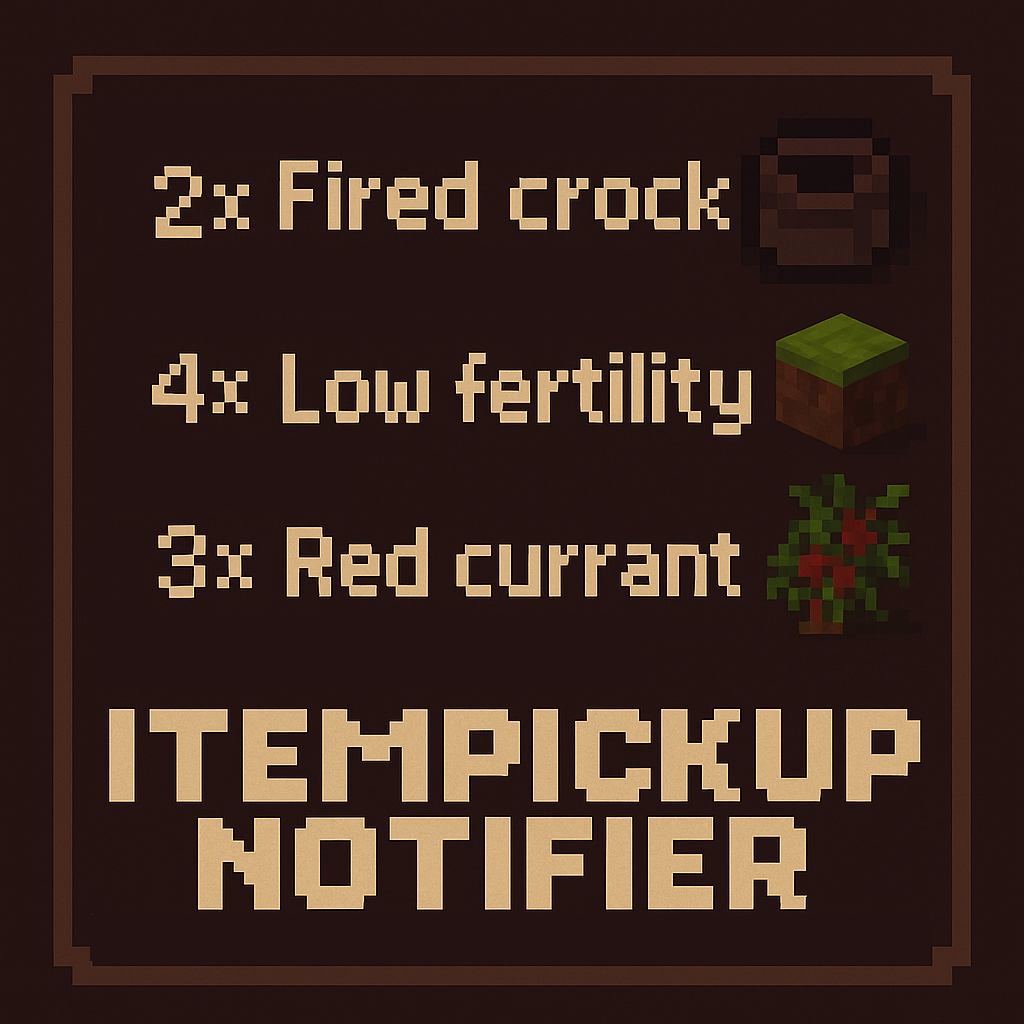
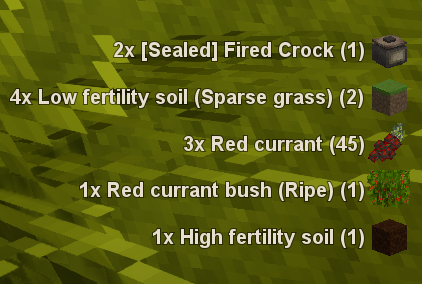
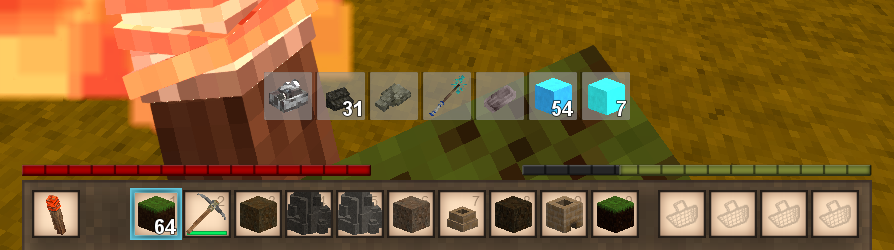
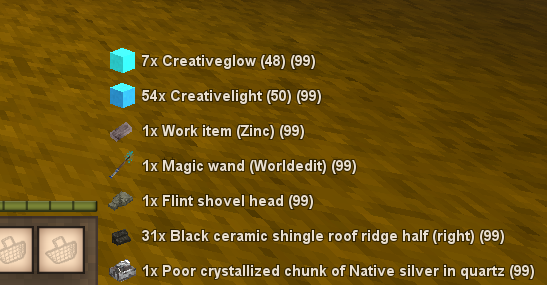
Simple UI overlay that displays items and their amount whenever a player picks them up.
Acknowledgment / Contributions ⚙
- es-es translations by C4BR3R4
Latest Changes:
- Tweak: Rework SettingsUI code and visual aligment
- Feature: Added notification display time setting
- Bugfix: Preventing from properly pressing save/cancel at times
- Bugfix: Fix proper resetting of changes when closing settings ui
Features
- Client Side Only - Works on any server
- Dynamic Overlay position on resize.
- Displays on screen any item that get picked up into the players bags or hotbar (Pickups, Harvest, Loot, Paning)
- Shows associated icon
- Allows displaying the total amount present in bags when an item is picked up
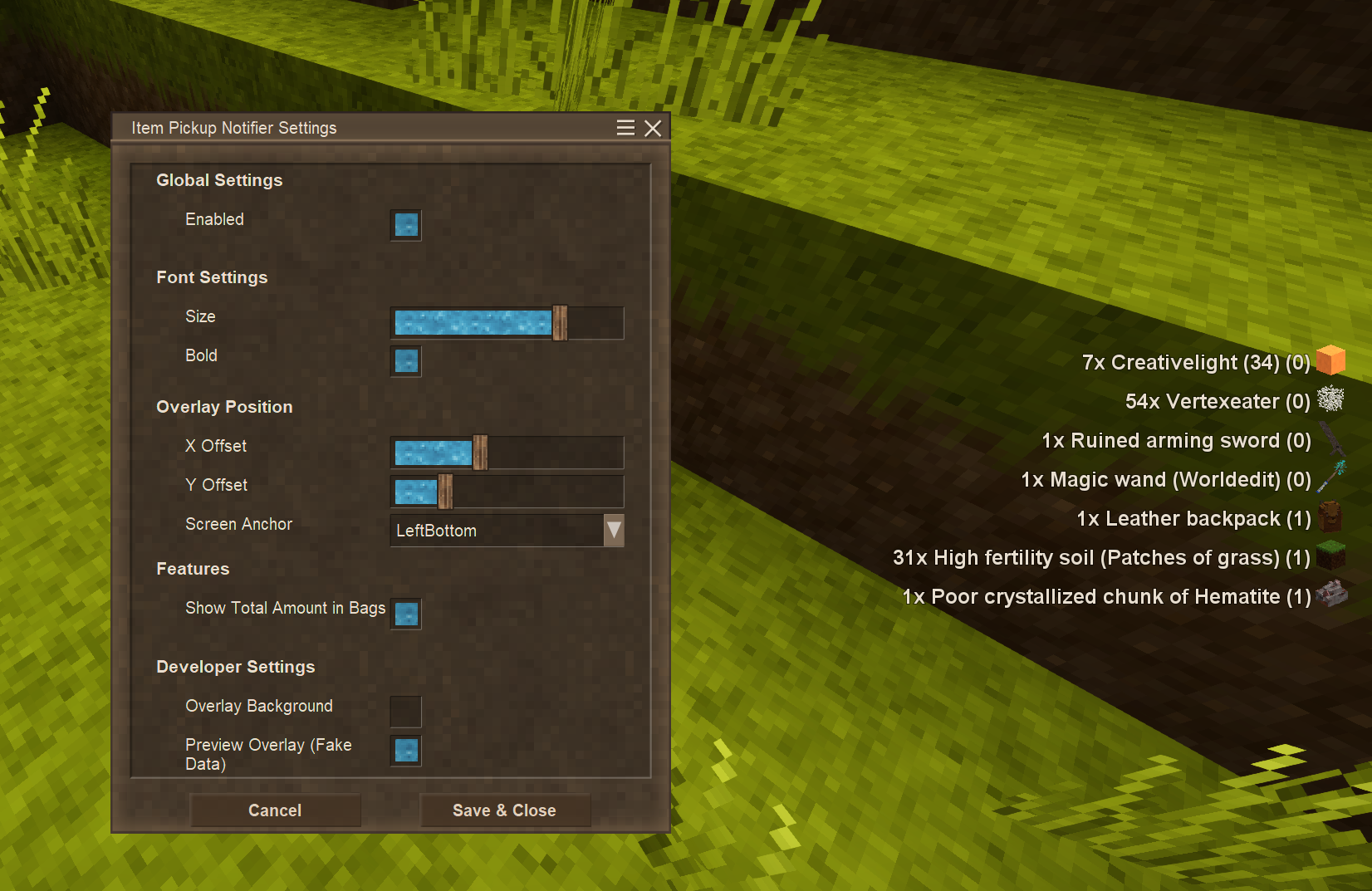
- In game client settings window (CTRL+Z
Configuration
Mod has a configuration window accessible through CRTL+Z shortcut.
Alternatively you can configure via settings file. After running the mod for the first time the file itempickupnotifier.json should appear on your <VintageStory Data Folder>/ModConfig/.
| Field | Description | Default Value |
| Enabled |
Enables or disables the mod | true |
| Anchor | Base location on screen to display overlay (Based on Vintagestory.API.Client.EnumDialogArea) | "RightBottom" |
| HorizontalOffset | Number of pixels to offset horizontally base location (can be negative) | 0.0 |
| VerticalOffset | Number of pixels to offset vertically base location (can be negative) | 0.0 |
| FontSize | Size of the font | 16.0 |
|
TotalAmountEnabled |
Display the total amount in bags of the picked up item | false |
Other Mods ⚙
Check out my other work
| Mod Version | Mod Identifier | For Game version | Downloads | Released | Changelog | Download | 1-click mod install* |
|---|---|---|---|---|---|---|---|
| 1.9.1 | itempickupnotifier | 889 | Nov 22nd at 2:16 PM | itempickupnotifier_1.9.1.zip | 1-click install | ||
|
- Attempt to fix crash on rendering empty list | |||||||
| 1.9.0 | itempickupnotifier | 2126 | Oct 18th at 3:12 PM | itempickupnotifier_1.9.0.zip | 1-click install | ||
|
- Tweak: Rework SettingsUI code and visual aligment | |||||||
| 1.8.0 | itempickupnotifier | 504 | Oct 15th at 5:15 PM | itempickupnotifier_1.8.0.zip | 1-click install | ||
|
- Improved alignment based on font size and UI scale | |||||||
| 1.7.3 | itempickupnotifier | 4793 | Aug 18th at 1:48 PM | Empty | itempickupnotifier_1.7.3.zip | 1-click install | |
| 1.7.2 | itempickupnotifier | 1819 | Aug 7th at 10:01 PM | itempickupnotifier_1.7.2.zip | 1-click install | ||
|
- es-es translations by C4BR3R4 | |||||||
| 1.7.1 | itempickupnotifier | 1013 | Jul 24th at 12:02 PM | itempickupnotifier_1.7.1.zip | 1-click install | ||
| |||||||
| 1.7.0 | itempickupnotifier | 1931 | May 31st at 3:20 PM | itempickupnotifier_1.7.0.zip | 1-click install | ||
| |||||||
| 1.6.2 | itempickupnotifier | 674 | May 24th at 6:29 PM | itempickupnotifier_1.6.2.zip | 1-click install | ||
|
- Fix saving issue | |||||||
| 1.6.1 | itempickupnotifier | 66 | May 24th at 6:05 PM | itempickupnotifier_1.6.1.zip | 1-click install | ||
|
- Add missing language files | |||||||
| 1.6.0 | itempickupnotifier | 73 | May 24th at 5:25 PM | itempickupnotifier_1.6.0.zip | 1-click install | ||
| |||||||
| 1.5.0 | itempickupnotifier | 318 | May 18th at 12:37 AM | itempickupnotifier_1.5.0.zip | 1-click install | ||
|
- Display total amount of item in player inventory | |||||||
| 1.4.3 | itempickupnotifier | 317 | May 10th at 1:48 PM | itempickupnotifier_1.4.3.zip | 1-click install | ||
| |||||||
| 1.4.1 | itempickupnotifier | 242 | May 7th at 12:00 AM | itempickupnotifier_1.4.1.zip | 1-click install | ||
|
- Converted Mod to client side only | |||||||
| 1.3.0 | itempickupnotifier | 143 | May 6th at 11:57 AM | itempickupnotifier_1.3.0.zip | 1-click install | ||
|
- Added support for panning and harvesting | |||||||
| 1.2.0 | itempickupnotifier | 142 | May 5th at 10:26 PM | itempickupnotifier_1.2.0.zip | 1-click install | ||
|
Breaking changes: Due to layout composition changes you may expect that the position of the overlay changes.
| |||||||
| 1.1.0 | itempickupnotifier | 376 | May 3rd at 10:39 PM | itempickupnotifier_1.1.0.zip | 1-click install | ||
|
- Added Configuration Support
- Overlay position on screen
- Horizontal and Vertical offset
- Font Size | |||||||
| 1.0.0 | itempickupnotifier | 407 | Apr 27th at 12:25 PM | Empty | itempickupnotifier_1.0.0.zip | 1-click install | |
Works better now it seems..
yes please redo the background overlay as it makes things easier to read
I'd appreciate it if you could .. it makes it easier for me to read (I'm an old fart lol)
crash report when i try to pickup a chisel from a tool rack..
BlueSteelAU technically yes. I had it in manly for debugging the sizing didn't really though anyone was using it (that's why it was under developer options). It also not working properly with the new alignment. I'll see if i can re-add it.
what about my issue ? has the dark overlay background option been dropped?
MrFastZombie you probably meant the same as ManaWei (not sure if they can report on the new version). I've attempted to reproduce the issue with no success. The only common pattern i see is the use of combat overhaul that unless there's some weird patching i would have to look deeper into it.
I just had the same issue as BlueSteelAU, happened when I tried to shift-click a stack of rope into my inventory from the creative menu.
OldManYells updated to the latest version again and deleted the config file (so it has to rebuild it) and no change.it no longer even displays an option to toggle or turn on the overlay background on CTL Z or in config.lib
ManaWei attempted a quick fix for it. Let me know if it solved.
I'm have been crashing constantly and it's always this mod.. even when it works..
It was crashing other mods, so i had cascading fauilures that led to timeout and crash..
Hope this helps.. I will unfortunately have to deal without this mod for now..
BlueSteelAU have you tried resetting the settings?
EchoHuntsman will have to take a look, that's a weird one.
TheFifthRider i haven't had the time to back an rewrite the tracking algorithm but it's on the list for sure.
Fantastic mod! It'd be great to see an optional feature that factors in items lost as well -- I could see some niche applications of it and it has the side effect of not allowing you to spam add and remove things from your inventory to make number go up to infinity 😂
I'm surprised to see that nobody's mentioned this yet, but I've used this for a while (since a few versions ago) and if you set the text size to 20, save and close the popup, save and exit the world, (optionally close the game) and rejoin, then it resets to the smallest font size. So I've just had to deal with it being set to 19. Otherwise, works great!
Why is this not vanilla????? Thank you for making it <3
just updated to the latest version.. so theres no more overlay background :( i can't see it anywhere
OldManYells Very cool! Thanks 😀
DracsFantastic Phantom72 1.9.0 allows you to specify the on screen time. I spent yet again too much time (i was gonna just add the setting and got carried away) fixing the UI backend stuff (or at least trying) so it's a simple slider for now. I'll probably come around implemeting other types of controls and change that one in the future.
Wonderful mod, thank you very much - I'm still on 1.20 but hoping that we'll see the hangtime property exposed in the future versions.
DigitalHare Added the option to align to the left (Inverted alignment)
BlueSteelAU for some reason the save issues stopped happening. Let me know on your end.
DracsFantastic I'll add to the list for next release.
I'll be honest, this may be a skill issue, but the UI handling really confuses me at times. I spent too much time on "improving" the alignment and cleaning up some stuff in the background. Mostly stuff you won't notice but it was enough to drain most of the time i had/wanted t work on it. Luckily i got the itch to implement the new "mode" as i was seen some Everwind gameplay and had to do it :D If anyone has strong feeling about it just let me know. Hopefully i didn't break anything 😅
Love the mod! Thank you for this one. Might be cool to adjust the time on screen?
BlueSteelAU thank you. I've also realized it this week on my server. Will try to get a fix for it soon enough.
overlay settings not being applied or saved v1.73 vs 1.21.1
DigitalHare totally valid suggestions. This was the first mod i worked on and i had very little experience with the UI system i may be able now (and actually wanted to take care of those particular things).
Random request/suggestion on trying the mod: When using a different anchor point (Like left side of screen, etc) is it possible to change the text alignment? Or just allow people to choose that? What side the item icon is on and left/center/right aligned text?
Edit so I don't have two messages in a row: Having an issue where the text size keeps reverting to size 5 when I set it to 20.
Maybe I should have read this before typing out the last message....
I greatly appecriate the work you put into this. It is an amazing mod.
Don't know if this "bug" existed before, but now, if you take something from a toolbelt and put it back - the mod shows this as a new picked item. Repeat multiple times, and the mod will keep adding to the counter. Not a problem really, but kind of weird.
Works great on latest stable release, the custom UI formatting from my 1.20 install was retained as well. Thank you for updating the mod so quickly!
MableZ i got the same issue and couldn't really figure it out. I remove the mod from the folder, loaded the world and then and to reboot my machine before being able to install the mod back again.
I'm on 1.21.0-rc3, getting an error where the game seems to think I'm loading two different versions of this mod
In server-main log:
7.8.2025 20:10:16 [Notification] Mods, sorted by dependency: game, itempickupnotifier, creative, survival
7.8.2025 20:10:17 [Error] [itempickupnotifier] The mod's .dll was already loaded and cannot be reloaded. Most likely cause is switching mod versions after already playing one world. Other rare causes include two mods with .dlls with the same name
SoulReaperz honestly the overlap issue had already come up before but related with blocking the world map, so i had already spent a bit of time digging stuff up, probably helped figure out this one easier.
Thank you for the feedback, glad you find it uselful.
OldManYells
that was fast
testing it right now...
it appears to be fixed now, thanks, was weird, first didnt know what was going on since im a returning player and i did the update download to go from 1.19.8 to 1.20.12 and thought the game itself had an overall break delay added into the game after picking stuff up
reseted all my settings by deleting their files and it fixed itself then i readjusted this mod back to center center and it happened again, it had me thrown in a loop there for a bit lol
but its all fixed now, being able to have the pickups right there in the middle of the screen for me helps to identify all im picking up and how much ive already collected, especially when your on the constant lookout for hostiles lol
on another note, i am using your other mod aswell the item highlighter and it is working perfectly, i have it set to always on lol
SoulReaperz should be fixed in 1.7.1, let me know if it worked.
Fishs version issue should also be fixed.
want to point out, sure its a unknown bug, or maybe known
if you set the notifer to center center, when you pick something up/collectsomething
you are un able to do any fresh action until that notification popup has cleared from the screen
the notification when center center seems to just up and block all crosshair actions until it clears takes about 4 seconds to clear so you can do more actions
this causes issues when in combat and you pick something up and now you cant attack until it clears
this causes issues when gathering resources and you pick something up and now you cant break the next resource to continue gathering
OldManYells it seems to be fixed
Rythillian do you have any additional mods installed? I'm not being able to replicate the issue.
Fishs i'll look into it, the dependency setting was/is not very intuitive to me. As a side note, you could've framed your feedback very differently.
your mod say 1.20.0-1.20.12 but thats wrong on 1.20.7 and it says its for 1.20.10.
would love an option to scale the icons since we can scale the text (also there appears to be a bug atm where shift clicking an item from your hotbar to your inventory IF you have a sturdy mining bag will display a popup).
brayanluc thank you. I've been using it in MP so hopefully is working on most servers (unless banned/block for some reason)
Confirmed: Works fine with 1.20.11 (only tested in singleplayer)
Thanks!
Mollycoddle v1.4.3 should greatly reduce additional notifications (not quite satisfied yet, but that's all i can do for now, will circle back on this later), think i also removed the Vtml showing up on notifications (for, for example, sealed crock).
Mollycoddle i'm aware, it was a side effect from moving to the new approach for client side only. I'm currently thinking of a strategy to fix that and the overall behaviour of extra unwanted notifications. Additionally there's also the fact that it's not properly rendering the tags and just writting them in plain text which is visually weird, will also take a shot at that.
Hey, I'm using Xandu's Inventory Tweaks and this mod is interpreting sorting my inventory as picking up all the items in it again. It's understandably causing a lot of lag whenever I do so. Any chance you might be able to fix that?
Just wanna report, that v1.4.1 is working on game version 1.20.09 as well (edited modinfo.json) and it is indeed working without being on the server ;)
OldManYells like LootGoblin78 said, you and unicorn_ares would make an incredible team. Have you two talked about combining both mods to make it easier for players to choose a mod? It was not too long ago that the mod db also added the ability for multiple ppl to contribute to a mod after all...
😅I swear that i'm not event paying attention to that fact, but it is indeed quite amusing. The intention was to provide something that was lacking and particularly that i could use to fix an issue i had. It seems that we both did the mod with the same intention and a i just wanted to make sure that what i built suited my needs which it now does.
The code is also published and with a higly permissive license -- i quite intend for anyone to just copy it, contribute, or do whatever they want. For mods i tipically don't use non open source ones -- personal choices basically (which is probably the reason i haven't just moved to just using the other mod). That said, thank you all for the awsome feedback 🙏
Somehow i have the feel, if they both work together they could also transfer their own knowledge to each other. To be honest, both are on the level now, where I CANT CHOOSE anymore which mod i wanna use because both are working hard and have made a fantastic mod
I swear, you OldManYells and unicorn ares are competing on making the best item pick up notifier mod, and you two keep publishing updates at similar times. Almost like you two are the same person...
Mod should now be totally client side only 😀
Kasel this should help remove your issue.
Kasel thank you for the detailed info, i'll try to reproduce it on my end.
It's not an error that happens constantly, just on server start/restart. It appears to function perfectly fine ingame and isnt spamming errors. I'm using 1.20.10 on a Dedicated Server.
Here is the entire error as it appears in my console.
Kasel could you double check on your end. I just did a "clean install" with the uploaded version and im not actually seeing any issues. What game version are you using?
Kasel yes, taking a look. I might have done something weird with the changes as they were working and now i was cleaning up some stuff and it's also failling for me.
Error in server console with latest version
icehorse 1.3.0 should now support "all" types of pickups (including the mentioned panning and harvesting)
OldManYells well thank you for your work on this mod, this one still has some standout features, like allowing you to reposition your hud, so I think that's pretty neat
icehorse It seems to be correct. Although i will say that's mostly due to me missing that lack of interaction. That mod has cool stuff. It allows you to configure it through a dedicated UI which i haven't been able to add and does a cool fade effect, thats two things that are also different. The awsome thing about modding comunity and diversity is that you can add your own twist to things. I would advise you to try both and just go with the one that you feel it's more adequate to you and your playstyle.
Partexedd thank you, glad you liked it.
eerino i see, thx for the info. The author of the other mod ( unicorn_ares ) says that this mod focuses more on only item pickups, while the other one also detects panning, grabbing by hand, and other types of item interactions. Is that accurate?
icehorse
difference between ur mod and https://news.kalataka.ru/infinitumpickuphud ?
This is an amazing mod, thank you so much :)
Roidgy Think that the new version should do it in terms of the icon preview.
Roidgy that was actually the initial intention (that mod is actually the inspiration for this one) but i lacked the experience so i decided to reduce the scope for the initial version. I'll most definitely try to incorporate that.
That said i'll add a small disclaimer on the mod description as i expect that as i update it i'll probably break some of your personal configs for positioning. Apologies in advance.
Love this!! Been wanting this for a while and I appreciate it, and I'm sorry to make a request but do you think it would be feasible to add a little icon of the item you've picked up, like in the Pick Up Notifier mod for mc?
virtualpolecat Version 1.1.0 should allow you to reposition the overlay. Also decided to change the font a bit (It's now actually in line with StatusHud overlays but the font size is also configurable). Let me know if you have any issue.
virtualpolecat I can definitely try. This was the first contact i had with the API/Modding VS so i tried to do it as simple as possible. I'll see what i can do. Tbf, i use a widescreen so adjusting it to be even useful to me :)
This is really cool; Any thoughts about expanding the scope of the mod and allowing us to configure where the text is at on the screen? An option for centered right above the toolbar would be preferred for me!