
Mods / Modding Tools
Draft
Set to published to be listed. A draft mod is still visible to everyone via direct link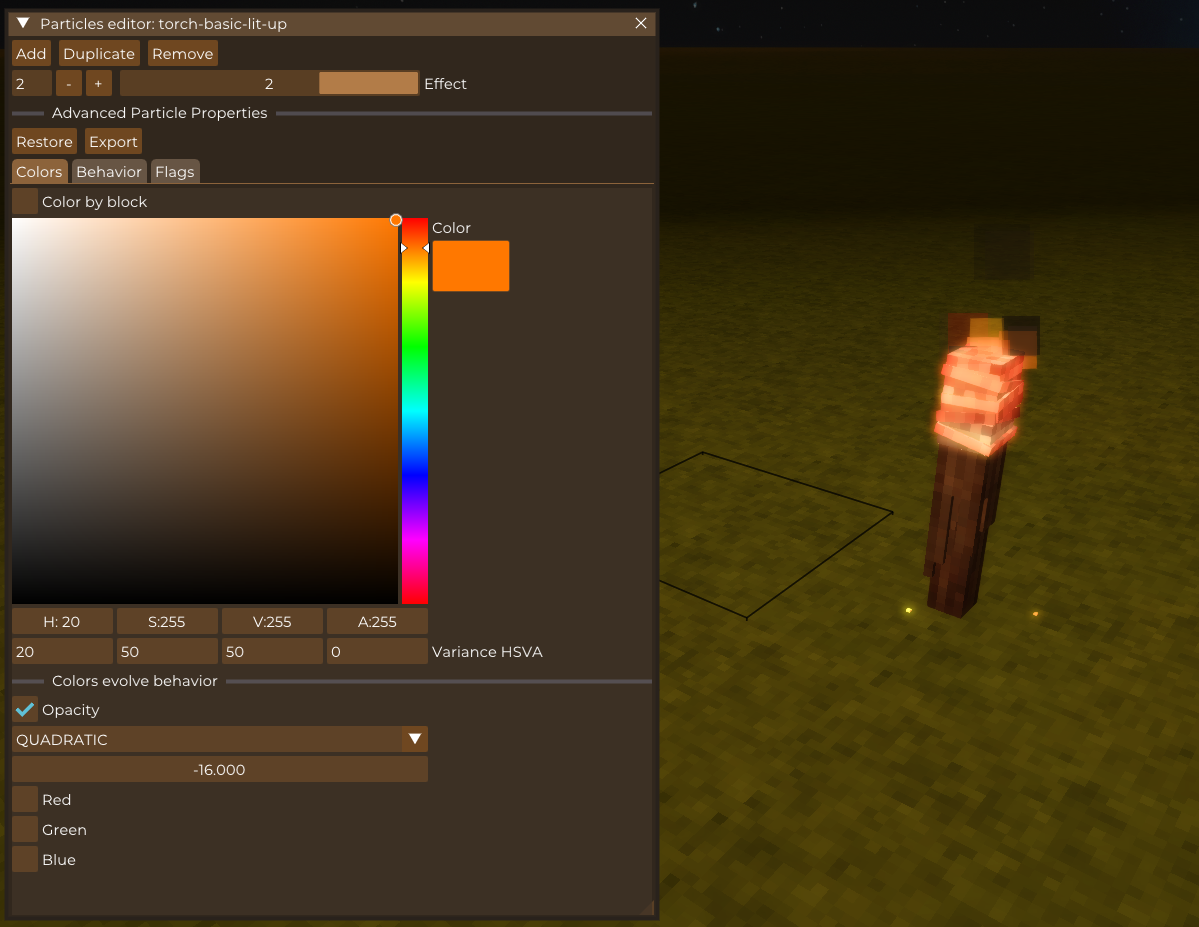
Tags:
#Library
#Utility
Author: Maltiez
Side: Both
Created: Dec 9th 2023 at 6:40 PM
Last modified: Mar 22nd 2024 at 3:07 PM
Downloads: 1597
Follow Unfollow 41
Author: Maltiez
Side: Both
Created: Dec 9th 2023 at 6:40 PM
Last modified: Mar 22nd 2024 at 3:07 PM
Downloads: 1597
Follow Unfollow 41
Latest release (for Vintage Story 1.19.4, outdated):
moddingtools_1.0.0.zip
1-click install
Collection of tools for modders. Feel free to request tools that you might need under discord post. Requires ImGui library.
Hotkeys:
- Modding tools: context menu (R by default) - opens context menu on current block selection
- Modding tools: cursor lock/unlock (Shift + R by default) - opens gui dialog that unlock cursor for interacting with tools GUI
Currently implemented:
- Particle effects editor (prototype)
- Edit existing particle effects in blocks
- Export to JSON
Planned features:
- Particle effects editor
- Done Ability to add and remove particle effects
- Export to file
- Export to C#
- Done More convenient export to JSON
- Properties editors rework (to make them more convenient and intuitive)
- Hints
- .tfedit rework
- .bsedit rework
- shape editor
- animations editor
- suggested tools
- more generic library architecture to allow extensions
Suggested tools:
- Recipe editor (A gui where you can put items blocks into for example a grid like interface. Input and output items and then you have a export json button which outputs the whole json for the created recipe.)
- Stackrandomizer editor (Would be able to view a stackrandomizer in a gui and change items blocks as well as chance around without looking at json and printing the changes as a new json)
- Itemstack attributes editor
- Itemtype editor
| Mod Version | Mod Identifier | For Game version | Downloads | Released | Changelog | Download | 1-click mod install* |
|---|---|---|---|---|---|---|---|
| 1.0.0 | moddingtools | 453 | Mar 22nd 2024 at 3:07 PM | Empty | moddingtools_1.0.0.zip | 1-click install | |
| 1.0.0-pre.2 | moddingtools | 261 | Mar 8th 2024 at 8:57 PM | moddingtools_1.0.0-pre.2.zip | 1-click install | ||
|
Support for latest ImGui mod version | |||||||
| 1.0.0-pre.1 | moddingtools | 239 | Feb 28th 2024 at 5:40 AM | moddingtools_1.0.0-pre.1.zip | 1-click install | ||
|
Moved to new ImGui version. Reworked particle editor. | |||||||
| 0.0.2 | moddingtools | 383 | Dec 9th 2023 at 7:20 PM | moddingtools_0.0.2.zip | 1-click install | ||
|
Fixed broken color evolve editors | |||||||
| 0.0.1 | moddingtools | 261 | Dec 9th 2023 at 6:49 PM | moddingtools_0.0.1.zip | 1-click install | ||
|
Alpha version | |||||||
Whatever formatting you have in most of the text in the Suggested tools section on this mod page makes the text really hard to read. I can do so by highlighting the text, but I thought I would say something in case it wasn't intentional.
Seems really cool!