
Mods / Discord Whitelist Manager (WLM)

Author: BrinyCupid
Side: Server
Created: Aug 6th at 1:24 PM
Last modified: Aug 8th at 9:38 AM
Downloads: 43
Follow Unfollow 4
Latest release (for Vintage Story 1.20.12, outdated):
wlm_1.1.1.zip
1-click install
Discord Whitelist Manager (WLM)
Manage your Vintage Story server whitelist directly from Discord.
What it does
- Players submit whitelist applications with /whitelist-submit. The bot posts the application in your chosen channel with Approve and Deny buttons.
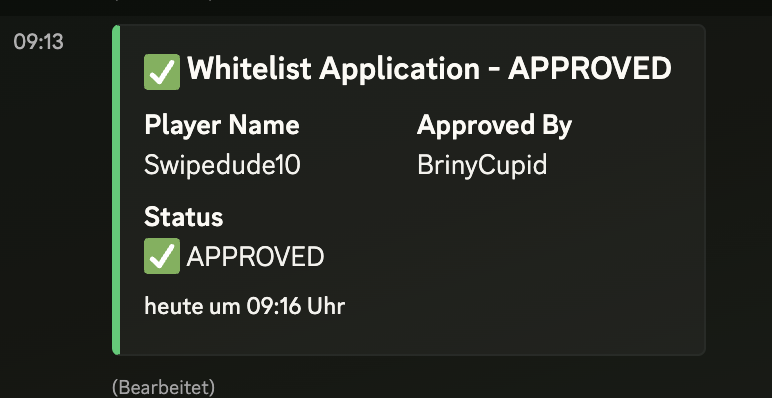
- Moderators approve or deny with one click. Applicants receive DM notifications on submission and decision.
- Admins can still use /whitelist to add or remove players, with support for time-limited access.
Key features
- Slash commands: /whitelist and /whitelist-submit
- One-click approval workflow for moderators
- DM notifications to applicants
- Role-based permissions for safety
- Time-limited whitelist entries (hours, days, months, years)
- Smart player lookup to resolve names reliably
- Audit-friendly logging
Setup
- Create a Discord bot and get its token
- Configure BotToken, GuildId, and ModerationRoles
- Set WhitelistChannelId to the channel where applications should be posted
- Enable the submission system with EnableWhitelistSubmit
Usage
- Players: /whitelist-submit playername:Your_Ingame_Name
- Moderators: Click Approve or Deny on the posted application
- Admins: /whitelist playername:<name> mode:true|false [time + unit] for manual add/remove
Notes
- Applications posted before 1.1.1 may not be actionable. Ask players to resubmit to generate new buttons.
Requirements
- Vintage Story 1.19+ (server-side only)
- Discord bot with permission to use slash commands and post in the application channel
Ideal for community servers that want an easy, moderator-friendly Discord workflow for whitelisting.
| Mod Version | For Game version | Downloads | Released | Changelog | Download | 1-click mod install* |
|---|---|---|---|---|---|---|
| 1.1.1 | 21 | Aug 8th at 9:38 AM | wlm_1.1.1.zip | 1-click install | ||
|
[1.1.1] - 2025-08-08
Fixed
- Player names with underscores being truncated in button actions by switching to appId-based custom IDs and loading details from saved storage
- More robust interaction handling: defer early and send follow-ups to avoid Discord's 3-second timeout during heavier operations
- Consistent data persistence by storing application records as UTF-8 JSON bytes to prevent encoding issues
Changed
- Moderation buttons now carry only an application ID. Applications posted before 1.1.1 can't be actioned; please ask applicants to resubmit to generate new buttons
| ||||||
| 1.1.0 | 12 | Aug 6th at 3:58 PM | wlm_1.1.0.zip | 1-click install | ||
|
# Changelog All notable changes to Discord Whitelist Manager (WLM) will be documented in this file. ## [1.1.0] - 2025-08-06
### Added
- **New `/whitelist-submit` command** - Players can now submit whitelist applications directly through Discord
- **Interactive approval system** - Admins can approve/deny applications with one-click buttons
- **Automatic DM notifications** - Players receive confirmation when they submit applications and when they're approved/denied
- **Data persistence** - All whitelist applications are stored using Vintage Story's data storage system
- **Enhanced configuration options**:
- `EnableWhitelistSubmit` - Toggle the submit command on/off
- `WhitelistChannelId` - Channel where applications are posted for review
- `NotificationChannelId` - Channel for notifications (future use)
### Changed
- **Improved command registration** - Now uses bulk command registration for better performance
- **Enhanced error handling** - Better timeout handling for Discord interactions
- **Optimized performance** - Non-blocking operations for DM sending and data storage
- **Streamlined user experience** - Removed reason field from submit command for simplicity
### Fixed
- **Discord timeout issues** - Commands now respond within Discord's 3-second limit
- **Thread safety** - Improved handling of concurrent operations
- **Error recovery** - Better fallback mechanisms for failed Discord interactions
### Technical Improvements
- Added deferred responses to prevent Discord timeouts
- Implemented async data storage operations
- Enhanced logging and audit trail
- Improved null reference handling
## [1.0.0] - 2025-08-06
### Added
- **Initial release** of Discord Whitelist Manager
- **`/whitelist` command** - Add/remove players from server whitelist
- **Time-based whitelisting** - Support for hours, days, months, years
- **Permission system** - Role-based access control
- **Player resolution** - Multiple methods to find players (local DB, online players, VS auth API)
- **Comprehensive logging** - Full audit trail of whitelist actions
- **Configuration system** - JSON-based configuration with validation
- **Cross-platform support** - Works on Windows, macOS, and Linux
### Features
- Discord slash command integration
- Flexible time duration system
- Smart player name resolution
- Administrative permission controls
- Detailed error handling and reporting
- Integration with Vintage Story's whitelist system
--- ## Configuration Migration
### From 1.0.0 to 1.1.0
Add these new optional settings to your `ModConfig/wlm-discord.json`:
```json
{
"EnableWhitelistSubmit": true,
"WhitelistChannelId": 123456789012345678,
"NotificationChannelId": 123456789012345678
}
```
**Note:** If you want to use the new `/whitelist-submit` feature, you must set the `WhitelistChannelId` to a valid Discord channel ID where applications should be posted.
| ||||||
| 1.0.0 | 10 | Aug 6th at 1:25 PM | wlm_1.0.0.zip | 1-click install | ||
|
First initial release | ||||||