
Mods / Unlock Mouse Toggle
Tags:
#QoL
Author: ZackTheGoat
Side: Client
Created: Jan 31st at 11:05 PM
Last modified: Jan 31st at 11:08 PM
Downloads: 384
Follow Unfollow 23
Author: ZackTheGoat
Side: Client
Created: Jan 31st at 11:05 PM
Last modified: Jan 31st at 11:08 PM
Downloads: 384
Follow Unfollow 23
Latest release (for Vintage Story 1.20.0 - 1.20.3, outdated):
UnlockMouseToggle.zip
1-click install
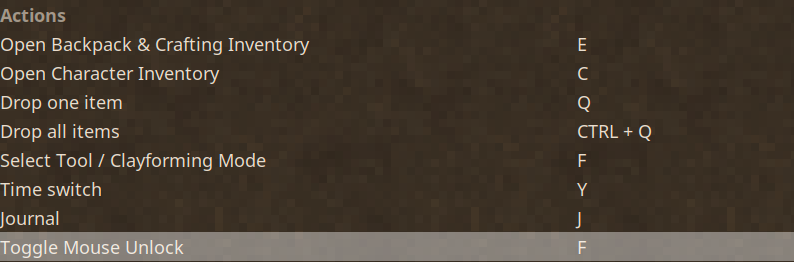
Adds a button that toggles mouse Unlock, rather than holding down ALT (default key is F, can be changed in control settings once Ingame)
Note: Unfortunately this does not work with Immersive Mouse Mode on due to how that setting changes mouse handling and I can not figure out how.
Site only displays the first author name in the modinfo list, so posting in description here that I made this with my friend MaroonAngel.
| Mod Version | Mod Identifier | For Game version | Downloads | Released | Changelog | Download | 1-click mod install* |
|---|---|---|---|---|---|---|---|
| 1.0.0 | mouseunlocktoggle | 384 | Jan 31st at 11:08 PM | UnlockMouseToggle.zip | 1-click install | ||
|
Initial Release | |||||||
I'll wait for the Immersive Mouse Mode integration, but thank you for doing this!
ZackTheGoat
This works great for those of us who have fingers that aren't "team players"!
Would it be possible to modify the toggle functionality so that it’s always enabled when needed? For example, if you place flint on the ground, the toggle automatically turns on, and once knapping is finished, it turns off.
Honestly, I wish the "Alt" and "Shift" key combinations weren’t so heavily used. They feel unnecessarily complicated... similar games handle interactions more fluidly without relying so much on key combinations.
THANK YOU, I had to make a macro to achieve the same, so glad I can leave it behind.
Absolutely goated mod, thank you
Thank you so much! Looking forward to using this!