
Mods / Simple Entity HealthBar
Author: OldManYells
Side: Client
Created: Sep 6th at 8:01 PM
Last modified: Nov 11th at 7:02 PM
Downloads: 7148
Follow Unfollow 213
Recommended download (for Vintage Story 1.21.0, 1.21.1 and 1.21.2 - 1.21.5):
simpleentityhealthbar_0.0.7.zip
1-click install
Status: Experimental / WIP
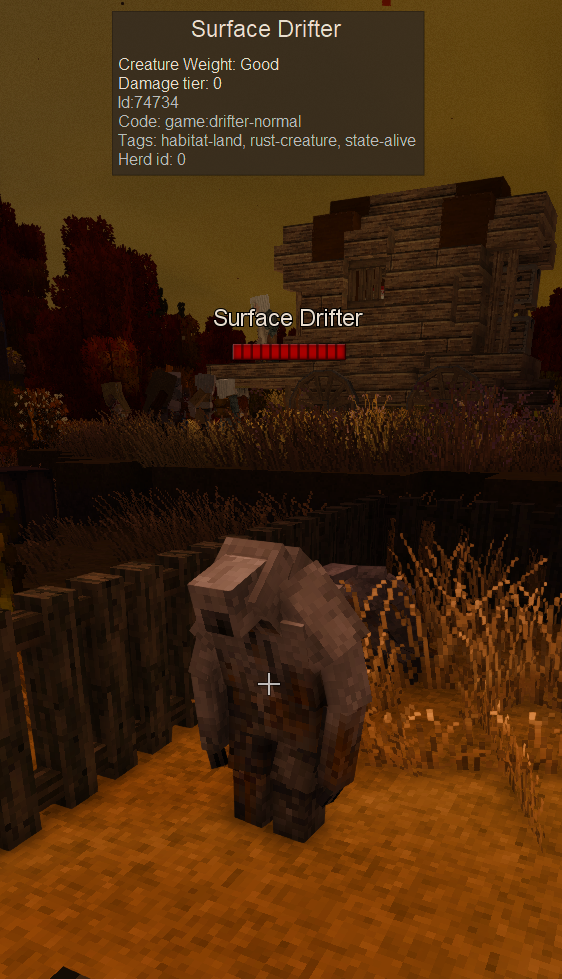
New Feature: Target Entity Nameplate with configurable max distance (capped at 50)
The 50 block cap was set as the experience doesn't seem that useful even at that distance. The nameplate is just to big and even if i tried to do some scaling with would have a poor quality. Nonetheless if you want to try and provide feedback please do.
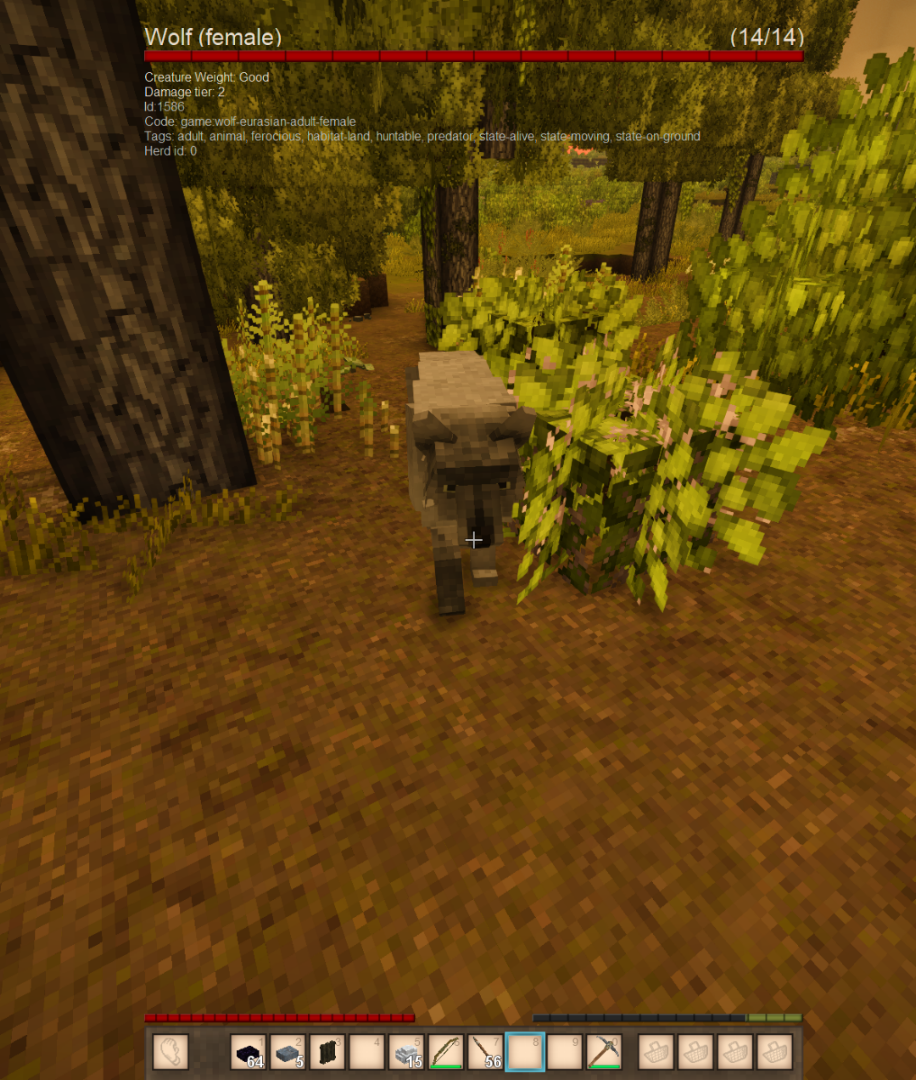
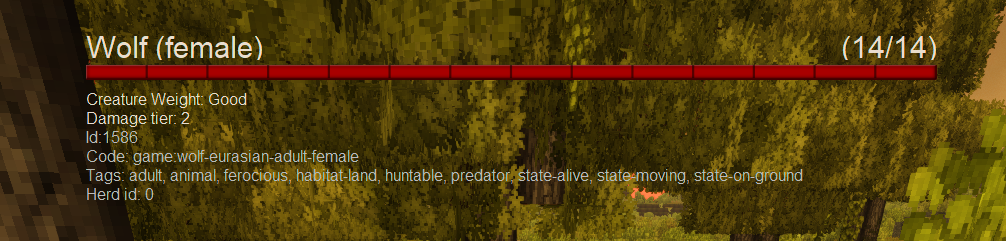
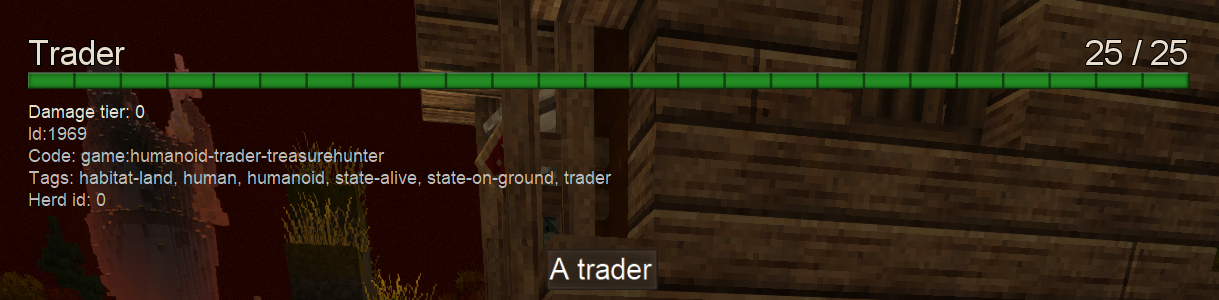
Note: Since standard tooltip is suppressed when the healthbar is shown t tooltip information appears below the healthbar (The screenshot here show that information when debug is enabled in Dev settings)
Latest Changes:
- Feat: Improved UI composition
- Feat: Add Main Health bar scaling config (Percentage based, clamped between 30-100)
- Feat: Added Health points to nameplates (Can be disabled in configs)
Configuration
{
  "ShowHudHealthBar": true,
  "ShowNameplates": false,
  "ShowNameplateHp": true,
  "MaxTargetDistance": 50,
  "HudHealthBarScalePercentage": 100
}
Roadmap 🥅
- Allow more Healtbar customization (Size, info, etc)
- Creature Portrait (one can dream!)
Changelog 🚧
- Scale Main Hud health bar config
- Hp value on nameplates
- Improve UI composition
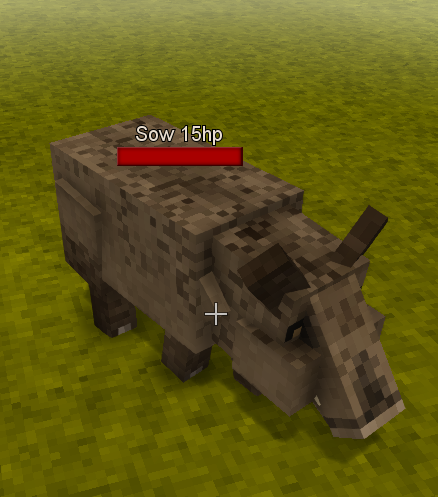
- Feat: Display entity nameplates (Name + Healthbar) over their heads (targeted entity only) - Comes disabled by default
- Feat: Allow for Configuration through config file
- Feat: Allow target max target distance through configuration (capped at 50 blocks)
- Tweak: UI is now always scaled to 30% screen size
- Tweak: Traders now show a green health bar as they're friendly
- Tweak: Name and Health text with outline for better visiblity
- Feat: Healthbar now stays 1 second after losing target (still switches immediately when target changes)
- Fix: Change the way BlockInfoHud is hidden to prevent changing user preferences (It was breaking in certain cases leaving the Block Info Hud disabled)
| Mod Version | Mod Identifier | For Game version | Downloads | Released | Changelog | Download | 1-click mod install* |
|---|---|---|---|---|---|---|---|
| 0.0.7 | simpleentityhealthbar | 1282 | Nov 11th at 7:02 PM | simpleentityhealthbar_0.0.7.zip | 1-click install | ||
|
- Fix: Crash when entities had no health stats | |||||||
| 0.0.6 | simpleentityhealthbar | 250 | Nov 10th at 6:47 PM | simpleentityhealthbar_0.0.6.zip | 1-click install | ||
|
- Scale Main Hud health bar config | |||||||
| 0.0.5 | simpleentityhealthbar | 3808 | Sep 21st at 4:30 PM | simpleentityhealthbar_0.0.5.zip | 1-click install | ||
| |||||||
| 0.0.4 | simpleentityhealthbar | 269 | Sep 20th at 1:59 PM | simpleentityhealthbar_0.0.4.zip | 1-click install | ||
| |||||||
| 0.0.3 | simpleentityhealthbar | 1115 | Sep 7th at 12:22 PM | simpleentityhealthbar_0.0.3.zip | 1-click install | ||
|
- Improve handling of Block Info Hud visiblity | |||||||
| 0.0.2 | simpleentityhealthbar | 298 | Sep 6th at 9:55 PM | simpleentityhealthbar_0.0.2.zip | 1-click install | ||
|
- BugFix: Default Tooltip permanently disabled | |||||||
| 0.0.1 | simpleentityhealthbar | 126 | Sep 6th at 8:02 PM | Empty | simpleentityhealthbar_0.0.1.zip | 1-click install | |
FireVentus from the looks of it seems like the crash came from overhaulib itself which this mod doesn't use. May be some weird interaction, but i reckon i also use armory and i haven't had this in particular.
I got a CTD all of a sudden, tracing to this mod...something about...rendering a sabre from the armory mod? It feels strange.
@OldManYells Yep, needed to update, thanks.
MetallicGal if the mod is client side and you place it on the server, it won't get downloaded. Not sure what commands you're referring to. If you, on your machine just press the '1-click install' button on this page you should be able to simply install it on your client, ensure that it shows up on your selected mods in mod manager and that's it. As mentioned unless your server configs are blocking mods you should be good. Check if your server is not blocking all mods that are not provided by the server.
Noon_og are you in the latest version 0.0.7?
I get a ctd when placing an armor stand, anyone knows why?
OldManYells i did that and we were are not blocking it/ Also the commands doesnt work on the dedicated server at all and im the admin i am really new to mods and such but my other admin does alot of pc stuff and he couldnt figure it out. also when we add other mods it tells us to download them this one doesnt because it is not working.
MetallicGal this is a client side mod, unless the server is actively blocking it through their configs you just need to install as any other mod on your side and have it enabled.
please make for servers my friends and i wanna add this to our server will donate if u do! <3
Hi, from what I see everything is working now
OldManYells Worm friend no longer breaks reality upon gazing upon it, many thanks.
OverGrownHell Amadeo4444 i may have been able to do a quick fix. Let me know if 0.0.7 fixed it.
OverGrownHell Amadeo4444 will take a look that is indeed bad.
OldManYells upon looking at a worm from primative survival the game pooped its pants in fear and crashed because it couldn't find a child thing, 0.0.5 works by ignoring the mob but 0.0.6 hates it
Hi, the mod looks really cool. The problem is that with it enabled, if I get within a few frames of an armor stand, the game completely crashes.
OverGrownHell what do you mean by that? I tested and it seems to be working fine. Can you provide more details of the issue?
The new update killed itself upon interaction with a Primitive survival mob (snake)
The_Draconas try it out. Added just the current value so that it wouldn't be too big of a thing.
The_Draconas shouldn't be hard, i'll see how it looks (i need to fix couple of weird issues with it) and if i can add it as a optional thing.
would it be possible to add the numbers to the floating style bar like the hud style has?
FawkesPC C:\Users\UserNameHere\AppData\Roaming\VintagestoryData\ModConfig\SimpleEntityHealthbar.json
{
"ShowHudHealthBar": false,
"ShowNameplates": true,
"MaxTargetDistance": 15
}
Where abouts do I fiddle with configs to have the healthbar floating like in that last screenshot? At the moment every chicken and rabbit (and other mobs) are like facing up against a Dark Souls boss with the sudden large healthbar at the top ^^'
Distorti0N yeah, i'll try to make it work next time i get some time.
OldManYells Hey, really digging your approach to a health bar here, but I don't suppose you'd be open to adding the UI Scale to the config file? I much prefer lowkey HUD elements and at the current scale (30% (?)), its a large piece of screen real-estate for me. It also appears to have clipped the total health off the end, so doesn't display the numbers like your screenshots do.
Otherwise, having the bar at the top of the screen only when mousing over the mob is the least immersion breaking for me, so thank you for putting this together.
Tried to imbed an image, didn't work, so here's a link to the kinda bar I am seeing.
https://freeimage.host/i/KXgHF1e
Dookin not quite sure on this, but it's probably because i'ts a client side only mod and is set in the code as such. I'm guessing the when that happens the server my not enforce that?! At least is what i'm seeing in the tests i've done. I also have a personal server and only the mods that have a server and client part that are required to work together are sent to me. All the rest i have to download explicitly on the client side.
Used it on my server it did not load and didn't give the option to download it from the server
Tasshroom33 DigitalHare i got entertained playing with some particular case and went ahead and added nameplates. They come disabled by default but you can enabled them through config and also adjust max distance for targeting (although capped at 50, as explained in the mod description). let me know how it feels.
Wouldn't end-user adjustable range be a solution? Let the player decide how much breaks their own immersion or not.
Tasshroom33 this also leverages block (4.5 block i think?!), the same as Block Info Hud. I've already considered on increasing the reach, although theres the argument that it starts to be a bit off as it starts to give you and advantage. If you have a too big of a reach you can even detected mobs by chance just because you moused over them at a distance. It's even worse with the immersive heathbars the other mod provides has it clearly highlights them on screen when you're nearby. Next time i pick this up again i'll see how i feel about it then regarding the direction i want this to take.
What is the max distance of this? That was my main gripe with the way the other healthbar mod handles the healthbar is that it's only like 5-10 blocks away which for bears\wolves\ect is a little crazy.
Wickidspliff try disable and enable the block info again through the settings.
I updated to the latest version and now my block info doesn't disappear after looking at an entity but there is no more healthbar?
Oh_Snap currently i'm ensuring that the basic functionality works with little to no side effects. I will definetly work on allowing customization :)
Any way to resize the healthbar?
Samuel_REDACTED the new versionn should fix it. Just install it and after you trigger the health bar again it should fix the tooltip displaying again.
The tooltip no longer appears for me when there is no healthbar visible
yesss, I've been wishing for a health bar like this