
Mods / Show Craftable
Author: Interzoneism
Side: Both
Created: Sep 18th at 3:16 PM
Last modified: Oct 5th at 3:30 PM
Downloads: 5967
Follow Unfollow 146
Latest release (for Vintage Story 1.21.0, 1.21.1 and 1.21.2, potentially outdated):
ShowCraftable_1.2.6_VS1.21.zip
1-click install
Show Craftable
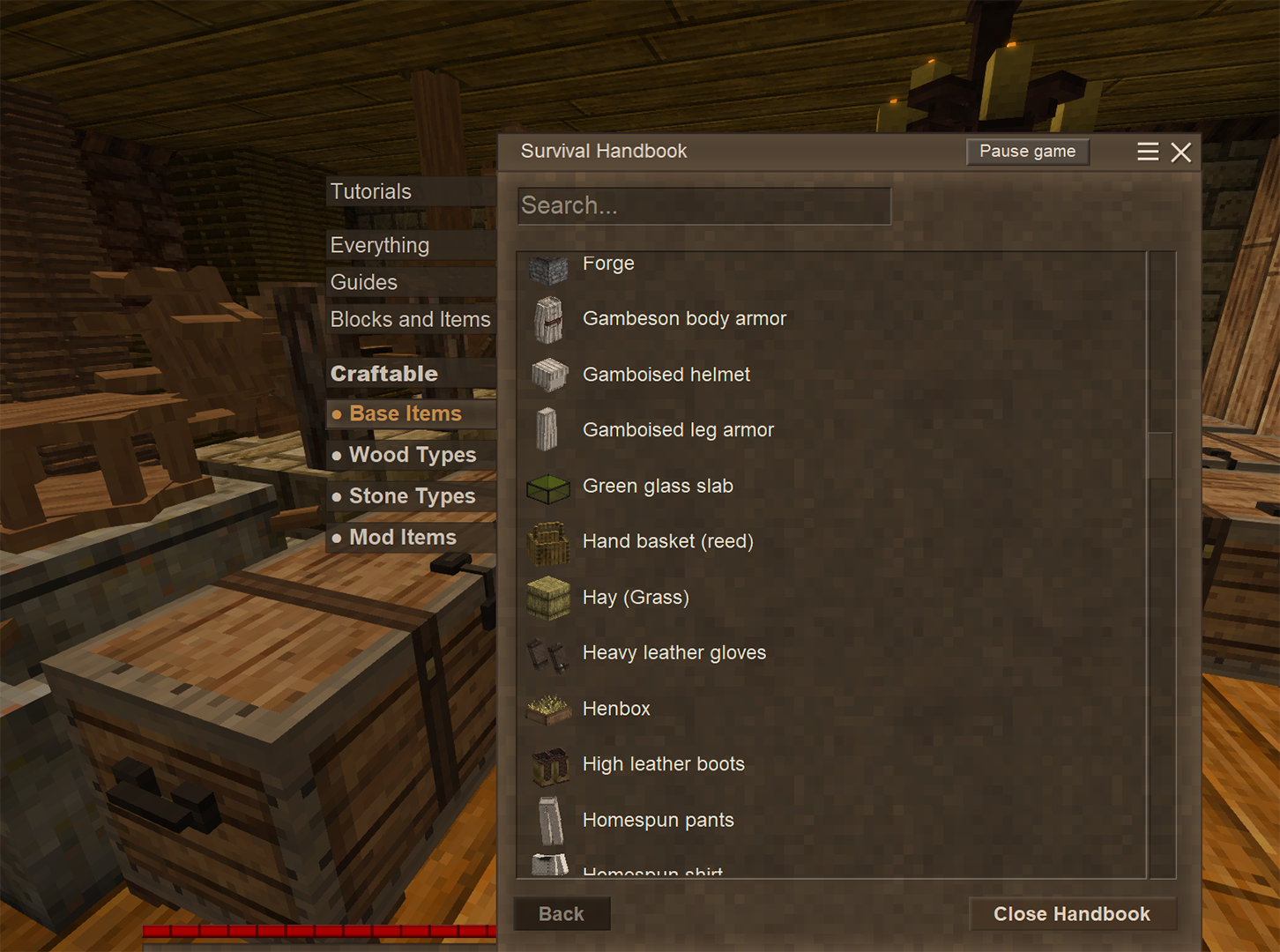
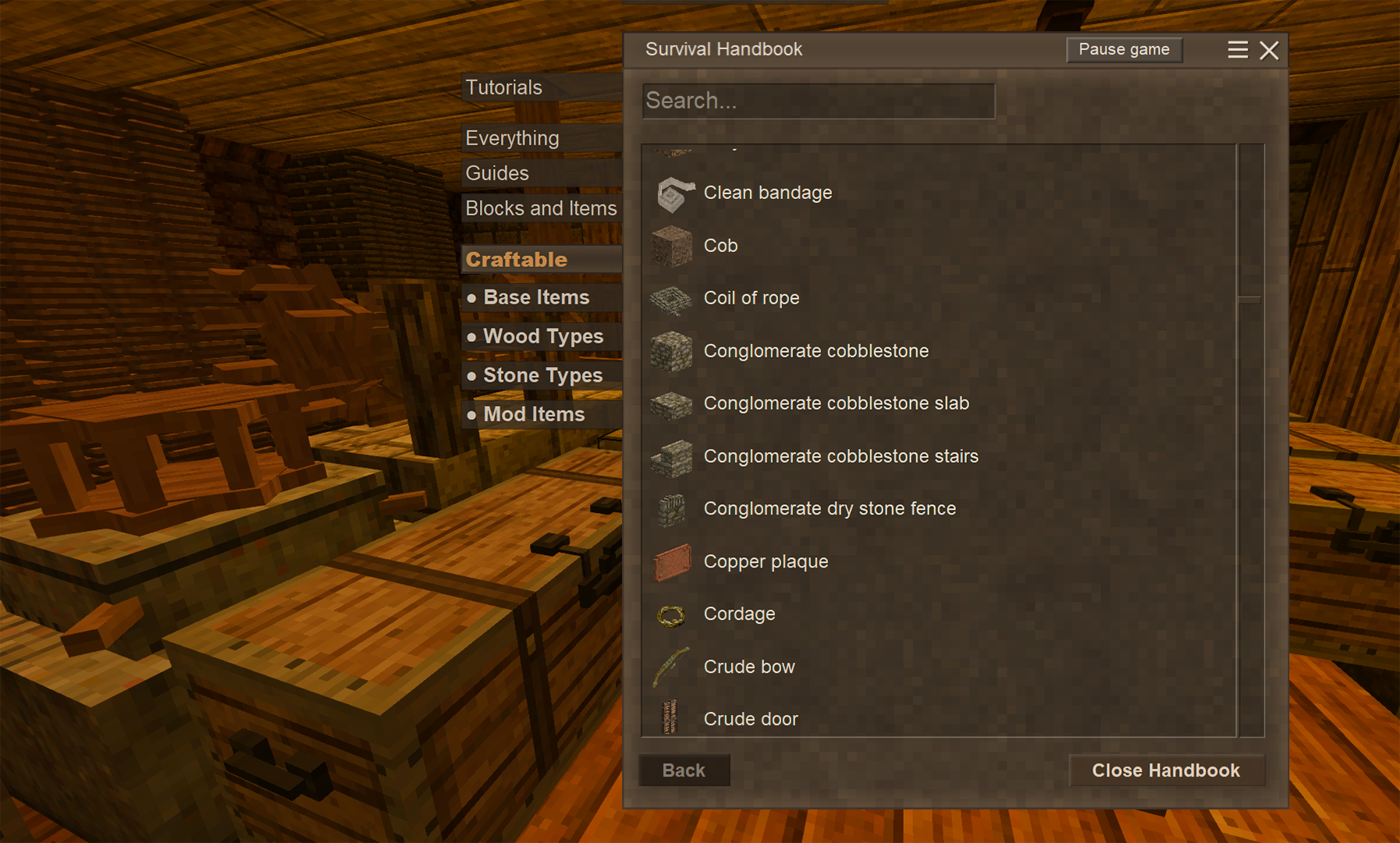
The Craftable tabs will show you exactly what items you can build right now, based on your current inventory and storage within 20 blocks around your character.
Just click on one of the Craftable tabs and every container around you - chests, vessels, baskets, crates, shelves, tool racks, etc, even ground storage piles - will be scanned for items.
All possible grid recipes will be shown in the list, just like a normal tab.
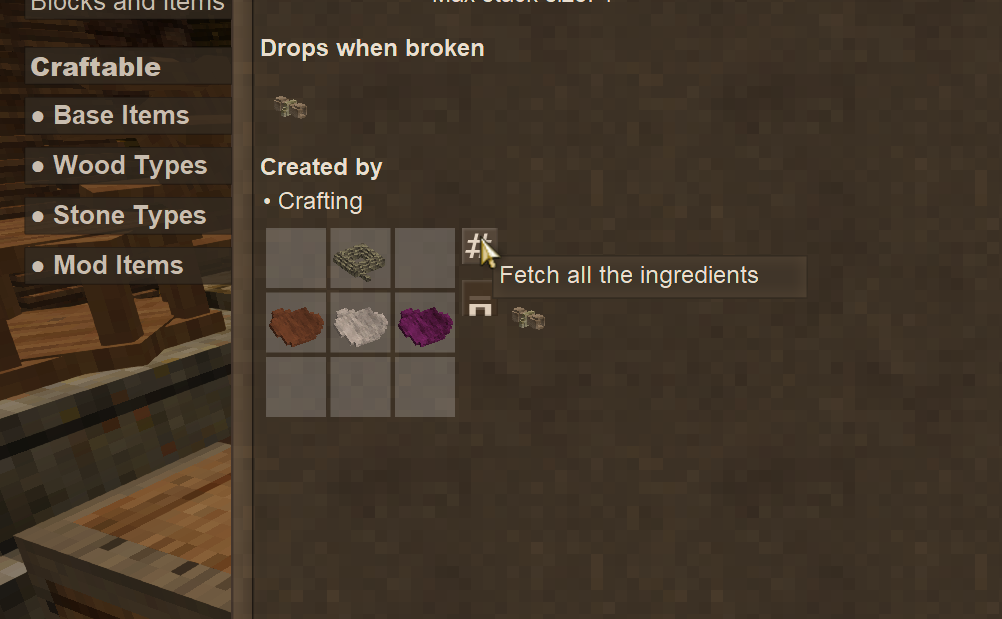
There's also a "Fetch Ingredients"-button™ for the truly lazy - press it and the required ingredients will be automatically transfered to your inventory.
Features
- Quick and easy way to find possible recipes without having to rummage through 15 trunks
- No lag or performance issues - only processes when you click a Craftable tab
- One main tab with subcategories:
- Craftable: Every item you can craft.
- Base Items: Most stuff.
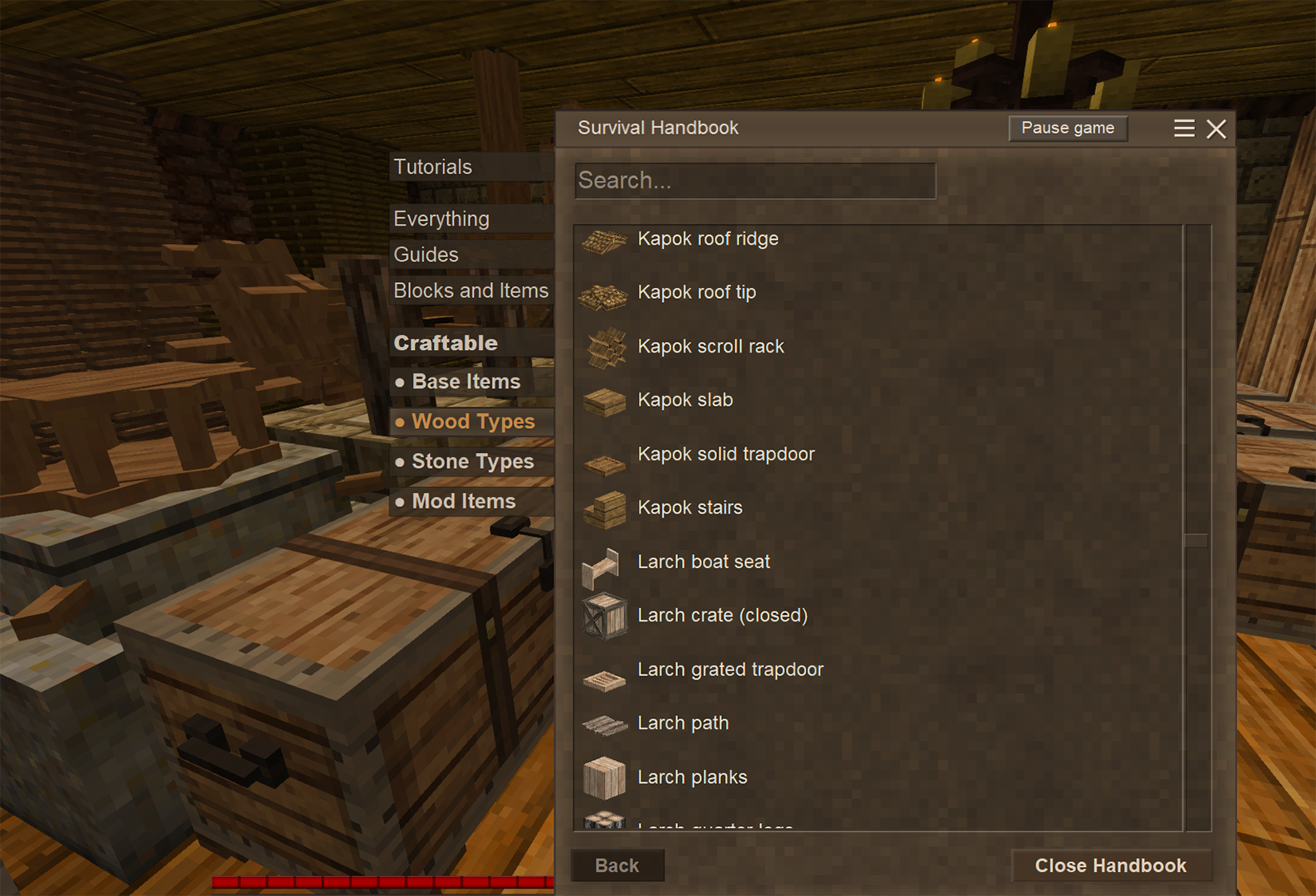
- Wood Types: Specific wood type items (Maple, Oak, etc)
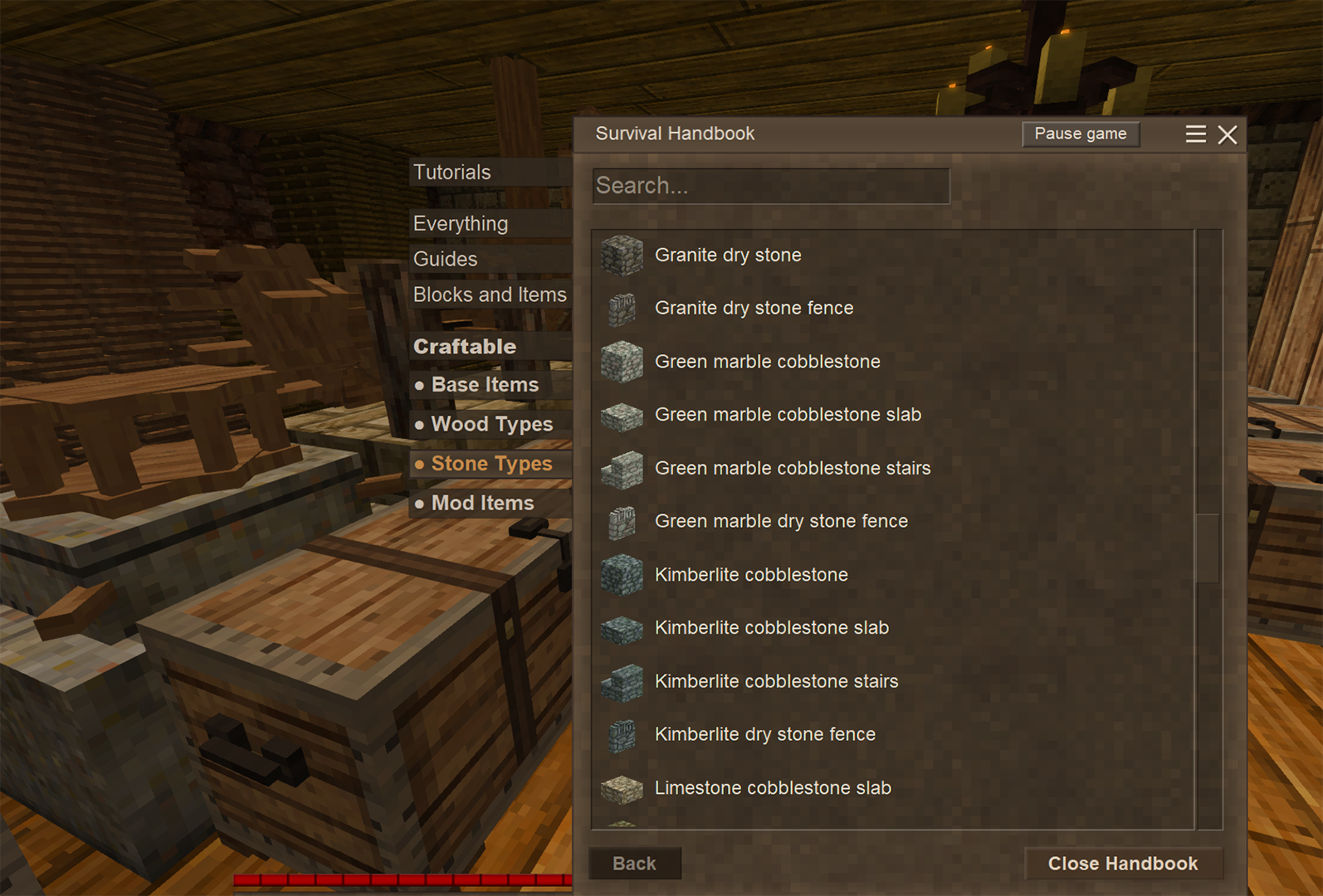
- Stone Types: Specific stone type items (Andesite, Slate, etc)
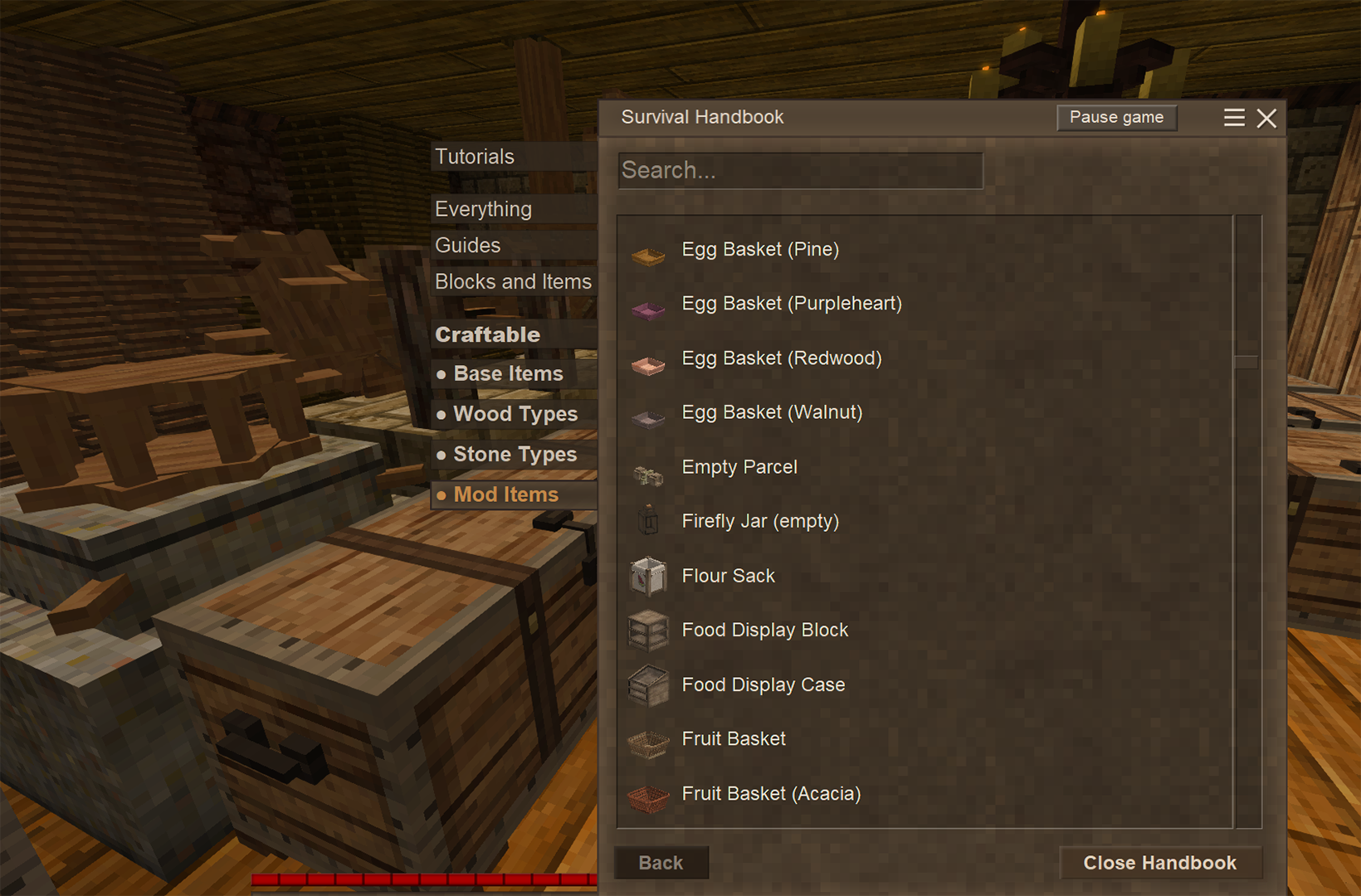
- Mod Items: All modded items, typed or not.
- Configurable scan range (Default 20 blocks in all directions)
- Optional Fetch-Me-All-Ingredients-Button™ beside the grid in all recipes
NEW! (1.2.5)
- Big performance increase, much faster loading/updating of tabs!
- New tab "Craftable" contains every single craftable recipe
- New/renamed subcategory tabs: Base Items, Wood Types, Stone Types, Mod Items.
- New font for the Craftable tabs, set UseDefaultFont = true in the config to disable.
- Fixed bug: sometimes recipes like "Ink and Quill" would show up just because the scan found a bowl (without dye). For now recipes with liquid in a bowl won't appear in the tabs.
- Fetch-It-Now-Button™ can now get multiple sets of ingredients if you keep clicking it
- Use the server command "/showcraftablefetch false" to disable the fetch button for all players on the server
Please report any bugs, performance issues or problems in the comments - or if you have more ideas for features!
I recommend using this mod with the excellent Improved Handbook Recipes! Combine it with Sonito's Pin It for the ultimate Handbook Trifecta 🙏
Info / Known issues
- The Get-Every-Ingredient-Now-Button™ sometimes messes up when fetching matching wildcard ingredients
- The mod should respect other players storage, locked chests etc, but I have not been able to test this. Let me know if it works if you've tried!
- If you add or remove any item in your inventory or storage, the tabs will update - otherwise it stays cached.
| Mod Version | Mod Identifier | For Game version | Downloads | Released | Changelog | Download | 1-click mod install* |
|---|---|---|---|---|---|---|---|
| 1.2.6 | showcraftable | 1716 | Oct 5th at 3:30 PM | ShowCraftable_1.2.6_VS1.21.zip | 1-click install | ||
| |||||||
| 1.2.5 | showcraftable | 1318 | Sep 25th at 7:42 PM | ShowCraftable_1.2.5_VS1.21.zip | 1-click install | ||
|
- Added server command to disable the Fetch-button for all players | |||||||
| 1.2.0 | showcraftable | 1786 | Sep 24th at 8:39 AM | ShowCraftable_1.2.0_VS1.21.zip | 1-click install | ||
| |||||||
| 1.1.0 | showcraftable | 445 | Sep 21st at 9:24 AM | ShowCraftable_1.1.0_VS1.21.zip | 1-click install | ||
| |||||||
| 1.0.0 | showcraftable | 702 | Sep 18th at 3:18 PM | ShowCraftable_1.0.0_VS1.21.zip | 1-click install | ||
|
Release | |||||||
What mod is the save button from??
Sorry, tested this like a week ago. Wanted to say that recent updates must have fixed it, everything works fine. Sorry for the bother.
Corvie alright let me know how it goes!
Interzoneism Works in SP. Might also be an update issue, I was a version or two behind. I'll test as non-host in MP with the updated mod on 1.20.4 as soon as my wife hosts the game again.
Corvie ok! could you try it on single player?
Not sure if it's a multiplayer thing or a conflict with Enhanced Handbook, but I've never been able to get anything to show in the Craftable tabs. I'm not host, but the mod is on the host as well as my client.
sandvich54 ah ok, gotcha! I'll take a look at it!
@Interzoneism Almost anything, lol :D
I think you can see that the mod menu has no sorting options, not even a simple search bar. This turns a game with a large number of mods into an endless scrolling list. I would suggest the following:
This is probably the most basic. More features could be added, but I'm not a developer and can't burden you with any orders...😅
Thanks for making the craft sorting mod too :D
sandvich54 haha alright, but what exactly do you mean with sort mods in the mod menu?
S33k Yeah Sonitos Pin It doesnt work with the button positioning if the GUI Scaling isn't set to a specific value (I think its 8), so he would have to update it. The command was my bad, its actually /showcraftablefetch
Interzoneism,
Listen... If you can make a crafting menu interface like this... Maybe you could also sort mods in the mod menu? I think half of Vintage Story would bow at your feet.Interzoneism Thanks for implementing it so quickly! It seems to be working, I'll let you know if I notice any issues.
Just installed this and I love the utility, but it's currently conflicting with Sonito's Pin It--the pin and fetch functions share a button location for me, so clicking the pin button just grabs items instead. The "/SCfetch false" doesn't seem to work, either, it returns "No such command exists". I'm pretty new to Vintage Story, though, maybe I'm doing something wrong?
sandvich54 I'll see what I can do!
The_Revisionist available in the new version! Let me know how it works, just tested it single player.
Would it be possible to be able to disable the fetch mechanic server-side (to apply to all players)?
Absolute banger
Seljuck Thanks! That's a great idea, perhaps I will make it a separate mod. The user could configure what kind of tabs they would want shown in the config file etc.
AgentOfChaos unfortunately not :( I've tried compiling it for 1.20/net7 but it's just too broken.
Wonderfull mod ! But it got me thinking .. would You be able to add similar filters (wooden blocks, stone blocks, clay blocks etc. etc. ) that would filter all existing recipes in handbook to just choosen type (w/o checking for resources and what cam be crafted).
It always bothered me that if i dont know block name.. but i know that its stone i need to scroll whole list to find it cus there is no filters / tabs / basically any sorting ..
Any chance of a 1.20.12 backport my kind sir?
LivCi great suggestion! I had that functionality in a previous build but it messed to much with the whole system so it got put on hold. Will give it a go, thanks for the feedback!
same my coimment got deleted as well but it happend just now on another page
IDK why my comment got deleted, but I'll say it again: it would be nice for bulk crafting if the "fetch all the ingredients" option allowed you to fetch multiple times. When you press the button a second time, it says you already have all the ingredients.
instadownload i'll try it !
pngwn Ooh good one! Will look into that, probably a lot of liquid dependent recipes showing as false positives right now then. Thanks!
EDIT: There's just a few grid recipes that wants a liquid in a bowl so I just made it so they never show in the tabs. Might fix if someone is bothered by it!
This is great! Just want to mention that it tells me I can create Ink and Quill, just because I have feathers and an empty bowl. It does not seem to take into account that the bowl needs black dye in it.
Aemonculaba Haha thats awesome, thanks! Well I suck at complex programming so basically lots of yelling at four different poor AI's, realize it's pointless and try it myself, back to yelling, etc...
I'll see about cleaning up the code and posting it here!
Damn. The day i started searching for such a mod you completed it. I fucking love you.
But damn, i'd like to know how you did it. Any repo?
MRGOOSE I did not experience any but hoping people will try it and report back how the performance is. It should also only be when selecting the tabs which initiates the whole scanning process.
does this cause lag?
JEI has returned. God bless this modding community
DanaCraluminum Interesting question! I'll have to try it out, depends on how they have implemented it - but if there are new logs, new boards etc I'd reckon they would all go in Craftable (Mods). I'll check it out, thanks!
EDIT: They all go into the Craftable (Mods) tab, just checked. This will be the case for basically any modded item. If there is demand for Wood and Stone types categories for mods as well I could look into it!
Interzoneism What if there is a mod installed that adds more wood types? LIke wildcraft trees, floral zones etc.
DanaCraluminum The types of wood are hardcoded ("oak", "maple" etc) and are used to parse the recipes. All mod items, typed as well, will go to the Craftable (Mods) tab though!
Are wood and stone types hardcoded?