
Mods / Survival Categories
Author: ZigTheHedge
Side: Both
Created: Feb 15th 2021 at 10:38 PM
Last modified: Jan 4th at 11:59 AM
Downloads: 9578
Follow Unfollow 152
Latest release (for Vintage Story 1.19.8, outdated):
survivalcats_1.0.1.zip
1-click install
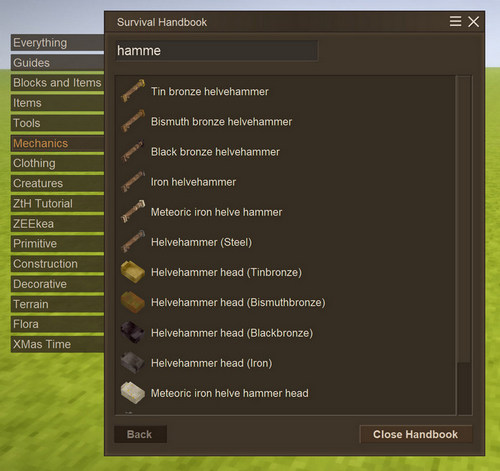
Hey, gals and guys! Ever since I wrote my first mod for Vintage Story, I thought about inability of viewing all my mod's content. I discovered a way to add my own creative tab later (thanks @Spear and Fang and his Primitive Survival), but that is good only for players who able to switch to creative. So, I decided to add all creative tabs to survival handbook! Because - why not?
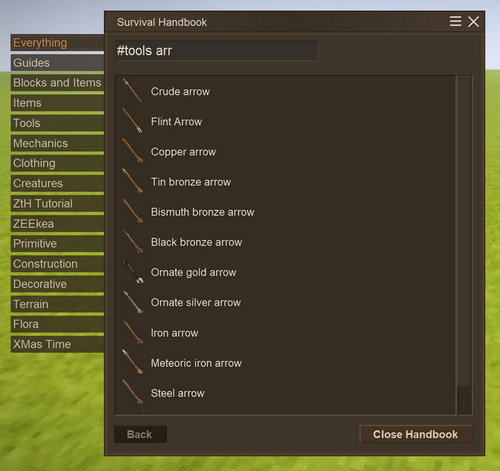
If you for some reason don't like to click tabs (perhaps, because there's too much of it!!) you can use the sharp "#" symbol prefix to filter what you need (that's actually just tab "names" in code):
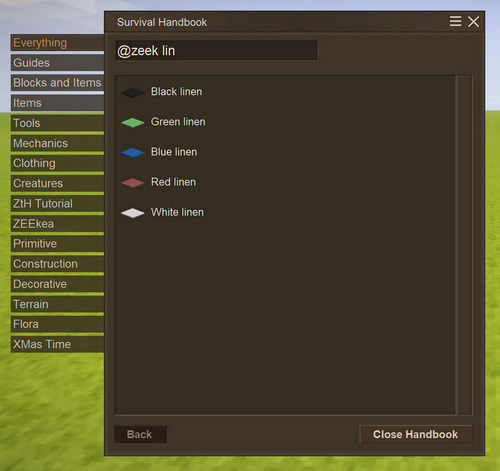
But, as you probably know, not every mod adds its own creative tab. So, for the rest of mods I added the ability to filter content by modid! Just type it in search area prefixed by "@" (no, I haven't heard about Minecraft and JEI 😁).
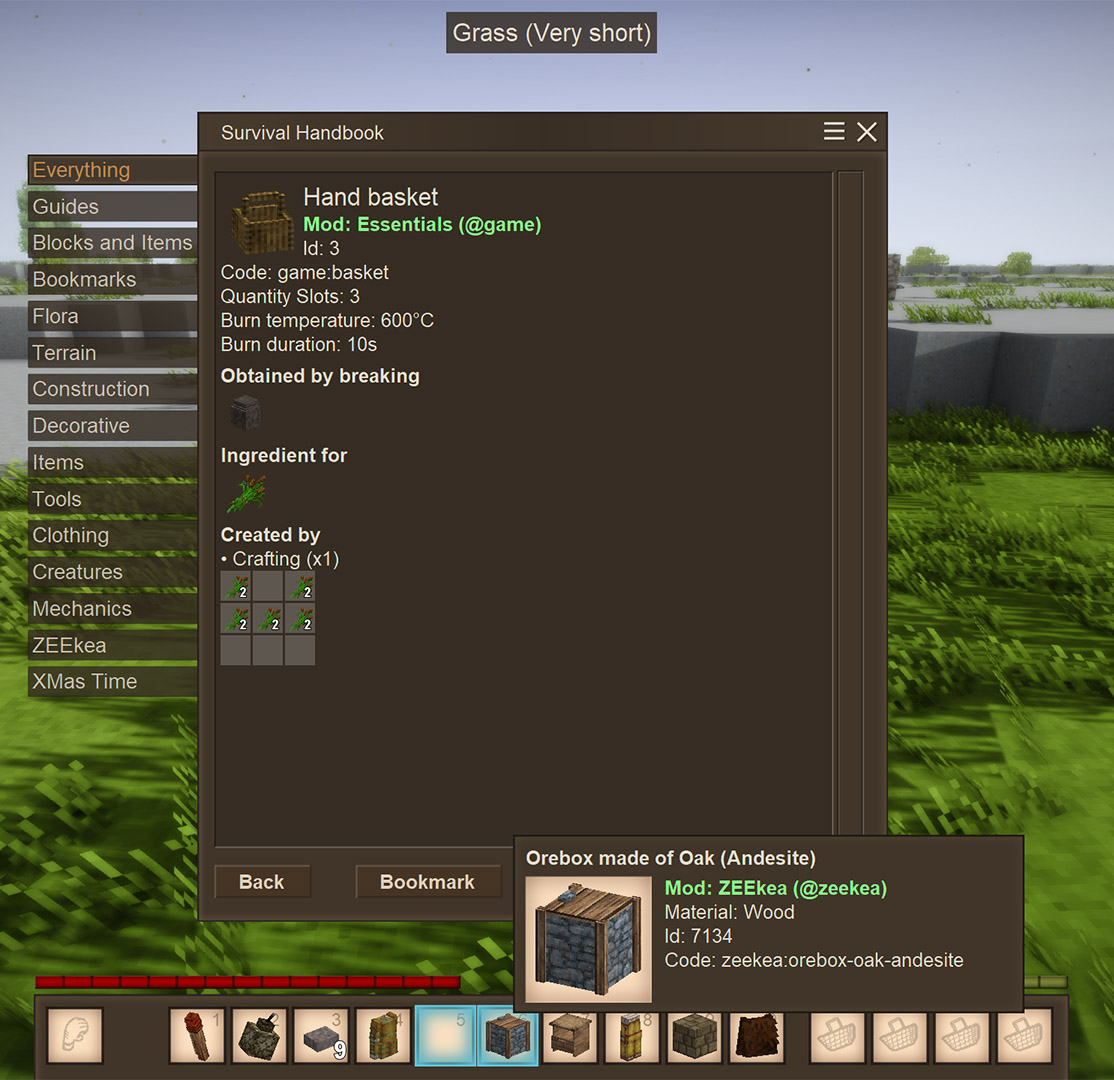
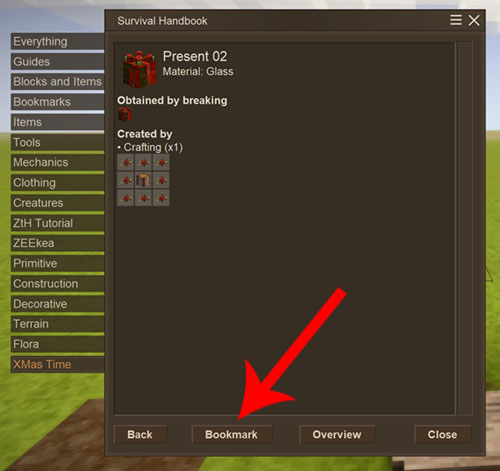
You want more? Well, I can also offer you the tremendous system of Bookmarks! Now you can bookmark any Item or Block page (no custom pages or guides yet, at least for now, sorry), using the most convenient button at the bottom of the page, and it will stick into dedicated category named "Bookmarks"! Oh yeah!
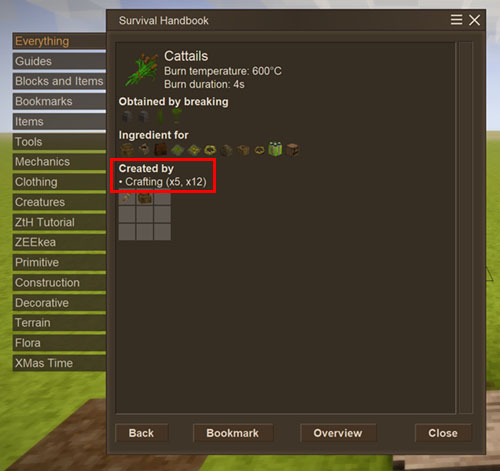
And a little bonus! Now you can see the possible quantity outcome from your grid-crafting recipes. It's maybe not the most convenient way to display this information, but it's the only one I could accomplish without redesigning the Item page completely.
There's also "collectable code" search symbol - $. Use this prefix to search for collectables which codes contain search sequence. $iron for example will result in all collectables made of iron, but not iron ore (because it doesn't contain "iron" in its code).
This mod will also add Mod Name info to blocks, so you will be able to easily identify which mod adds this or that collectible.
And last: Mod fixes names of renamed chiseled blocks in inventory. Now if you renamed your masterpiece, the correct name will be displayed on tooltip (requires server-side!)
That's it. This simple and incredibly useful (at least for me 😋).
| Mod Version | Mod Identifier | For Game version | Downloads | Released | Changelog | Download | 1-click mod install* |
|---|---|---|---|---|---|---|---|
| 1.2.10 | survivalcats | 1302 | Jul 25th 2021 at 9:26 PM | survivalcats_v1.15.2-1.2.10.zip | 1-click install | ||
|
- Fixed compatibility with 1.15.2 | |||||||
| 1.2.9 | survivalcats | 585 | Jul 8th 2021 at 5:10 PM | survivalcats_v1.15.0-rc.2-1.2.9.zip | 1-click install | ||
|
- adds compatibility to 1.15.0-rc.2 | |||||||
| 1.2.7 | survivalcats | 999 | Feb 25th 2021 at 1:55 PM | survivalcats_v1.14.2-1.2.7.zip | 1-click install | ||
|
- Added collectible Id and Code display to survival handbook (only when .edi is ON!, restart the game after enabling) - Added Mod Name info to Collectibles | |||||||
| 1.2.6 | survivalcats | 493 | Feb 22nd 2021 at 12:47 PM | survivalcats_v1.14.2-1.2.6.zip | 1-click install | ||
|
- Fixed tabs duplication when rejoining the same save game without client quit. | |||||||
| 1.2.5 | survivalcats | 525 | Feb 15th 2021 at 10:39 PM | survivalcats_v1_14.2-1.2.5.zip | 1-click install | ||
|
- "$" prefix now works in creative inventory as well | |||||||
| 1.2.3-rc.2 | survivalcats | 2384 | Apr 30th 2022 at 9:27 AM | survivalcats_v1.16.5-1.2.3-rc.2.zip | 1-click install | ||
|
- 1.16.5 compatibility update | |||||||
| 1.2.2-rc.2 | survivalcats | 1163 | Jan 26th 2022 at 11:05 AM | survivalcats_v1.16.0-1.2.2-rc.2.zip | 1-click install | ||
| |||||||
| 1.2.2-rc.1 | survivalcats | 797 | Jan 13th 2022 at 3:21 PM | survivalcats_v1.16.0-1.2.2-rc.1.zip | 1-click install | ||
|
- Update to 1.16.0, Categories itself isn't implemented yet, but everything else works fine. | |||||||
| 1.0.1 | survivalcats | 1094 | Jan 4th at 11:59 AM | survivalcats_1.0.1.zip | 1-click install | ||
|
- Bookmarks menu added | |||||||
| 1.0.0 | survivalcats | 236 | Dec 30th 2024 at 9:33 PM | survivalcats-1.19.8-1.0.0.zip | 1-click install | ||
|
Very limited addon for 1.19.8. All it's doing - is adding "@mod" search option both in Creative and Survival Handbook. Enought for now. It's been 4 years almost anyways :) | |||||||
can u ipdate ur mod to 1.20.x pelaaseeeee!? its an excelent mod ...
@Shion Not until the mod is updated or its implemented into the game, no.
So, is this no longer possible to have categories for handbook like in the creative inventory anymore?
found out that if you type in the mods name in the search bar, it actually does the same thing
lappocalypse, yes! Eevntually :) Hope, real soon.
do this mod will be update to 1.20 ?
This needs a basegame tab
I thought I wouldn't live to see it updated. Thanks.
Sorry, guys! Very limited functionality ATM :(
Finally
please update
ZigTheHedge
Please update this mod
Please repair mod on 1.18
Most of the mod features are now obsolete in 1.18
Causes crashes for me as well, as of version 1.17.11. Unfortunate... 😞
I get none of the mods to show up anymore. All I get is Everything, Guides and Recipes. The categories do show up in creative though (not sure if this mod does that or if that happens by default)
Edit: Nevermind. I had it disabled because it crashes my game.
Personally for me this mod is great but for some reason in the latest version (1.17.9) only a few of the mods show up. Could that be from this or would it potentially be a conflict?
Occasionally (not rarely, not always) crashes when debugging other mods with message
Involved Harmony IDs: com.cwelth.survivalcats
System.InvalidOperationException: Collection was modified; enumeration operation may not execute.
at System.ThrowHelper.ThrowInvalidOperationException(ExceptionResource resource)
at System.Collections.Generic.List`1.Enumerator.MoveNextRare()
at survivalcats.src.PatcherLoadEntries.Postfix(List`1 ___categoryCodes, List`1 ___allHandbookPages, ICoreClientAPI ___capi)
at survivalcats.src.GuiDialogHandbookBookmarks..ctor(ICoreClientAPI capi)
at Vintagestory.GameContent.ModSystemHandbook.Event_LevelFinalize_Patch0(ModSystemHandbook this)
at System.Action.Invoke()
at Vintagestory.Client.NoObf.ClientMain.OnLevelFinalize() in VintagestoryLib\Client\ClientMain.cs:line 1044
at Vintagestory.Client.NoObf.GeneralPacketHandler.HandleLevelFinalize(Packet_Server packet) in
Adding to the right side seems like a good idea, but until then you can actually click on a tab and then use the arrow keys to scroll through the ones that are off the list.
Maybe adding another bar on the right side?
The menu error still happens it cuts off many mod tabs. Hopefully in the future you can add a scroll bar or something to counter this issue.
I also have a lot of mods, and it would be wonderful if the tabs on the far left scrolled and clickable. Right now, when the tab mods go below the spaceholder on the left they are not clickable.
Looks like the mod gets confused when there are to many mods (110). Might be good to add a scroll bar?
Yeah!!!!😄
Saved bookmarks aren't shown on a game start. Corresponding JSON file existst and does list the items, yet the in-game list is empty.
Will this get updated for 1.16?
If you only want to use the mod as a client-only, add "side": "Client" to modinfo.json. Everything except renaming the chiseled blocks should work. Otherwise the game will automatically disabled it when connected to the server.