
Mods / [Beta]Schematica
Author: rekimchuk13
Side: Client
Created: Sep 10th at 4:02 AM
Last modified: Sep 28th at 3:27 PM
Downloads: 1346
Follow Unfollow 186
Latest release (for Vintage Story 1.21.0 and 1.21.1, potentially outdated):
Schematica-1.21.zip
1-click install
Hey everyone, I'm pushing out a raw version of the update(1.0.2). I've got a lot going on IRL at the moment, so I don't have much free time for the mod. Hope you enjoy the changes so far!
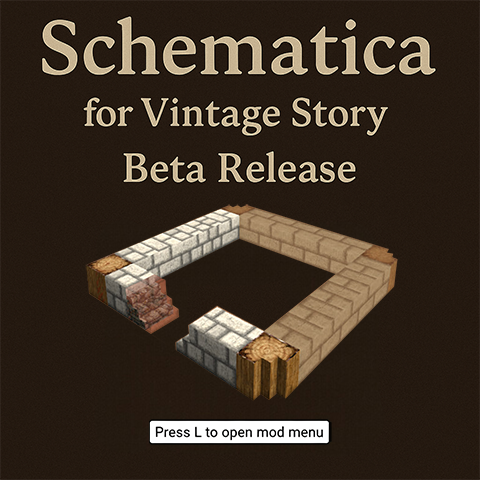
Schematica for Vintage Story - Beta Release
This mod brings schematic functionality to Vintage Story, allowing players to save and load building structures with visual projection assistance. Similar to the popular Minecraft mod, it helps you recreate complex builds by showing translucent "ghost blocks" where blocks should be placed.
Press L to open the mod menu
Current Features:
- Save selections to schematic files
- Load schematics with visual preview
- Ghost block projections showing where to place blocks
- Color-coded indicators: white for empty spots, red for incorrect blocks
- Full support for chiseled blocks with complete voxel data preservation
- Rotate schematics (90° left/right)
- Mirror schematics across X, Y, Z axes
- Layer-by-layer rendering mode for easier building(PgUp, PgDn)
- Move projection position with coordinate controls or directional buttons
- Block count information showing required materials (working very bad)
Known Issues (Beta):
- Game crashes if you open the load menu without saving any schematics first
- Some roof blocks and special blocks may not rotate correctly
Important Note: This is an early beta release. The code needs a complete rewrite and the GUI requires significant improvements, but due to numerous requests via private messages, I'm releasing it in its current raw state. I'm aware it's rough around the edges, but it's functional enough for basic use.
If you encounter bugs or have suggestions for improvements, please comment below or reach out on Discord
Thank you for your patience as development continues!
| Mod Version | Mod Identifier | For Game version | Downloads | Released | Changelog | Download | 1-click mod install* |
|---|---|---|---|---|---|---|---|
| 1.0.2 | schematica | 907 | Sep 28th at 3:27 PM | Schematica-1.21.zip | 1-click install | ||
|
v1.0.2 - Code Refactor & UI Overhaul [Refactor] The entire codebase has been rewritten from the ground up. This improves overall stability, boosts performance, and makes it easier to add new features in the future. [Enhancement] Significantly updated and improved 50% of the GUI(main menu and save menu) for a more modern and user-friendly experience. [Fix] Fixed a critical issue where the selection highlight was missing or buggy when selecting areas, ensuring it now renders correctly. | |||||||
| 1.0.1 | schematica | 342 | Sep 10th at 4:04 AM | Empty | Schematica-1.21.zip | 1-click install | |
| 1.0.0 | schematica | 97 | Sep 10th at 4:03 AM | Empty | Schematica-1.20.zip | 1-click install | |
This mod is awesome. Looking forward to using it a lot more often. Looking forward to full release. Question for now, is there a way for the schematic to print in chat the block requirements? I see it brings it up in the load schematic menu but its behund all the buttons and says "and ___ more types". If there was a way to have it print out all blocks required that would be super cool.
I love this mod! I have been using it a lot. I would love to see continued work on it, I would much enjoy it if the mod would "remember where I put my schematic" between closing the game, it is time consuming to have to place it again every playsession.
Dev, If you don't have time for this mod, then you should make the source-code be open for anyone who can work on it and improve it. Alas! I'm helpless with Block info. if it can be fixed and that will be good enough.
you are THE LORD.
I thank you greatly for making this!
SaladTosserSam yep u can copy the schematic save from C:\Users\[name]\AppData\Roaming\VintagestoryData\Schematics and say to your friend to put it in same folder
Is it possible to copy the schematic save location and send it to a friend?
finally someone went for it!
SoulReaperz
1.That's a great idea, but I've already answered this on Discord. My mod is completely client-side, which means I won't be adding any new blocks, items, etc.
2.Regarding the layer-by-layer building, you can enable this by checking an option in the load menu. After that, you can use PgUp and PgDn to switch between the layers that are rendered
looks like an awesome mod
is it possible if its not already implemented to use parchment and ink and quill to draw up the schematic on paper that the players can then obtain and place down to build the structures
similar to Dragon Quest Builders schematics when applied to the ground, places the whole builds first layer until completed then shows next layer and so on(but make layers toggleable so if you wanted to see entire build all at once its already applied or if you want each layer as you build it(like clayforming) you have that option)
and the parchment that has the schematic can be named on creation to make xxx schematic to better organize copies/make more copies aswell of it(making more copies would come in handy and make it to where you can add durability to the schematic(or something similar) so that its not a perminate object, but a consumable that needs proper maintenance(copy it before paper wears out too much lol)
The_Revisionist thanks, yep u can do it here
Pretty cool mod! At this point (early beta release) do you need any bug reports or you're aware of most of the issues?
Thank you. Amazing mod.
Sablam u can do that with World Edit (import/export). but yep i want to add auto-build and auto-chiseling , maybe ill add "paste" button for creative only
rekimchuk13 Hi nice mod.
Do you plan to add an option to just "paste" the building in the load menu ? So we can use the mod to paste schematic in creative.
This looks fantastic, will be following for the stable release!
SpookyJ yep, it is survival friendly , now it can only project builds/structures , in future ill add auto-building and auto-chiseling(survival friendly) but idk when ))
Oh thank goodness. Is this survival friendly? this would make bringing creative builds into survival so much easier
batooo But World Edit already has good commands. I don't think there's any point in adding other commands. the most you can add is that some object works like a wooden axe in Minecraft and that's it
https://wiki.vintagestory.at/How_to_use_WorldEdit
rekimchuk13 a modified Worldedit which uses a tool to right click/left click, and commands in-game similar to MC.
batooo I don't understand you, can you please explain?
Thanks for the kind words, guys, I will try to finish this mod as soon as possible, or at least bring it to normal form
Thank you for your hard work. Just wondering if you at all intend in the far-future to work on World Edit GUI and or commands built into base-VS because I ain't doing allat. Jan Taylor says hi.
Oh my God, someone is actually doing it?! This was one of my favorite Minecraft mods. If a version got made for Vintage Story, that'd be huge!
Oh wow, this would be amazing, especially for the support for chiseled blocks, I love litematica in minecraft and I've been wanting this in vintage story for the longest time, wishing you the best in development!