
Mods / Grid View
Author: Windows98
Side: Client
Created: Apr 24th at 5:13 PM
Last modified: Apr 28th at 5:17 PM
Downloads: 355
Follow Unfollow 44
Latest release (for Vintage Story 1.20.4, 1.20.5 - 1.20.7 and 1.20.8 - 1.20.9, outdated):
gridview_1.0.1.zip
1-click install
PSA: The "outdated" tag is bs. Please test the mod before asking me to update it.
Summary:
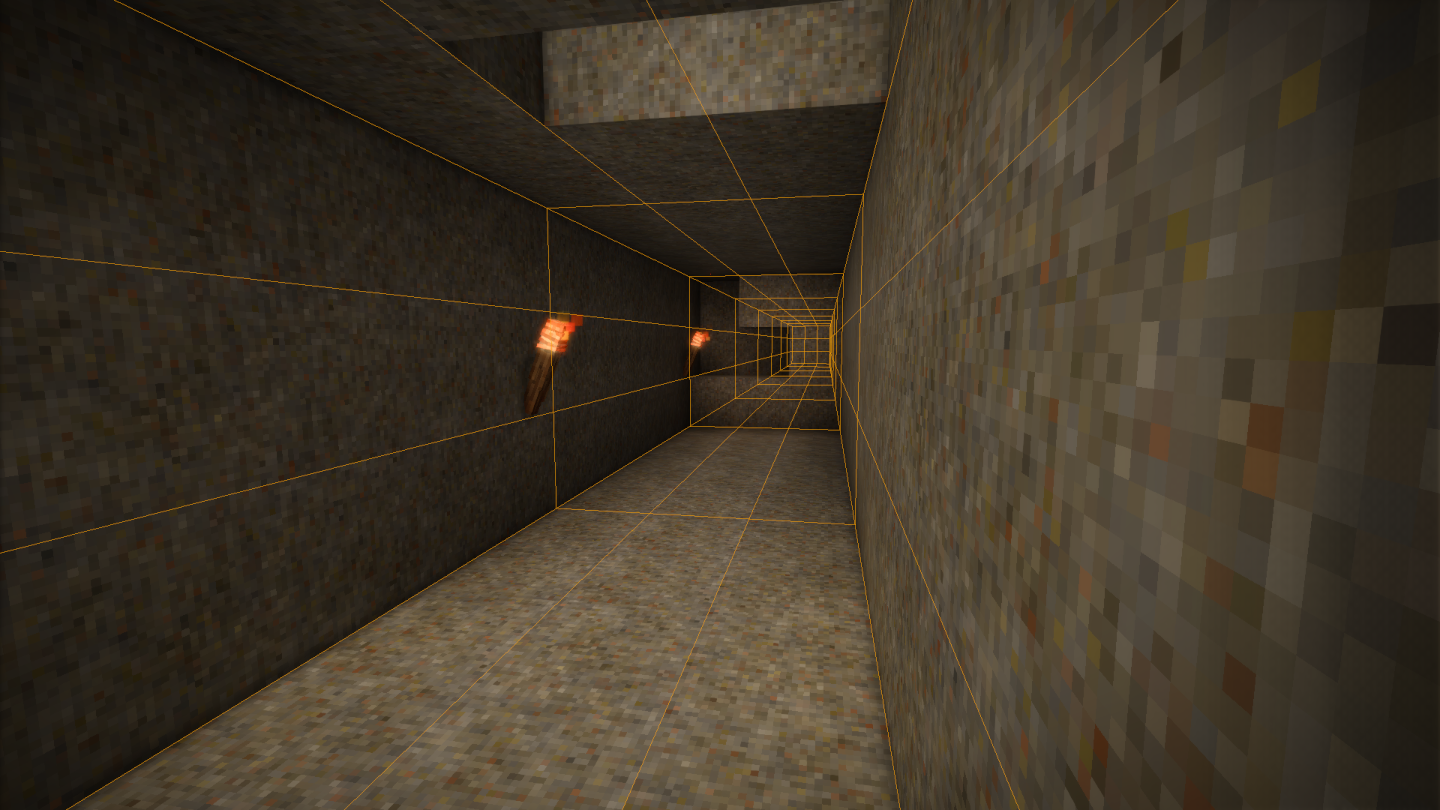
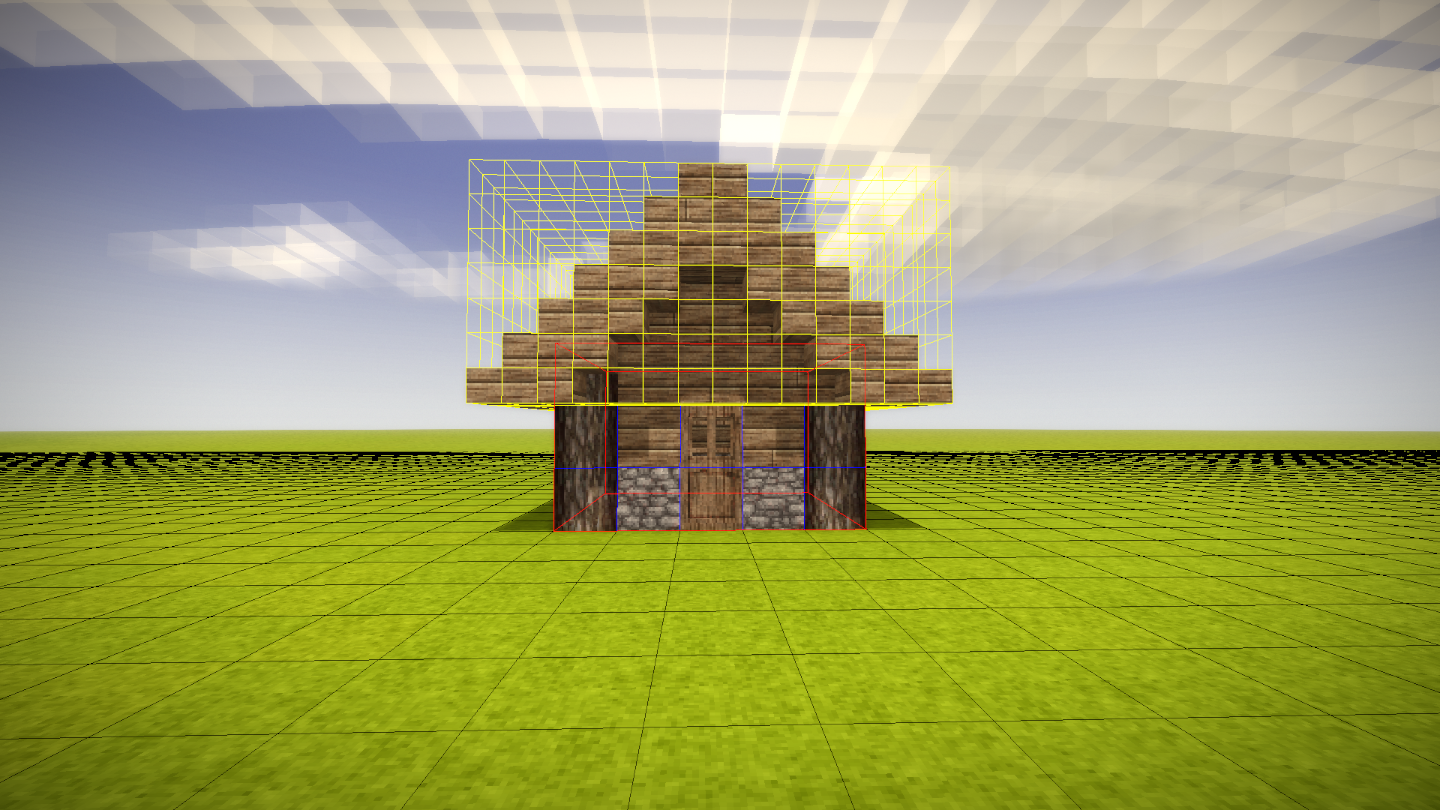
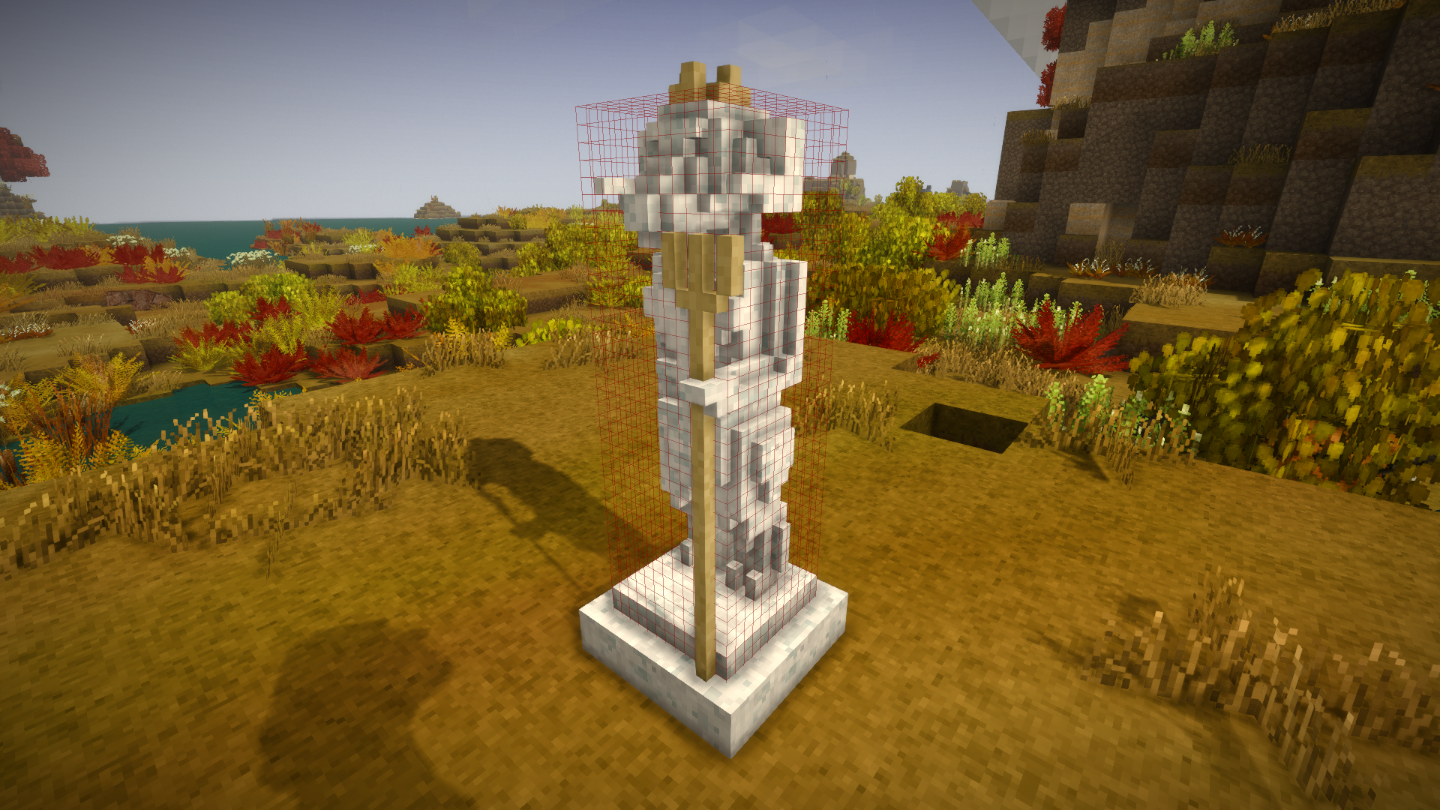
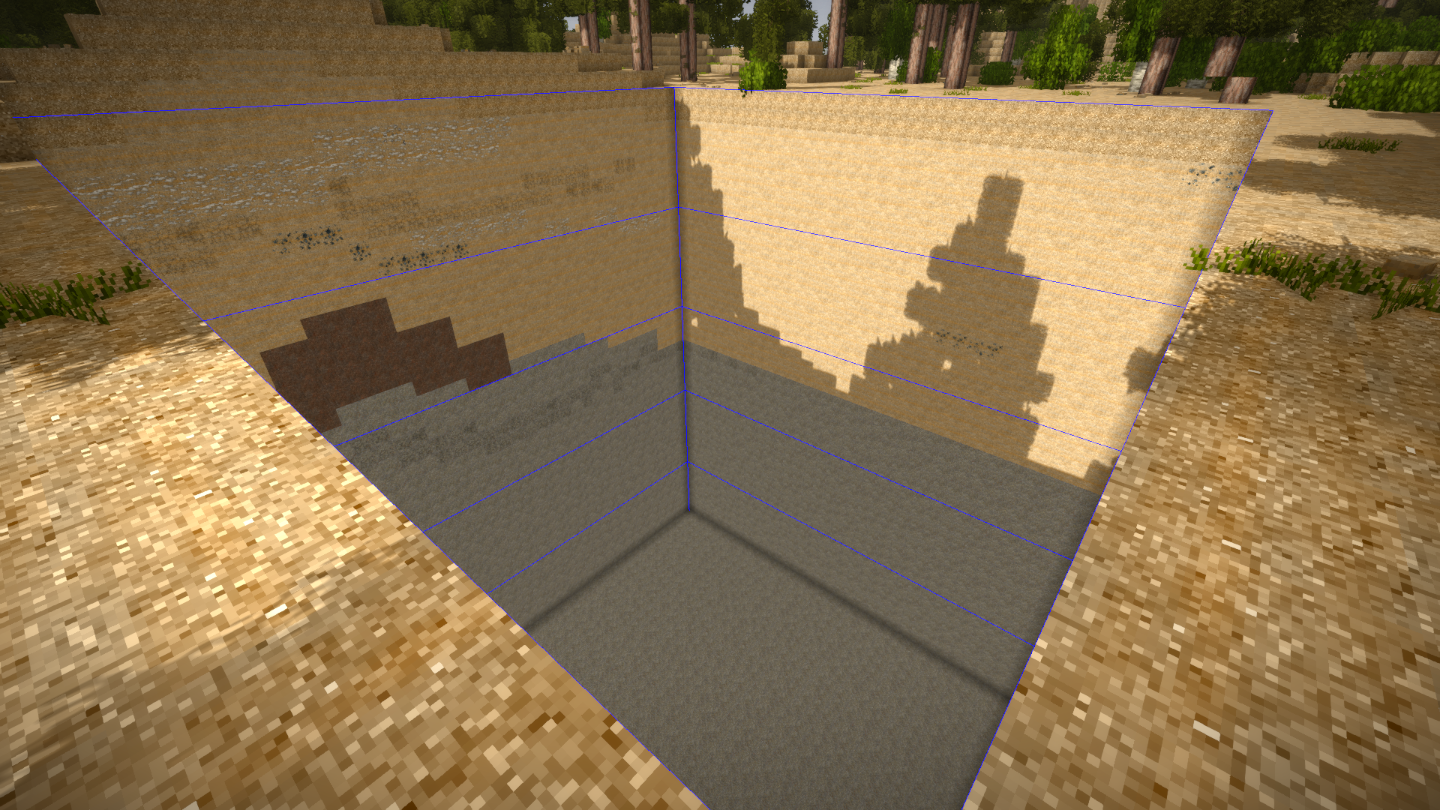
Grid View is a client sided tool with the purpose of rendering highly customizable grids through the use of chat commands.
The grid's main purpose is to assist in planning construction projects, large or small.
Features:
Grids are highly customizable, with as much as 12 different properties to play with. You can change the size, scale, color and much more of each individual grids you created.
Grids are saved and will persists from play sessions until manually deleted.
Create custom grid presets for fast and easy creation of grids.
Presets are saved and will persists between all worlds. Meaning you can use the same presets in all the worlds you visit. Wether it's in singleplayer or a server.
Quick Guide:
This small guide assumes you know and have used chat commands before. Also requires common sense.
You can only create, edit and delete grids and presets through the use of commands, there is no interface to assist you in making grids.
Creating a Grid:
To get started, you first need to create your first grid. To do that, simply type in the chat ".gridview create MyGrid", or simplified ".gv c MyGrid".
With "." and not "/" because it is a client command and not a server command.
"MyGrid" can be any name you want, no space or special characters. You can do ".gv c amongus". You can't do ".gv c $$$".
After executing the command, you should see a small 1 x 1 x 1 cube appear at your feet.
This is a factory default grid which can be changed, this will be explained later.
Editing a Grid:
To edit your grid's properties, we're gonna use a different command. The edit command is ".gridview edit MyGrid" followed by the property and the value.
"MyGrid" is the name of the grid you gave it when you first made it, this cannot be changed.
In this example, we're gonna edit the color. To do that, type in ".gridview edit MyGrid color blue", or simplified ".gv e MyGrid c b".
If we are succesful in entering that command, we should now see that our beautiful grid has become blue and some feedback in the chat that confirms we were successful in doing so.
When changing the color, you can pass most known color name or the first letter of basic color components (RGBW or CMYK).
There are many other properties we can change, here is a list of all the properies and the respective commands and aliases:
-
-
-
-
- "Position": The world position of the grid. Does no accept decimals. "position" or "p"
- "Size": The actual dimensions of the grid. Defines the number of indivial "squares". "size" or "s"
- "Snap Point": The point from which the grid extends from relative to it's original point. "snappoint" or "sp"
- "Offset": Offsets the grid's position by this amount. Accept decimals. "offset" or "o"
- "Scale": The scale of the grid. Defines the scale of the "squares". "scale" or "sc"
- "Order": The rendering order of the grid. Defines wether it renders on top or below grids with different order. "order" or "ord"
- "LineWidth": The thickness of the grid's lines. "linewidth" or "lw"
- "Color": The color of the grid. "color" or "c"
- "Transparency": The transparency of the grid. Higher value means lower visiblity. "transparency" or "t"
- "Hollow": Whether the grid should render it's interior lines. Turning this on will result in a shell like grid. Only affects 3-dimensional grids. "hollow" or "h"
- "Visible": Whether the grid should be rendered at all. "visible" or "v"
- "DepthDraw": Whether the grid should be rendered on top of all other 3d world objects, not including other grids. "depthdraw" or "dd"
-
-
-
Creating and Using Presets:
To create a preset. Type in ".gridview createpreset MyPreset MyGrid", or simplified ".gv cp MyPreset MyGrid".
"MyPreset" can be any name you want just like when creating a grid. "MyGrid" is the name of a grid you previously made.
This will create a new preset based on "MyGrid". It will be saved and be usable across all worlds.
To create a grid that uses a preset. Type in ".gridview create MyGrid2 MyPreset", or simplified ".gv c MyGrid2 MyPreset".
This will create a new grid will all the same properties of "MyGrid".
Note that changing the properties of "MyGrid" after creating the preset will not change the preset's properties.
To update the preset simply type in the same command ".gv cp MyPreset MyGrid".
You can also change the default preset by using "default" as the preset name when creating a preset. Like so: ".gridview createpreset default MyGrid".
This will change the default preset to be based on "MyGrid" when making new grids without defining a preset.
Deleting Stuff:
To delete individual grids or presets, you can use ".gridview deletegrid MyGrid" for grids and ".gridview deletepreset MyPreset" for presets, or simplified ".gv dg MyGrid" and ".gv dp MyPreset".
To delete all grids or presets, you can use ".gridview deleteallgrid" for grids and ".gridview deleteallpreset" for presets, or simplified ".gv dag" or ".gv dap".
Others:
You can hide or unhide all grids by typing ".gridview visible" or ".gv v". That will not set the "visible" property of all grids. Simply tells the renderer to not render grids at all.
You can print various useful information about your grids and preset in the chat box.
To print a specfic grid's or preset's properties, type in ".gridview printgrid MyGrid" for grids and ".gridview printpreset MyPreset" for presets, or simplified ".gv pg MyGrid" and ".gv pp MyPreset".
To print a simplifed list of all grids or presets, type in ".gridview printgridlist" for grids and ".gridview printpresetlist" for presets, or simplified ".gv pgl" and ".gv ppl".
To print a long and detailed list of all grids or presets and their properties, type in ".gridview printgridbiglist" for grids or ".gridview printpresetbiglist" for presets, or simplified ".gv pgbl" and ".gv ppbl".
Files:
Grid View saves data in the "ModData" folder located next to your "Mods" and "ModConfig" folder.
After saving a world with Grid View installed, you should see a folder called "GridView" appear in your "ModData" folder.
Inside the "GridView" you should see two folders, one titled "Saves" and another titled "Presets".
The "Saves" folder contains world specific data files while the "Presets" folder contains all the presets you made and can use accross all worlds.
Deleting the "GridView" folder is an effective way of removing all saved data and reseting everything to factory default. Just like how it was when you first intalled it.
*This guide is limited and you can access additional information in-game by using ".help gv" or the command handbook. You can also ask me questions in the comment section and I will do my best to answer them.
Regarding Translations:
While this mod currently only supports English and Spanish. It's entirely built to be translatable through lang files.
Every in-game command feedbacks and descriptions are taken from lang files, meaning additional languages can be added easily.
I currently do not the intend to translate this mod to other languages but I am open submissions.
If you submit a lang file, I will add it to the mod officially and credit you. Thank you in advance!
Big thanks to C4BR3R4 for the Spanish translation!
Mod made and tested in 1.20.4, should work fine in other versions. Let me know if you experience issues in versions 1.20.4 and above.
Feel free to post any issues regarding this mod. 🤙
PSA: The "outdated" tag is bs. Please test the mod before asking me to update it.
| Mod Version | Mod Identifier | For Game version | Downloads | Released | Changelog | Download | 1-click mod install* |
|---|---|---|---|---|---|---|---|
| 1.0.1 | gridview | 258 | Apr 28th at 5:17 PM | gridview_1.0.1.zip | 1-click install | ||
|
[Lang] Added Spanish translation. Thanks C4BR3R4! [Fixed] Typo in "whether". Wether means castrated ram... | |||||||
| 1.0.0 | gridview | 97 | Apr 24th at 5:14 PM | gridview_1.0.0.zip | 1-click install | ||
|
Initial release | |||||||
CrimsonEon I'm afraid not. But that's a great idea for a feature.
is there a way to generate the grid on a block you're looking at? it would be very nice for chiselling
Thank you so much Windows98!!!! The counting blocks were driving me nuts!
For those who might have trouble starting, here's my oaktree grid example. (disclaimer, only used the mod for a couple of mins and afaik oaks need 5 space around)
Deletes the grid an recreates it on the spot.
.gv dg oaktrees
.gv c oaktrees
.gv e oaktrees c green
.gv e oaktrees lw 2
.gv e oaktrees scale 11 50 11
.gv e oaktrees size 10 2 10
.gv e oaktrees p p
.gv e oaktrees o -54.5 -50 -54.5
C4BR3R4 Thank you so much! Will make sure to add it as soon as i can!
Hi, I translated to Spanish Spain (es-es).
Very interesting!
ohhh my god THANK YOU i can finally see things now
Nicolayka
It's all explained in-game.
You can use the command handbook which you can find in the pause menu or you can type ".help gridview" followed by the command you need help with.
Examples on how-to-use each commands are also included in the command handbook.
Please write examples of commands to understand what arguments they accept.