
Mods / Farseer
Author: badgerson
Side: Both
Created: Apr 5th at 6:45 PM
Last modified: Aug 26th at 4:25 PM
Downloads: 84536
Follow Unfollow 1750
Latest release (for Vintage Story 1.21.0, potentially outdated):
farseer_1.3.2.zip
1-click install
Press Control + Shift + F in-game to bring up a settings menu where you can adjust view distance and various look-and-feel settings.
---
1.21.0 upgrade notice!
If you are using Farseer and just updated to 1.21 while playing on the same world,
you're going to want to remove the files in VintagestoryData/Farseer/.
What this does is erase the far terrain heightmaps for existing saves so that the mod can generate new ones.
This is necessary because 1.21 introduces changes to terrain generation!
---
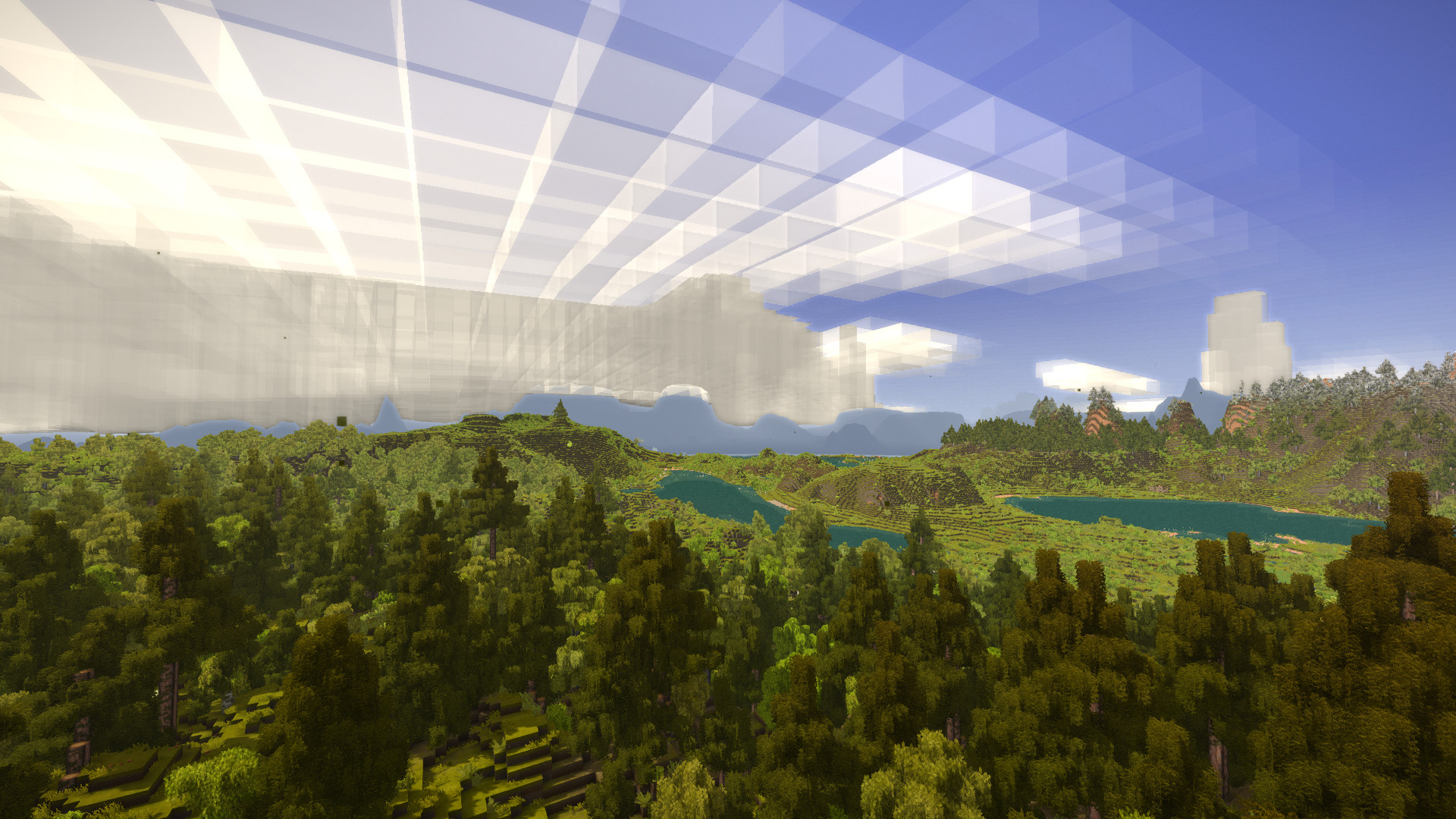
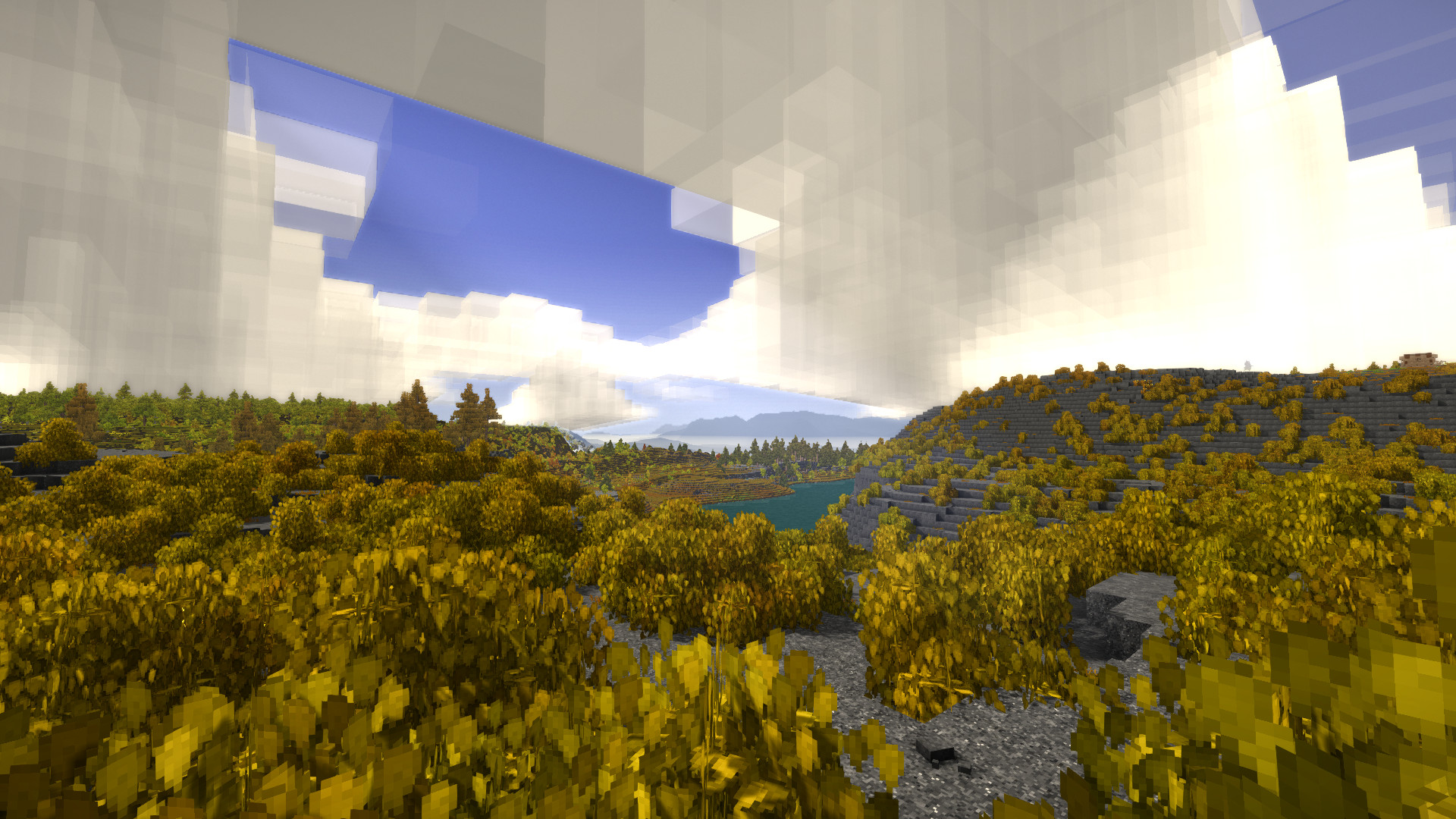
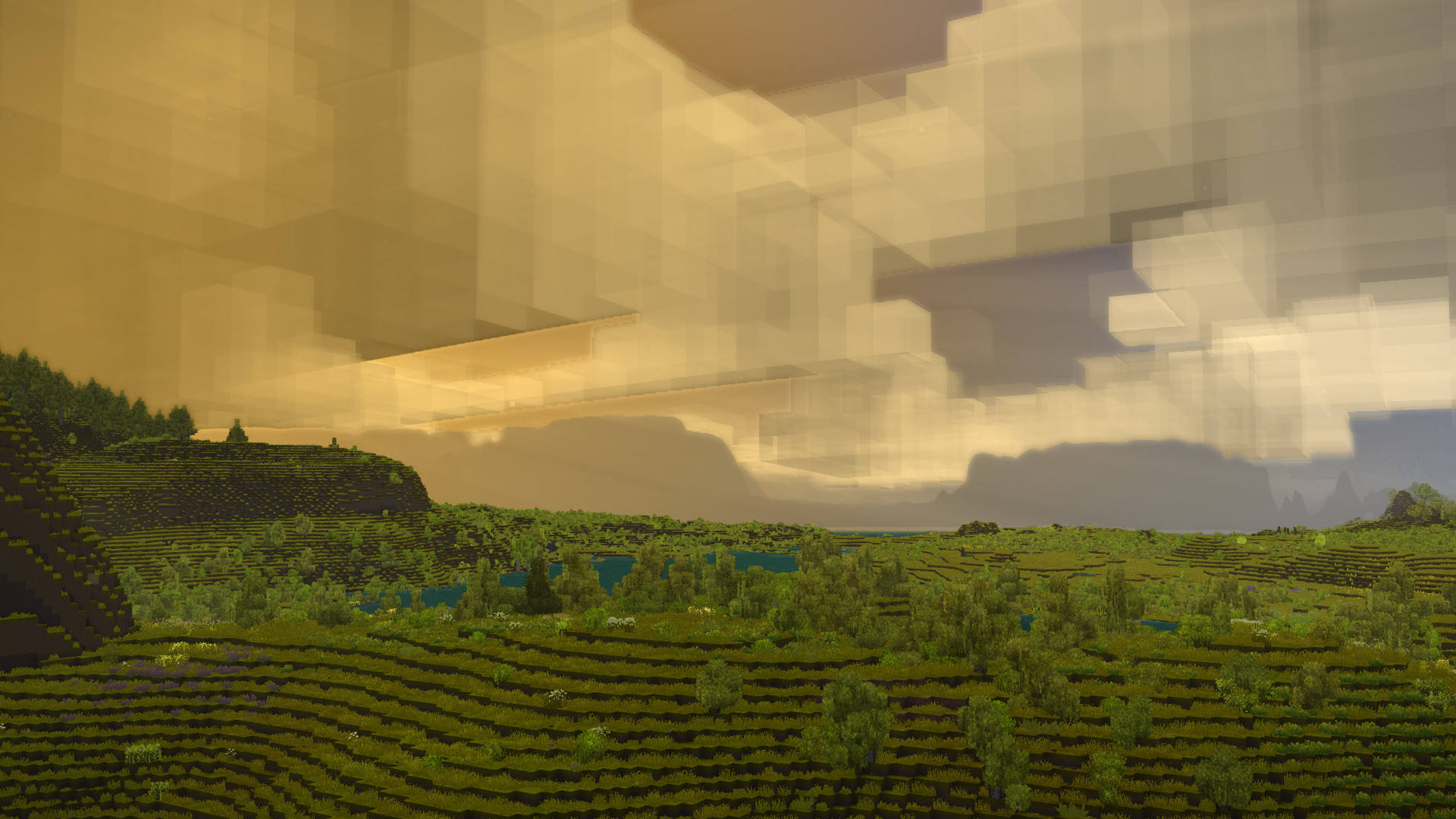
Farseer is a dead-simple LOD terrain system, allowing you to see the silhouette of terrain much further out than normal - by default ~4000 blocks in all directions. It does so by building two-dimensional heightmaps using the information stored in your world's chunks, and will automatically generate them for far-out chunks around players so they can see distant areas they have not yet visited.
To be clear, the mod won't show "real" chunks with trees, buildings and so on, it's just a simple heightmap rendered to look like atmospheric fog.
The initial LOD building process can be quite slow if you haven't explored much already, as the mod will have to partially generate real world chunks when they don't exist yet. The new partial chunks won't be saved, so your world file size stays the same.
Heightmaps themselves barely use any disk space or RAM and are stored in a database on the server so they can be loaded very quickly by any connecting player the next time they are needed. They are also 100% static, meaning they will not "update" when something in a chunk changes.
The mod needs to be present on the server-side in order to work, but for players on the server it's optional, they just won't see the distant terrain if they don't have the mod installed. At the moment the mod is marked as required on both sides, so that the server can auto-download it for connecting players.
Configuring
There's two configuration files, one for the client and one for the server. The client settings can be changed in-game with the default keybind Control + Shift + F. The server settings can only be changed manually by editing the file.
Server settings
- HeightmapGridSize (default 128): Increasing this will make the heightmaps more detailed, but also increase file size and bandwidth use exponentially. Value should be a number to the power of two, so 32, 64, 128, 256 and so on. 512 is the highest possible value, sampling the heightmap at every single block. If you change this on an existing world, you should remove the mod's database for that world first (In VintageStoryData/Farseer directory) to reset existing regions.
- ChunkGenerationQueueThreshold (default 64): If more than this number of chunks are currently being generated, the mod will not generate any far terrain heightmaps until it's lower again, to prevent server overload. Max possible value is 2000.
- MaxClientViewDistance (default 4096): Limits the max view distance of players so they can't eat up all of your disk space. Increase this on the server if you want to increase view distance for players. Ignored in singleplayer and in "Open to LAN" worlds. Players can see the server-side limit in the Farseer config UI. If they set their far view distance higher than the limit, the server will make sure the limit is enforced anyway.
- GenRealChunks (default false): If set to true, the mod will generate and save actual chunks as up until your "far view distance". When set to false, only chunks within your normal view distance are saved.
- DisableProgressLogging (default false): If set to true, the mod will stop spamming your server log with far region generation progress reports.
Before you try
- This mod is experimental and not throughly tested. You may experience issues, crashes and other weird behaviour. If you do, please share in the comments or on the mod's GitHub Issues page.
- It uses vanilla's built-in chunk generation system to build distant heightmaps, but in a slightly unorthodox way, which has potential to cause issues with some mods (none confirmed so far).
- As a precaution, back up your save before installing the mod.
Known issues:
- The mod will probably break on very small world sizes or at the very edges of a world.
- The transition between real chunks and far terrain is ugly and the two can sometimes overlap.
- The extra tax on worldgen can cause some chunk generation errors, but afaik nothing that permanently messes up your save.
- There have been a few reports of corrupted chunks crashing the server with the mod installed - I cannot say for sure what causes the chunks to be corrupted, as that could be any mod - the reason the crash only happens with Farseer enabled is likely that Farseer is trying to access these broken chunks that are not normally visited.
What's next?
I am not actively working on Farseer as of writing this, but may get back at it in the future :)
- Fixing bugs as they appear!
- Optimize rendering to work well on low-end PC's. At the moment it kills FPS on my laptop..
- Try to generate faraway regions faster somehow.
- Improving the handling of edge cases, making the code more robust and able to deal with unforseen situations.
- Improving the look of the transition between real chunks and far terrain, using some kind of fog-like fade effect.
- Explore alternatives to a plain heightmap
- Voxel-based approach to take care of overhangs and floating blocks..?
- Save some information that can be used to semi-accurately color distant terrain..?
To keep the comments tidy, you should post error messages on the issue tracker :)
| Mod Version | Mod Identifier | For Game version | Downloads | Released | Changelog | Download | 1-click mod install* |
|---|---|---|---|---|---|---|---|
| 1.3.2 | farseer | 50103 | Aug 26th at 4:25 PM | farseer_1.3.2.zip | 1-click install | ||
| |||||||
| 1.3.1 | farseer | 24509 | Apr 28th at 11:42 AM | farseer_1.3.1.zip | 1-click install | ||
|
Removed the "batch rendering" of far regions, it had the opposite effect to what was intended (improving performance..) | |||||||
| 1.3.0 | farseer | 4642 | Apr 13th at 7:16 PM | farseer_1.3.0.zip | 1-click install | ||
| |||||||
| 1.2.5 | farseer | 2124 | Apr 9th at 7:01 PM | farseer_1.2.5.zip | 1-click install | ||
|
Should hopefully fix the client not fully respecting server's max view distance. | |||||||
| 1.2.4 | farseer | 268 | Apr 9th at 3:49 PM | farseer_1.2.4.zip | 1-click install | ||
| |||||||
| 1.2.3 | farseer | 657 | Apr 8th at 8:50 PM | farseer_1.2.3.zip | 1-click install | ||
| |||||||
| 1.2.2 | farseer | 172 | Apr 8th at 5:41 PM | farseer_1.2.2.zip | 1-click install | ||
| |||||||
| 1.2.1 | farseer | 414 | Apr 7th at 9:50 PM | farseer_1.2.1.zip | 1-click install | ||
| |||||||
| 1.2.0 | farseer | 135 | Apr 7th at 8:17 PM | farseer_1.2.0.zip | 1-click install | ||
| |||||||
| 1.1.1 | farseer | 728 | Apr 6th at 4:28 PM | farseer_1.1.1.zip | 1-click install | ||
|
Should fix a crash when changing grid size without deleting the height database first (now skips "stitching" regions with differing grid size) | |||||||
| 1.1.0 | farseer | 92 | Apr 6th at 4:03 PM | farseer_1.1.0.zip | 1-click install | ||
| |||||||
| 1.0.2 | farseer | 466 | Apr 5th at 11:51 PM | farseer_1.0.2.zip | 1-click install | ||
|
Adjusted the colors of distant terrain | |||||||
| 1.0.1 | farseer | 149 | Apr 5th at 8:54 PM | farseer_1.0.1.zip | 1-click install | ||
|
Fixed a crash when joining any server without Farsee installed. oops | |||||||
| 1.0.0 | farseer | 77 | Apr 5th at 8:09 PM | Empty | farseer_1.0.0.zip | 1-click install | |
badgerson - I pr'd the repo for configlib support for the server config.
Damonicus1986 the mod draws things on your screen in a very inefficient way, thats probably why. There is lots of room to optimize the rendering, which I might get into at some point, unless someone else forks the project first
@Beedy thanks for pointing this out i never noticed it was off by one!
yeah i know :D but i am getting better fps with maxed out render distance than if i add farseer and lower vanilla rende and use farseer one instead :D so that is what i meant :D
Damonicus1986
Uhh, yeah, that seems perfectly expected. A mod adding extra rendering work isn't going to increase your FPS.
for some reason i am getting my fps lower with farseer than without it ?
The 1 block layer above sea level is treated as sea level. Meaning that shores around water from afar are considered water. I play with world height 320 in case that is relevant here.
"welcome back commander" thanks for the update ^^
Lawrencium you bastard, reveal your secrets.
Where is the configuration file to change server settings?
Goated mod, love what you are doing man!
@Titan_op Yeah but distant horizons is very slow and I like the simplicity of this one. I think this just looks better even though there aren't any details on the far terrain.
Running this on a server with 2 other people. Began to have extreme loading issues when leaving our base, once you start running you begin to rubberband and freeze for a couple seconds at a time. Game was running great for a while, but we noticed the server log one day had some issues of trying to gen over 200 faraway regions at once, tried to find a way to clear the queue of what it was trying to generate, but could not find a command. Even played for a couple hours just staying at the base to see if it would generate, but the server log was flooded with "generating 247 faraway regions" and the number did not go down. We are running over 120 mods so seeing if taking this off will restore our laggyness and game freezes.
Again, ran great when we first loaded up the world and began exploring, but we did some additonal tweaking and I may have messed some things up by trying to revert to a backup save, then chaning my mind and going back to the save we had before trying to go to the backup. Really want to keep this mod on, so i may just wipe everything and try to restart and not mess with any files after we have done some exploring.
I just wanted to say Thank You! What an amazing mod!!!
I wonder if the author is on hiatus or is busy on IRL (probably the ladder). I hope they eventually return to continue this amazing mod.
I'm sure this has been asked a lot but is this client side? are there plans to make it work on any multiplayer server? or is this impossible. thanks!
Would love to see where this goes. Optimization is probably the biggest drawback of this mod. I have a PC that can run current gen games on high quality, but this mod sadly causes frequent stutters in the game. Not sure where the bottleneck is.
captanredbeard no because in order for the mod to be auto downloaded it has to be marked as required on both client and server. If you go into the config screen and disable the mod it will stop rendering entirely, just as if it was never installed.
Is it possible to use farseer as an optional clientside mod? Installed on the serverside but on the clientside only if clients connecting have it already installed?
Seeing in your Whats Next section that you're planning on optimizing for low-end and laptops, and not at all understanding just how much work it would take:
could a laptop mode be added that instead of doing the horizon fog tinting you are currently doing, remove the fog and set the "terrain" color to match grass, snow, or gravel/sand-- similar to how it appears water is colored differently to terrain? being able to play on a laptop at near-minimum render distance with moderate-distance dummy terrain, even without it populated by trees, shadows, structures, or features would be a giant boon for low spec computers I think.
(looking again it seems like water is just being tinted differently not colored differently so thats probably a much larger ask than I think it is)
edit before even done writing the comment: yeah, I didn't see that you had "save information for semi accurate color" in your roadmap too.
even as it stands, while it does have a preformance impact, being able to use farseer on my laptop to see that "oh, the land ends" at many times my ~128 block render distance is great on its own, and you're doing great work
TheGrunge
i agree about altering heightmaps, but it was out of scope for the current release, for a few reasons:
GoodGuyJ1mmy there is, its called the "Distant Horizons" mod.
I wish there was something like this for minecraft, this is such a cool mod.
honestly feels like it should be a base game feature- literally the only thing I could say might make it better is some way to alter the heightmap post-generation (or since its supposed to be static, a way to make and store one the mod itself uses exclusively) to include player made structures and large ruins and such but I'm no code monkey and have no clue if that's even possible without seriously performance taxing scripts. Otherwise it is a practically necessary feeling mod for exploration and immersion in the game world actually being a world and not a floating island of rendered chunks in the void
Amazing mod, it makes the game look so much better! Although, I'm going to keep it disabled for now since it caused frequent stuttering for me.
Definitely looking forward to using it once it gets optimized enough!
Please add the ability to add player builds to the LOD. I made a few cool looking mountains using voxelsniper but they do not appear in the distance once chunks are unloaded.
Not sure if intended but this mod does not work on VintageHosting servers running client side only
thank you so much for making such an incredible mod! o/
The mod is awesome, but generation takes about 20 seconds per every "faraway region", and the logs show the mod wants to generate over 200 more. I assume there is no other way to "optimize" this except to lower the far wiev distance?
@TrainDoc not planned at the moment, feel free to give it a try. Even if you only get halfway be sure to submit a PR :)
I'd love for this mod to have configlib support so I can modify it in the same menu I modify most other configurations for mods. If this isn't planned by the devs I'd be happy to use it as an excuse to learn some VS modding and PR it back!
incredible! thank you for this. <3
This is a fantastic mod that makes the game look way better regardless of your hardware. Thanks for making it! :]
Rykane world gen takes a while, and Farseer has to trigger world gen to build the LODs. Especially on weaker hardware. My guess is you're just not patient enough..
if you think this is a bug in the mod, please submit a GitHub issue, as mentioned in the mod description
1.21 Works fine for me, I use various mods but none that change the terrain generation.
I'm having an issue with 1.3.2 version of Farseer and 1.21 VS. I'm using terra pretty and whenever I load into a new world Farseer seems to be working correctly. However after exploring after a while I've noticed it is generated the heightmap data at all anymore and it's no longer working. I've tried deleting the farseer data in the folder you mentioned in the description however, it doesn't seem to fix it. I'm not sure if this is just a case of it being slow at updating or it's bugged.


I just loaded up a new world and it takes a long time for Farseer to actually start loading in too. I don't remember it doing this in 1.20.
I absolutely adore this mod, it makes the game feel as large as it does in my head. I was initially skeptical about the silhouette rather than partial colour rendering like Minecraft's Distant Horizons, but Farseer looks incredible in-game! Currently using with Terra Prety, game looks amazing.
Novadegree SP is a technically a locally hosted server, it'll work fine
Just want to say I love this mod. I had it on my server for mere minutes and as soon as I saw it in action, I knew I could never play again without it.
This really levels up the ambience that I love about VS, and superpowers my screenshots.
Thank you.
@badgerson
Does that mean it dosent work on SP with the new update?
Loomis360 It will only work if its present on the server unfortunately
Does this mod need to be on both server and client? I would like to try this out on my end without putting it on the server just yet. I will be playing on the server, though. Does it work that way?
Updated from 1.20 to 1.21, works like a charm, all custom settings were retained.
Thank you very much for fixing the crash issue so quickly!
I just refreshed to see the mod get updated, praise be to you good sir
I go to see if this mod has been updated, only to see mod author posting "1 minute ago"
Love your work man! this mod adds SO much to the visuals of the game! an absolutely must-have!
I wonder, could the map (the one accessed by pressing M) be perhaps used as a texture projected onto the farseer terrain to "semi-accurately color distant terrain"? Itd of course only work on on terrain youve previously explored and discovered, but if blurred and perhaps made dark enough that the transition from coloured to non-coloured isnt too obvious, could be a good temporary addition untill a better solution is created?
Okay, seems like it's time to update. Luckily someone has already fixed the crashing issues on the GitHub repo, I will get to publishing a release very soon !
Also for me, crashing the game in 1.21 Linux stable.
Can confirm this is broken on official 1.21 release.
Real, breaking rc7 maps on load.
Seems like rc. 7 has finally broken things with this mod 😢. Game crashes on world load with Farseer installed.
badgerson
Hello! I've noticed after starting up a new world, sometimes as I am exploring, the LOD terrain doesn't technically fade out at closer ranges (kinda just sits there and disapears with a hard line once my render distance comes in range). It also seems to occasionally show incorrect terrain in the distance (A mountain where there isn't one for example).
badgerson thanks for the detailed reply, definitely great results regardless!
Vargur thanks!! The transition between real chunks and Farseer chunks is actually a very interesting and difficult problem to solve - the reason being that shaders are finnicky. The far terrain is not transparent, it's opaque - it's not possible to have it on top of real blocks without very, very ugly artifacts, you can see them if you look at steep cliffs at the edge of your render distance. I spent a lot of time experimenting with this, trying out all the transparency modes possible to make the distant terrain blend better with real terrain, none of them looked good so I had to go with opaque with some tricks to hide most of the artifacts. What you see in the mod now is the best compromise I could manage!
To make a more gradual transition, one would have to modify either every vanilla shader, or the shared fog shader somehow - unfortunately this has some caveats like breaking backwards compability in case the devs decide to modify these shaders in an update
I think this is the most useful and immersive mod ever! Huge thanks to you for this masterpiece. I’m playing on an old laptop with a render distance of 160, and I can’t increase it without causing lag. But thanks to this mod, I can navigate the world — distant mountains, even thousands of meters away, are still visible, shrouded in mist, and it’s just beautiful.
This is easily the most important mod to me. It's hard to get into exploring a world you can only see is small chunks - with this you can see a mountain peak 1000s of blocks away and set out for it.
Is there a way to configure how gradual the transition is between the edge of render distance and LOD? I think it would even be worth sacrificing some of the render distance to soften the edge.
Honestly such a must need mod for exploration! Compared to something like Distant Horizons from minecraft, I'm actually suprised how lightweight and undemanding it is, it fucks!
I tried 1.21.0rc2 with farseer, and yes, the menu seems to crash instantly. But the game also crashes randomly when trying to generate faraway chunks. The mod IS showing correct chunk imagery at the corner of the map, but something during generation is breaking sometimes. I guess this was already pointed.
Here's what I found on the logs:
3.8.2025 11:59:38 [Notification] [farseer] Building heightmaps for 247 faraway region(s)..
3.8.2025 12:00:26 [Notification] [farseer] Cancelling 32 far generation task(s) because no players are in range.
3.8.2025 12:00:55 [Notification] Server ticking has been suspended
3.8.2025 12:01:01 [Notification] A client reconnected, resuming game calendar.
3.8.2025 12:01:01 [Notification] Server ticking has been resumed
3.8.2025 12:01:01 [Notification] Player AzuliBluespots requested new view distance: 512
3.8.2025 12:01:01 [Notification] Upped server view distance to: 512, because player is in singleplayer
3.8.2025 12:01:45 [Notification] [farseer] Building heightmaps for 245 faraway region(s)..
3.8.2025 12:01:51 [Error] Failed deserializing a map chunk. Not in repair mode, will exit.
3.8.2025 12:01:51 [Fatal] Caught unhandled exception in thread 'chunkdbthread'. Shutting down server.
3.8.2025 12:01:51 [Error] Exception: Sub-message not read correctly
   at ProtoBuf.ProtoReader.EndSubItem(SubItemToken token, ProtoReader reader) in C:\Code\Protobuf-net\src\protobuf-net\ProtoReader.cs:line 619
   at ProtoBuf.ProtoReader.ReadTypedObject(Object value, Int32 key, ProtoReader reader, Type type) in C:\Code\Protobuf-net\src\protobuf-net\ProtoReader.cs:line 593
   at proto_48(Object, ProtoReader)
   at ProtoBuf.Meta.TypeModel.Deserialize(Stream source, Object value, Type type, SerializationContext context)
   at Vintagestory.Server.ServerMapChunk.FromBytes(Byte[] serializedChunk)
   at Vintagestory.Server.ServerSystemSupplyChunks.TryLoadMapChunk(Int32 chunkX, Int32 chunkZ, ServerMapRegion forRegion)
   at Vintagestory.Server.ServerSystemSupplyChunks.loadOrGenerateChunkColumn_OnChunkThread(ChunkColumnLoadRequest chunkRequest, Int32 stage)
   at Vintagestory.Server.ServerSystemSupplyChunks.loadChunkAreaBlocking(Int32 chunkX1, Int32 chunkZ1, Int32 chunkX2, Int32 chunkZ2, Boolean isStartupLoad, ITreeAttribute chunkGenParams)
   at Vintagestory.Server.ServerSystemSupplyChunks.OnSeparateThreadTick()
ProfCupcake
I cannot replicate this bug from your instructions. I think you are right on it being a game bug, not a mod bug, and I wonder if 1.21 has done anything to remedy it.
Would you please submit the issue on Github along with the crash report: https://github.com/ViciousBadger/VSMod-Farseer/issues
.. then we can track it easier
BTubbs200 alright, thanks for reporting. It seems some of the UI rendering API was changed. Since release candidated are not guaranteed to be stable, I won't start on any patch until 1.21 is officially released, but by then I will get it working asap.
I think this is causing crashes with saved singleplayer worlds. When you try to edit the settings (i.e. the little pencil icon to the right) of a world that has had this mod on it the game will crash with the following error:
Running on 64 bit Windows 10.0.19045.0 with 32692 MB RAM
Game Version: v1.20.12 (Stable)
2025-07-28 11:58:56: Critical error occurred
Loaded Mods:
Newtonsoft.Json.JsonReaderException: Bad JSON escape sequence: \g. Path 'maxFarViewDistance', line 1, position 3488.
at Newtonsoft.Json.JsonTextReader.ReadStringIntoBuffer(Char quote)
at Newtonsoft.Json.JsonTextReader.ParseProperty()
at Newtonsoft.Json.JsonTextReader.ParseObject()
at Newtonsoft.Json.Linq.JContainer.ReadContentFrom(JsonReader r, JsonLoadSettings settings)
at Newtonsoft.Json.Linq.JObject.Load(JsonReader reader, JsonLoadSettings settings)
at Newtonsoft.Json.Linq.JToken.ReadFrom(JsonReader reader, JsonLoadSettings settings)
at Newtonsoft.Json.Linq.JToken.Parse(String json, JsonLoadSettings settings)
at Vintagestory.Common.WorldConfig.loadFromSavegame(SaveGame savegame) in VintagestoryLib\Common\Config\WorldConfig.cs:line 57
at Vintagestory.Client.GuiScreenSingleplayerModify.initGui(SaveGame savegame) in VintagestoryLib\Client\MainMenu\Screens\Singleplayer\GuiScreenSingleplayerModify.cs:line 44
at Vintagestory.Client.GuiScreenSingleplayerModify.OnScreenLoaded() in VintagestoryLib\Client\MainMenu\Screens\Singleplayer\GuiScreenSingleplayerModify.cs:line 171
at Vintagestory.Client.ScreenManager.LoadScreen(GuiScreen screen) in VintagestoryLib\Client\ScreenManager.cs:line 969
at Vintagestory.Client.GuiScreenSingleplayer.OnClickCellRight(Int32 cellIndex) in VintagestoryLib\Client\MainMenu\Screens\Singleplayer\GuiScreenSingleplayer.cs:line 153
at Vintagestory.API.Client.GuiElementMainMenuCell.OnMouseUpOnElement(MouseEvent args, Int32 elementIndex) in VintagestoryApi\Client\UI\Elements\Impl\Misc\GuiElementMainMenuCell.cs:line 319
at Vintagestory.API.Client.GuiElementCellList`1.OnMouseUpOnElement(ICoreClientAPI api, MouseEvent args) in VintagestoryApi\Client\UI\Elements\Impl\Interactive\GuiElementCellList.cs:line 241
at Vintagestory.API.Client.GuiComposer.OnMouseUp(MouseEvent mouse) in VintagestoryApi\Client\UI\GuiComposer.cs:line 447
at GuiScreen.OnMouseUp(MouseEvent e) in VintagestoryLib\Client\MainMenu\Screens\Special\GuiScreen.cs:line 204
at Vintagestory.Client.ScreenManager.OnMouseUp(MouseEvent e) in VintagestoryLib\Client\ScreenManager.cs:line 914
at Vintagestory.Client.NoObf.ClientPlatformWindows.Mouse_ButtonUp(MouseButtonEventArgs e) in VintagestoryLib\Client\ClientPlatform\Input.cs:line 211
at OpenTK.Windowing.Desktop.NativeWindow.OnMouseUp(MouseButtonEventArgs e)
at OpenTK.Windowing.Desktop.NativeWindow.MouseButtonCallback(Window* window, MouseButton button, InputAction action, KeyModifiers mods)
--- End of stack trace from previous location ---
at OpenTK.Windowing.Desktop.NativeWindow.RethrowCallbackExceptionsIfNeeded()
at OpenTK.Windowing.Desktop.GameWindow.Run()
at Vintagestory.Client.ClientProgram.Start(ClientProgramArgs args, String[] rawArgs) in VintagestoryLib\Client\ClientProgram.cs:line 334
at Vintagestory.Client.ClientProgram.<>c__DisplayClass10_0.<.ctor>b__1() in VintagestoryLib\Client\ClientProgram.cs:line 130
at Vintagestory.ClientNative.CrashReporter.Start(ThreadStart start) in VintagestoryLib\Client\ClientPlatform\ClientNative\CrashReporter.cs:line 93
Event Log entries for Vintagestory.exe, the latest 3
==================================
{ TimeGenerated = 2025-07-27 21:01:38, Site = , Source = Application Error, Message = Faulting application name: Vintagestory.exe, version: 1.20.12.0, time stamp: 0x66470000
Faulting module name: openal32.dll, version: 1.23.0.0, time stamp: 0x63dd31ad
Exception code: 0x40000015
Fault offset: 0x00000000000df046
Faulting process ID: 0x2990
Faulting application start time: 0x01dbff30b421babb
Faulting application path: C:\Users\Professor Cupcake\AppData\Roaming\Vintagestory\Vintagestory.exe
Faulting module path: C:\Users\Professor Cupcake\AppData\Roaming\Vintagestory\Lib\openal32.dll
Report ID: ff59e4bb-026e-4494-b8b5-757514602e2f
Faulting package full name:
Faulting package-relative application ID: }
--------------
{ TimeGenerated = 2025-07-26 21:06:55, Site = , Source = Application Error, Message = Faulting application name: Vintagestory.exe, version: 1.20.12.0, time stamp: 0x66470000
Faulting module name: openal32.dll, version: 1.23.0.0, time stamp: 0x63dd31ad
Exception code: 0x40000015
Fault offset: 0x00000000000df046
Faulting process ID: 0x67bc
Faulting application start time: 0x01dbfe6880130dd2
Faulting application path: C:\Users\Professor Cupcake\AppData\Roaming\Vintagestory\Vintagestory.exe
Faulting module path: C:\Users\Professor Cupcake\AppData\Roaming\Vintagestory\Lib\openal32.dll
Report ID: b516629f-b6ca-4ac8-a74b-064dc3d114cd
Faulting package full name:
Faulting package-relative application ID: }
--------------
{ TimeGenerated = 2025-07-26 19:09:43, Site = , Source = Application Error, Message = Faulting application name: Vintagestory.exe, version: 1.20.12.0, time stamp: 0x66470000
Faulting module name: openal32.dll, version: 1.23.0.0, time stamp: 0x63dd31ad
Exception code: 0x40000015
Fault offset: 0x00000000000df046
Faulting process ID: 0x57a4
Faulting application start time: 0x01dbfe581299685f
Faulting application path: C:\Users\Professor Cupcake\AppData\Roaming\Vintagestory\Vintagestory.exe
Faulting module path: C:\Users\Professor Cupcake\AppData\Roaming\Vintagestory\Lib\openal32.dll
Report ID: 98cbd27b-a53a-40b0-ab42-036e68ed0662
Faulting package full name:
Faulting package-relative application ID: }
This appears to be due to the value saved in the world config here: https://github.com/ViciousBadger/VSMod-Farseer/blob/main/Farseer/Server/FarseerServer.cs#L63
This is something I'm also dealing with in my mods, so I can confirm that it should be fixable by removing the attribute in the ServerPaused event. You can then re-set it again in the ServerResumed event. See here: https://github.com/ProfCupcake/BloodyStory/blob/master/BloodyStory/Config/ConfigManager.cs#L52
Although given how common this issue seems to be, and given that it's caused by a solution that is literally recommended in the modding wiki, this should probably be reported as an issue with the game at this point.
Isn't working for me in 1.21_rc1, just looks like the vanilla rendering. I pressed Ctrl+Shift+F and it crashed the game.
Running on 64 bit Windows 10.0.19045.0 with 32702 MB RAM
Game Version: v1.21.0-rc.1 (Unstable)
7/26/2025 4:14:02 PM: Critical error occurred in the following mod: farseer@1.3.1
Loaded Mods: buzzybees@1.1.1, leaflanternlining@1.1.1, nailsmold@1.0.1, sfaws@1.0.0, sustainableforestry@1.1.0, temporal_gears_stack@1.0.0, game@1.21.0-rc.1, zoombuttonreborn@1.8.0, betterfirepit@1.1.5, betterruins@0.4.12, helblockpick@2.4.0, carryon@1.8.0, commonlib@2.6.1, farmlanddropssoil@1.4.0, farseer@1.3.1, fromgoldencombs@1.8.12, hudclockpatch@1.0.1, justanarrowheadmold@1.0.1, medievalexpansion@3.13.1, slowtox@2.1.0, terraprety@7.0.5, vmetp@1.1.1, vtpp@1.1.1, creative@1.21.0-rc.1, survival@1.21.0-rc.1, tradercamps@1.1.5, moreblueclay@1.0.1, stonequarry@3.4.3, treetapping@1.0.0
System.MissingMethodException: Method not found: 'Vintagestory.API.Client.GuiComposer Vintagestory.API.Client.GuiComposerHelpers.AddDialogTitleBar(Vintagestory.API.Client.GuiComposer, System.String, System.Action, Vintagestory.API.Client.CairoFont, Vintagestory.API.Client.ElementBounds)'.
   at Farseer.FarseerConfigDialog.ComposeDialog()
   at Farseer.FarseerConfigDialog.OnGuiOpened() in /home/abadger/repos/my-projects/vintage-story/Farseer/Farseer/Client/FarseerConfigDialog.cs:line 32
   at Vintagestory.API.Client.GuiDialog.TryOpen(Boolean withFocus) in VintagestoryApi\Client\UI\Dialog\GuiDialog.cs:line 300
   at Vintagestory.API.Client.GuiDialog.Toggle() in VintagestoryApi\Client\UI\Dialog\GuiDialog.cs:line 354
   at Farseer.FarseerClient.ToggleConfigDialog(KeyCombination _) in /home/abadger/repos/my-projects/vintage-story/Farseer/Farseer/Client/FarseerClient.cs:line 104
   at Vintagestory.Client.HotkeyManager.TriggerHotKey(KeyEvent keyEventargs, IWorldAccessor world, IPlayer player, Boolean allowCharacterControls, Boolean isGlobal, Boolean fallBack, Boolean keyup) in VintagestoryLib\Client\HotkeyManager.cs:line 424
   at Vintagestory.Client.NoObf.ClientMain.OnKeyDown(KeyEvent args) in VintagestoryLib\Client\ClientMain.cs:line 1834
   at Vintagestory.Client.NoObf.ClientPlatformWindows.game_KeyDown(KeyboardKeyEventArgs e) in VintagestoryLib\Client\ClientPlatform\Input.cs:line 249
   at OpenTK.Windowing.Desktop.NativeWindow.KeyCallback(Window* window, Keys key, Int32 scancode, InputAction action, KeyModifiers mods)
--- End of stack trace from previous location ---
   at OpenTK.Windowing.Desktop.NativeWindow.RethrowCallbackExceptionsIfNeeded()
   at OpenTK.Windowing.Desktop.GameWindow.Run()
   at Vintagestory.Client.ClientProgram.Start(ClientProgramArgs args, String[] rawArgs) in VintagestoryLib\Client\ClientProgram.cs:line 337
   at Vintagestory.Client.ClientProgram.<>c__DisplayClass10_0.<.ctor>b__1() in VintagestoryLib\Client\ClientProgram.cs:line 133
   at Vintagestory.ClientNative.CrashReporter.Start(ThreadStart start) in VintagestoryLib\Client\ClientPlatform\ClientNative\CrashReporter.cs:line 95
Is there anychance this mod will evolve to look more like the Distant Horizons mod for minecraft?
Doing some testing and currently the keybind causes a crash on 1.21 rc-1. Just a head's up
@Rydell it's in the game server logs, on singleplayer they are saved in VintagestoryData/Logs/server-{..}.log
does it work with worldgen mods? such as rivers, plains and valleys and continental world?
Is there a way to know when the game is done generating far away terrain?
I'd love to be able to stand at the coast of an ocean and see land way in the distance that I can sail to. Right now I just have to stand on a coast and hope that some terrain gets generated after a couple minutes standing there.
Fitz would be proud!
propaneko
Sorry for the late reply, this is not a Farseer issue per se, a part of your world save file is corrupted but the corrupted chunk is very far away, so you only experience it with the mod enabled, or if you travel there 😅
Figured it out. Just wanna say I LOVE this mod, you're awesome.
How do i edit the file so I can modify server settings
Currently the console is getting spammed with the updates from farseer. Is there a way to turn that off?
26.6.2025 08:59:59 [Server Chat] [farseer] Enabled for player propaneko (view distance 4096)
26.6.2025 09:00:06 [Server Notification] [farseer] Building heightmaps for 62 faraway region(s)..
26.6.2025 09:00:06 [Server Error] Failed deserializing a map chunk. Not in repair mode, will exit.
26.6.2025 09:00:06 [Server Fatal] Caught unhandled exception in thread 'chunkdbthread'. Shutting down server.
26.6.2025 09:00:06 [Server Error] Exception: Sub-message not read correctly
at ProtoBuf.ProtoReader.EndSubItem(SubItemToken token, ProtoReader reader) in C:\Code\pb-net_24\src\protobuf-net\ProtoReader.cs:line 618
at proto_24(Object, ProtoReader)
at ProtoBuf.ProtoReader.ReadTypedObject(Object value, Int32 key, ProtoReader reader, Type type) in C:\Code\pb-net_24\src\protobuf-net\ProtoReader.cs:line 575
at proto_22(Object, ProtoReader)
at ProtoBuf.Meta.TypeModel.Deserialize(Stream source, Object value, Type type, SerializationContext context)
at Vintagestory.Server.ServerMapChunk.FromBytes(Byte[] serializedChunk)
at Vintagestory.Server.ServerSystemSupplyChunks.TryLoadMapChunk(Int32 chunkX, Int32 chunkZ, ServerMapRegion forRegion)
at Vintagestory.Server.ServerSystemSupplyChunks.loadOrGenerateChunkColumn_OnChunkThread(ChunkColumnLoadRequest chunkRequest, Int32 stage)
at Vintagestory.Server.ServerSystemSupplyChunks.tryLoadOrGenerateChunkColumnsInQueue()
at Vintagestory.Server.ServerSystemSupplyChunks.OnSeparateThreadTick()
at Vintagestory.Server.ServerThread.Update()
at Vintagestory.Server.ServerThread.Process()
26.6.2025 09:00:06 [Server Notification] Client 1 disconnected: Server shutting down - Exception during Process
[Audit] Client propaneko got removed: 'Server shutting down - Exception during Process' (Server shutting down - Exception during Process)
26.6.2025 09:00:06 [Server Notification] Last player disconnected, compacting large object heap...
26.6.2025 09:00:08 [Server Notification] UDP: client disconnected propaneko
26.6.2025 09:00:08 [Server Event] Player propaneko got removed. Reason: Server shutting down - Exception during Process
26.6.2025 09:00:08 [Server Notification] Server stop requested, begin shutdown sequence. Stop reason: Exception during Process
26.6.2025 09:00:08 [Server Notification] Server ticking has been suspended
26.6.2025 09:00:08 [Server Notification] Entering runphase Shutdown
server is on 1.20.12. After attempting to join with farseer I get this error and server shuts down. Without the mod all is working fine.
Mirok you can't, it's not designed for client-side use, the server does most of the number crunching and it would take a bunch of work to change that.
Also, if it were to work purely client-side, you definitely would not be able to see faraway areas you haven't explored yourself.
Still working on v1.20.12!
I've played with this mod running (and no others) for ~5 hours.
Had one crash while tweaking settings on a large creative world, but was fine after restart. I think I messed with the globe effect and then upped my far view distance from ~6k to ~16k, then crash.
What needs to be changed in the mod file so that it only works on the client side? (I wanted to use the mod to play on other servers where the mod is not installed, judging by the description it is possible)
Hi there,
I'm on version 1.20.11 and am experiencing crashes. Although I've got a fair few other mods going at the same time. The crashes seem to only happen with Farseer enabled. Runs flawlessly if I stay in one area usually, but exploring seems to make it crash.
Confirm, works without issues for me on 1.20.11. Fantastic mod, great work.
By the way, how is the progress on the transition fog effect between the rendered terrain and the LOD? The cutoff looks pretty unnatural no matter how I set up the settings. I don't want to complain, just curious.
Once again thanks for the mod.
It works fine on my computer, with the game version being 1.20.11, running on Arch Linux, and the hardware configuration is i5 9300h + gtx1650 + 16gb.
I just bought this game today so not familliar with the game nor mod that much, but it seems to be working fine for me on 1.20.11. I can see the silhouette, bring up the mod menu without any problem.
FYI, I first created the world, then installed the mod afterwards.
CPU: Ryzen 7 5700X
GPU: RTX 3060 Ti
RAM: 16GB 3,200MHz (probably LPDDR4)
ROM: 2TB SSD
It doesn't seem to run at all for me. Couldn't even bring up the menu with the latest version.
Btw I'd be remiss if I didn't thank you for this mod it's SO good, man!
Yo, now that 1.20.11 is live, has anyone tried running Farseer on it? If so, does it run well, or does it crash? Please do report back if it crashes and I'll look into it
This mod doesn't seem to play nice with Terra Prety which is really unfortunate :( any way to get it working properly? Just doesn't produce a silhouette most of the time for that far-off terrain. Thanks for this amazing mod.
Turned off Terra Prety and it still isn't working right, not sure what I have that's possibly conflicting with it. Will update post after some testing.
I cannot stop playing with this mod, its truly amazing.
It should be base game.
its just... so PEAK.
PEAK
I intend to use this mod on a server, is it safe? What is the minimum map size for it to work?
badgerson
PeachyPotato works fine for me in 1.20.10. If you experience crashes related to Farseer please submit an issue on github. See "issue tracker" on the top of this page.
1.20.11 is not yet released. You may be referring to 1.20.11-rc.1, which is an unstable release and won't be supported.
yeah seems broken on 1.20.11 with rivers updated and better ruins. crashes single player client as soon as i enable this mod. truly a shame, I hope it can be updated quickly :)
Using the rivers mod our console gets spammed with:
Exception System.IndexOutOfRangeException: Index was outside the bounds of the array.
at Vintagestory.ServerMods.GenBlockLayers.OnChunkColumnGeneration_Patch1(GenBlockLayers this, IChunkColumnGenerateRequest request)
at Vintagestory.Server.ServerSystemSupplyChunks.runGenerators(ChunkColumnLoadRequest chunkRequest, Int32 forPass) in C:\Users\Tyron\Documents\vintagestory\game\VintagestoryLib\Server\Systems\World\LoadThread\SupplyChunks.cs:line 1853
16.5.2025 01:09:48 [Server Worldgen] An error was thrown in pass Terrain when generating chunk column X=-7,Z=0 in world 'wickerwood' with seed 1147943913
Questa mod è spettacolare, speriamo tu la migliori presto, a breve ti invierò un'immagine con un piccolo difetto che ho riscontrato, grazie per il tuo lavoro
This mod is amazing.
Do you plan to fix this problem with smaller maps?
I cannot imagine playing without this any longer. The way this now makes the world feel all-encompassing and truly alive is insane. I can see so many of the mountains in the distance now, I even had a 512 render distance and this has just completely changed so much.
@Marlim it "should" break as soon as you go near the edge of the world
Are you sure? I tested it on a singleplayer world with the same size and it worked.
badgerson
@Marlim ok, the mod definitely does not work with small world sizes atm. that's why you're getting errors 😅 sorry about that. If your server also has a small world size I wouln't put ot on there. The file mentioned is only stored on the server-side. But in the case if a small world, deleting it won't help anyway..
Quite the elegant and smart solution for the view distance problem, it adds so much to the atmosphere and grandeur of the game without being extremely taxing like a " distant horizons " equivalent would be. It looks like it was always supposed to be like that, great work !
The map is relatively small:
X: 5120
Y: 320
Z: 10000
I was thinking about putting this mod on the server, but I'm worried, will all players have to delete this file manually?
badgerson
Marlim oh no, that's a logic error :/ how big is your world size? Might help in tracking down the issue.
For now you can try to remove this folder, see if it helps: VintageStoryData/Farseer
I didn't find an updated log in this path, I believe it is on the server side, I get a message of being removed from the server by remote control.
I found this message mentioning Farseer in the "server-debug" log.
3.5.2025 22:43:54 [Event] Player Marlim got removed. Reason: Threw an exception at the server
3.5.2025 22:43:54 [Error] Exception: An item with the same key has already been added. Key: 140
at System.Collections.Generic.Dictionary`2.TryInsert(TKey key, TValue value, InsertionBehavior behavior)
at System.Collections.Generic.Dictionary`2.Add(TKey key, TValue value)
at Farseer.FarseerServer.GetRegionsInViewOfPlayer(FarseePlayer player, Dictionary`2& priorities) in /home/abadger/repos/my-projects/vintage-story/Farseer/Farseer/Server/FarseerServer.cs:line 261
at Farseer.FarseerServer.UpdateRegionsInView() in /home/abadger/repos/my-projects/vintage-story/Farseer/Farseer/Server/FarseerServer.cs:line 142
at Farseer.FarseerServer.EnableForPlayer(IServerPlayer fromPlayer, FarseerEnable request) in /home/abadger/repos/my-projects/vintage-story/Farseer/Farseer/Server/FarseerServer.cs:line 93
at Vintagestory.Server.NetworkChannel.<>c__DisplayClass6_0`1.<SetMessageHandler>b__0(Packet_CustomPacket p, IServerPlayer player) in VintagestoryLib\Server\API\NetworkChannel.cs:line 55
at Vintagestory.Server.NetworkChannel.OnPacket(Packet_CustomPacket p, IServerPlayer player) in VintagestoryLib\Server\API\NetworkChannel.cs:line 23
at Vintagestory.Server.NetworkAPI.HandleCustomPacket_Patch1(NetworkAPI this, Packet_Client packet, ConnectedClient client)
at Vintagestory.Server.ServerMain.HandleClientPacket_mainthread(ReceivedClientPacket cpk) in VintagestoryLib\Server\ServerMainNetworking.cs:line 278
at Vintagestory.Server.ServerMain.ProcessMain() in VintagestoryLib\Server\ServerMain.cs:line 957
badgerson
Any way to add an option to make the distant terrain "circle" smaller than your view distance? To reduce the transition, because the chunks look a bit like this if viewed from higher altitudes (setting is 512/4096).
Not really noticable on regular terrain, but with oceans and islands its very visible
Marlim Please open an issue on the Issue Tracker (see the top of this page for a link) and paste in your crash log file. It should be in VintageStoryData/Logs/client-crash.log
Does this mod work on servers? I tried to install it on my server, but when it is installed and I try to enter the game it crashes.
badgerson
badgerson Sweet, I'll try it out again when I've got more time to play
Doomstrike53 I think i know what's going on, a dumb attempt at optimization on my part, causes these lag spikes 😅 should probably test on my laptop from now on.. anyway, I pushed an update that reverts the optimization, hopefully runs better.
Same as Doomstrike53, after playing it on multiplayer(Lan) it began to stutter quite a lot.
Strangely, it makes the make stutter more on superflat(creative) world.
Amazing mod though.
badgerson It is single player, or was since I restarted again and changed a few settings. I'm not at my main desktop right now but CPU and GPU are both high-end AMD.
Doomstrike53 Is it a singleplayer world? Also what are your specs? It sounds like maybe one of the server-side operations are taking up too much cpu time, but it shouln't cause stuttering since it runs on a seperate thread afaik..
I decided to start a new game and added this to the modlist. After a few in-game days I noticed stuttering that happens consistenly every 9 or so seconds. Tried a number of things but nothing worked until I removed this mod specifically. I haven't put a lot of time into that save since, so it's possible it could be something else but all things considered I doubt it.
Coaltrain0 My brother in Christ, why are you still playing on 1.19??? Genuinely curious.
No matter what i do, i can't seem to get this mod to work anymore since updating to the recent version of the mod. It tells me it's working within the logs but shows nothing in game. I just get the usual fog'o war.
I thought maybe it was the world gen mods i was using so i took them all out and only left farseer installed, but that didn't fix anything. So i took every mod out except for farseer, and still nothing changes.
I really love this mod and i want to use it, but i think i'll wait on it for now.
Does this mod still work for 1.19? or only 1.20 if its not too much of a bother would it be possible to make a 19 version? If not thats ok ill wait for another day to try it out :)
Thank you for this mod, it´s revolutionary when it comes to exploring and how the world feels.
There sadly aren´t many up-to-date graphic mods (especially no shaders) for the current version, so this feels like a breath of fresh air :)
Wonderful idea and great implementation. Thank you for making this.
Amazing stuff, was looking for something like this a few months ago
badgerson See I couldn't find that config, ill dig around more, sorry if ive mentioned you twice by the way and given you two notifications, the original comment was formatted weirdly and I couldn't fix it.
turfish If you want even more fine-grained control you can adjust the values manually in the config file I guess. I don't think more than 100 steps in the UI would be sensible for most users 😅
Could you perhaps make it so the RGB and Alpha sliders arent in a percentage? Makes it harder to get the exact colour im looking for when it comes to the LOD.
Thanks if you do.
GoatMaster93 try changing the keybind in your game settings. Should be somewhere on the list as "Toggle Farseer settings window"
I am unable to open the setting menu for the mod
I only recently found out about the Distant Horizons mod for Minecraft and thought how cool it would be to have something like that for the superior block building game. I hope this mod keeps improving with time and I'd love to use it in a survival world once the issues are ironed out.
Thanks for this mod, the 3 things I wish VS got improved asap is wind, weather and their corresponding visuals, like having wind change directions instead of being the same always, clouds and weathers that may represent that, equally performant but also accurate shadows (there's this issue where during twilights, shadows just disappear and the gets super smooth, super weird) and of course, tweakable view distance with LODs (like Distant Horizons in MC).
With this one, I got one cut from the list <3
I'd rather have it be safe rather than fast. It runs fast enough for me to be happy, at least in survival.
Lodey it's not just you, the distant generation is wildly inefficient and must be improved, however the way it's done now is very "safe" (doesn't cause worldgen bugs) and any performance improvements will require delving into hacky workarounds 🙃
I love this mod. However the regions generate excruciatingly slow and I don't know if it's just my setup. Is it normal for a single region to take 25 seconds or longer to generate? When there's over 100 regions queued up that becomes a long process. Regardless, thanks for your hard work bringing this well-needed feature to Vintage Story!
Hmmm. Reading about how it works. Does it mean if you manually dig a whole mountain down it will still show up from the distance and if you build large landmarks they wont be seen?
badgerson Oh sorry, I didn't intend to spoil anything. It's just that the two seemingly use the same approach, so I was wondering about the interaction. Distant terrain getting rust-colored is actually the best outcome we could imagine. Thanks again.
Guimoute I am embarassingly enough not far enough into the game to have seen this event and I don't want it spoiled! I did see a picture on Discord recently from someone else with a big brown sphere and Farseer enabled. It seems the distant terrain is also rust-colored in this case, which looks a bit odd, but it's better than it not working :)
Hello badgerson! I just wanted to ask if you know whether your mod affects the sphere of Rust around the Devastation that we can see usually from 3 km away?
This mod is awesome
Tim_Fragmagnet I think this is a good idea, especially the "apply a spherical offset" part because it's similar to how the game's clouds are rendered, they actually "bend downwards" further out to simulate something akin to a globe. If I can get it to look right using arcane math, it'll definitely be an optional setting
WickedSchnitzel it works the way it does now for two reasons:
This is such a fantastic addition.

I really like this mod. I love how you can change the color tint options of the terrain and fog tint. I really feel like this should be in the vanilla game. It makes so much sense. Helps a lot too.
Everything ingenious is simple
Seems to respect the set max distance for the server now When you are ready again, maybe you could again lock the slider to the max server view distance, just so that players will notice that it is locked and won't get confused trying to crank it up with no changes for them.
And thanks for your work.
How about an optional feature that dynamically adjusts view dsitance based on your altitude above sea level, ie simulating being able to see farther over the horizon as you gain altitude.
2 potential ways of doing this
1. apply a spherical offset to the heightmap so that it gets rendered as a sphere with the outside facing the sky. This accomplishes the goal fully and naturally as you physically need to gain altitude to see things over the horizon of the sphere, unless said things are tall, like mountains.
2. use right triaingle trigonometry to dynamically set the player's farseer view distance based off of the radius of a sphere + their current altitude above sea level vs the radius of a sphere. This wouldn't provide the visual effect of an actual horizon, but would achieve the goal nonetheless.
For spherical calculations a 6,378,137 meter radius is a sufficient analog of earth, a smaller radius provides a more aggressive horizon effect that will likely be more prefereable with the distances this mod works with.
... Oh. My god. You absolute madman.
That break is well-earned, I'd say. The amount of progress you made on this in such a short time is impressive. Great to have such a useful utility this early in the game's lifespan!
WickedSchnitzel should be fixed with 1.2.5. Now I most take a break..
WickedSchnitzel don't worry its only a visual bug I forgot to handle, they will only be sent heightmaps in a distance of 1536 blocks, but right now it "looks" like they can see further because the shader itself doesnt respect server limits
In v1.2.4, i have set "MaxClientViewDistance": 1536 in server config, but clients are able to crank it all up and above. It was better in 1.2.3, where it was locked to 1536 for clients, as i set it. Won't this cause bigger files?
It's great that we have an equivalent of Distant Horizons in Vintage Story :D Does this mod also render objects build by player in the far view?
DUCATISLO if you lower your render distance and enable farseer, you should get better fps. That being said, the mod could certainly be more optimized than it is, and setting your far view distance to a high number on weak hardware will lag a lot.
does this make my fps better?
Fantastic job! good mod. Helps a lot having lower render distance for performance and still seeing all the things.
absolutely awesome to have a mod like distant horizons in VS. thank you!
WickedSchnitzel it's marked as not being mandatory on client 🤔 marking it as mandatory would be equally wrong. Would be nice if there was a server-side option to force send certain mods..
EDIT: in version 1.2.3 I changed it to be mandatory on client now so it can auto-download, next update will have a setting to turn it off completely client-side, for players that don't want it/can't run with good enough FPS.
The mod does not download for clients, because its not marked as both client and server. Can you change that? Or add a second zip that will download on server connection?
After some time playing with this mod I've to say that I ❤️ it! It's amazing!
RowanSkie yup, it's just a 2d heightmap, so floating things will look strange. It's a tech limitation, having the terrain take care of overhangs and floating bits would require a much more complex setup.
I noticed that it treats floating islands as if they're very tall spikes?
This mod is absolutely stunning to play with, I've had no errors of any kind so far other than that maybe structures from better ruins dont generate as often? As far as I'm concerned, this is a must have for any play through of this game going forward
badgerson Amazing, looking forward to trying! My users are going to get really annoyed with my constant pings ahaha - I YOLO'd adding this to my live server (totally on me if anything bad happens, and yes, I have backups from before adding it and every update). Thanks so much again for making this.
PhobosFogg just updated, now there's an ingame config window and way more settings. Press Ctrl+Shift+F to bring it up! There's a fully custom color tint that gives a lot more control than just the sky tint.
@badgerson That's exactly what I did - found a high spot with long view potential, and took a series of screenshots with different tint settings to see what it did. I found I liked numbers between about 5.0 and 10.0 - I found the default which makes the far-out terrain pretty much white against the horizon too bright and too hard to distinguish from clouds. I found a sweet spot where the most distance terrain is a little darker than the clouds, and so more visible. I also noted that the effect is going to depend very much on client render range. With 512, you only see the lightest shades from Farseer, but if you go shorter, the terrain closer in gets quite dark (which is a nice effect and really adds to the feeling of distance). Users will therefore need to play around a bit to find what they like for their particular render range in their client. This mod will be fantastic for people on lower-power machine, who will be able to bring their render range in, but maintain a sense of the terrain around them.
HaraiseTenshi just delete the config, I'll rename that option in the next release so this doesn't happen again 😅
It seems to want to load a config but fails? Maybe from the old version? Start up nontheless to the "default config" fallback seems to work
SHould I just delete the config then? To my knowledge I did not edit that in any way.
7.4.2025 17:49:38 [Error] [farseer] Could not load config! Loading default settings instead.
7.4.2025 17:49:38 [Error] [farseer] Exception: Input string '0.35' is not a valid integer. Path 'ChunkQueueThreshold', line 3, position 29.
at Newtonsoft.Json.JsonTextReader.ParseReadNumber(ReadType readType, Char firstChar, Int32 initialPosition)
at Newtonsoft.Json.JsonTextReader.ReadNumberValue(ReadType readType)
at Newtonsoft.Json.JsonReader.ReadForType(JsonContract contract, Boolean hasConverter)
at Newtonsoft.Json.Serialization.JsonSerializerInternalReader.PopulateObject(Object newObject, JsonReader reader, JsonObjectContract contract, JsonProperty member, String id)
at Newtonsoft.Json.Serialization.JsonSerializerInternalReader.CreateObject(JsonReader reader, Type objectType, JsonContract contract, JsonProperty member, JsonContainerContract containerContract, JsonProperty containerMember, Object existingValue)
at Newtonsoft.Json.Serialization.JsonSerializerInternalReader.CreateValueInternal(JsonReader reader, Type objectType, JsonContract contract, JsonProperty member, JsonContainerContract containerContract, JsonProperty containerMember, Object existingValue)
at Newtonsoft.Json.Serialization.JsonSerializerInternalReader.Deserialize(JsonReader reader, Type objectType, Boolean checkAdditionalContent)
at Newtonsoft.Json.JsonConvert.DeserializeObject(String value, Type type, JsonSerializerSettings settings)
at Newtonsoft.Json.JsonConvert.DeserializeObject[T](String value, JsonSerializerSettings settings)
at Vintagestory.Common.APIBase.LoadModConfig[T](String filename) in VintagestoryLib\Common\API\APIBase.cs:line 99
at Farseer.FarseerServer..ctor(FarseerModSystem modSystem, ICoreServerAPI sapi) in /home/abadger/repos/my-projects/vintage-story/Farseer/Farseer/Server/FarseerServer.cs:line 45
PhobosFogg the sky tint setting is a bit hard to explain without getting overly technical. The terrain uses the sky color, and the setting affects "where" the sky color is sampled vertically :) I want to have an in-game config screen soon for things like this. Easier to see by playing around than to explain.
"New client setting for controlling the "tint" of terrain to your preference"
You might want to note that this is in a config file, not in the game UI, and help with what the number does would be appreciated!
Loving this so far!
I am finding that the mod delays teleportation significantly while it's working through chunks. Shouldn't be a problem unless a player goes through a translocator for the first time then decides they need to immediately return.
@Guimoute so the aspect of the mod is to make it look like your seeing more in the distance for an immersive feel even tho nothing is rendered? not throwing shade just tying to understand, either way awsome mod
ThugsBunny The chunks are "behind fog" as you say. The real chunks are never loaded. The mod takes the height of every point beyond your render distance to create a silhouette of what the world generation would look like. It's not loading the chunks so there is nothing to show, hence the brilliant idea of the fog-like aspect.
im having an issue, i can tell if this is just me but it looks like its eiher not doing anything or the chunks are behind fog. ive gone to the config but its just how much it loads n stuff so idk what to do. steam deck btw and i can send my modlist if needed
Excellent mod, love the look and adds a lot.
I am getting errors in map generation; multi-chunk earth-tone rectangles are appearing on the map. In game they are just fine.
Mapgen mods I'm also running are Rivers, Continental map gen, Terra Prety
Such a huge effect from such a simple change. Large scale maps truly feel continental in size and seeing misty hills and mountains in the distance just makes me want to explore. Gone are the days of just picking a direction to travel or sail in, now you can actually navigate over long distances and vantage points are actually useful for finding your way over distance.
oh fuck yeah
I predict this will be the most downloaded mod ever! Great work!
@Sidfu that is excellent!
@badgerson actaly just tested and yes new version fixes the issue.
same as before same seed, mod list and settings thtat was super slow to gen chunk and had the errors now is error free and chunks gen fine. i can no longer outrun chunk generation.
Sidfu newest version does heightmap generation differently, hope it fixes your issue.
badgerson its a generic error teh game gives when something in the chunk fails.
as i said thou same seed, mods and settings gens without any worldgen errors without your mod. if i can find time ill take and try to see if its a issue with a incomp mod.
[Worldgen] An error was thrown in pass TerrainFeatures when generating chunk column X=63983,Z=63949 in world 'Peaceful Village Story' with seed 729063544
Exception System.IndexOutOfRangeException: Index was outside the bounds of the array.
at Vintagestory.ServerMods.ChildDepositGenerator.GenDeposit(IBlockAccessor blockAccessor, IServerChunk[] chunks, Int32 originChunkX, Int32 originChunkZ, BlockPos pos, Dictionary`2& subDepositsToPlace) in C:\Users\Tyron\Documents\vintagestory\game\VSSurvivalMod\Systems\WorldGen\Standard\ChunkGen\5.GenDeposits\Generators\Disc-ChildDeposit.cs:line 48
at Vintagestory.ServerMods.GenDeposits.GeneratePartial(IServerChunk[] chunks, Int32 chunkX, Int32 chunkZ, Int32 chunkdX, Int32 chunkdZ) in C:\Users\Tyron\Documents\vintagestory\game\VSSurvivalMod\Systems\WorldGen\Standard\ChunkGen\5.GenDeposits\GenDeposits.cs:line 203
at Vintagestory.ServerMods.GenPartial.GenChunkColumn(IChunkColumnGenerateRequest request) in C:\Users\Tyron\Documents\vintagestory\game\VSSurvivalMod\Systems\WorldGen\Standard\GenPartial.cs:line 38
at Vintagestory.Server.ServerSystemSupplyChunks.runGenerators(ChunkColumnLoadRequest chunkRequest, Int32 forPass) in C:\Users\Tyron\Documents\vintagestory\game\VintagestoryLib\Server\Systems\World\LoadThread\SupplyChunks.cs:line 1853
I was wishing to have something similiar to Distant Horizons from Minecraft in VS and you just made my dreams come true. What a hero.
this is awesome
RedRockG, sorry about that, it's likely because the default grid size was changed. I'll fix it fast
Game Version: v1.20.7 (Stable)
6/04/2025 11:13:13: Critical error occurred in the following mod: farseer@1.1.0
Loaded Mods: aculinaryartillery@1.2.5, barkbeetle@1.0.3, betterandimprovedweather@0.1.0, bettertraders@0.0.9, c4btraduccionesjuego@25.3.28, c4btraduccionesmods@2.61.0, chargedjump@1.0.4, chickenfeed@1.1.7, chiseltools@1.14.15, clayprocessing1to4@1.0.3, rlldtco0001@1.2.0, crosshair@1.0.0, DiamondTools@2.0.6, dodgemaster@1.1.2, driftershaveloot@1.0.3, drtagx@0.8.1, fernslikegrass@1.2.2, forestsymphony@1.0.2, grasstoropes@1.1.4, immersiveorecrush@2.2.1, increasedstoragecapacity@0.0.3, lettherebelight@0.0.2, MinecraftSoundtrackMod@1.0.0, MoveLikeKaji@0.0.6, mushroom@1.0.3, mycodiversity@1.0.3, natshumanskin@1.0.1, natsachievements@1.2.0, npclibrary@0.1.2, npcelves@0.0.4, npcgoblins@0.0.1, npchalflings@0.0.4, npchumans@0.0.4, npckobolds@0.0.4, npcorcs@0.0.4, particlesplus@1.2.1, pigfeed@1.0.8, playingwithfire@1.0.0, primitivesurvival@3.7.6, saltandsands@1.1.0, swifttime@1.0.4, TemporalTechnology@1.0.8, game@1.20.7, vsimgui@1.1.8, zoombuttonreborn@2.0.0, ancienttools@1.5.25, apegrapes@1.2.6, egocaribautomapmarkers@4.0.1, awearablelight@1.1.31, bedspawnv2@1.4.0, betterentityinteraction@1.0.4, betterfpcamera@1.3.0, betterruins@0.4.9, butchering@1.8.1, carryon@1.8.0-rc.4, commonlib@2.6.1, configlib@1.5.2, coreofarts@0.2.3, caffCuniculture@1.0.8, emotemenupatched@1.0.6, entangledinnature@1.0.61, extrainfo@1.9.9, farseer@1.1.0, firewoodtosticks@1.0.0, foodshelves@1.5.3, fromgoldencombs@1.8.12, highfert@1.0.2, hit@2.2.0, hudclockpatch@1.0.0, immersivetpscamera@1.0.7, immersivewoodchopping@0.7.5, immersivewoodsawing@0.2.7, improvedhandbookrecipes@1.1.3, knapster@2.14.4, krpgenchantment@0.6.25, lavoisier@1.3.1, livemap@0.0.9, mobsradar@2.1.6, ndlwoodentorchholder@1.4.1, nocharcoallost@1.0.1, petai@3.3.1, portals@1.0.9, projectiletracker@1.0.3, rpvoicechat@2.3.16, rustandrailroads@2.0.4, scarecrow@1.6.5, statushudcont@3.2.6, stonebakeoven@1.1.6, substrate@1.1.2, survivalcats@1.0.1, thirdperson_crosshair@1.0.0, trailmodcupdate@1.2.1, vanity@2.4.2, creative@1.20.7, survival@1.20.7, wildfarmingrevival@1.3.6, woodenfortifications@2.0.5, xorberax-bloodmod@0.3.4, apanserbjornstory@0.9.6, artofgrowing@0.5.3, chemistrylib@1.1.5, detailedanimals@0.4.2, extraoverlays@1.5.0, infinitetorch@1.0.2, itemrarity@1.1.4, oregolems@0.1.7, stonequarry@3.4.3, wethology@1.0.0-dev.9, wolftaming@3.0.5, zippysmoosetweaks@1.0.1
System.IndexOutOfRangeException: Index was outside the bounds of the array.
at Farseer.FarRegionRenderer.BuildRegion(FarRegionData sourceData, Boolean isRebuild) in /home/abadger/repos/my-projects/vintage-story/Farseer/Farseer/Client/FarRegionRenderer.cs:line 82
at Farseer.FarseerClient.OnRecieveFarRegionData(FarRegionData data) in /home/abadger/repos/my-projects/vintage-story/Farseer/Farseer/Client/FarseerClient.cs:line 49
at Vintagestory.Client.NoObf.NetworkChannel.<>c__DisplayClass12_0`1.<SetMessageHandler>b__0(Packet_CustomPacket p) in VintagestoryLib\Client\API\NetworkChannel.cs:line 74
at Vintagestory.Client.NoObf.NetworkAPI.HandleCustomPacket(Packet_Server packet) in VintagestoryLib\Client\API\NetworkAPI.cs:line 137
at Vintagestory.Client.NoObf.ClientMain.ExecuteMainThreadTasks(Single deltaTime) in VintagestoryLib\Client\ClientMain.cs:line 786
at Vintagestory.Client.GuiScreenRunningGame.RenderToPrimary(Single dt) in VintagestoryLib\Client\MainMenu\Screens\GuiScreenRunningGame.cs:line 161
at Vintagestory.Client.ScreenManager.Render(Single dt) in VintagestoryLib\Client\ScreenManager.cs:line 695
at Vintagestory.Client.ScreenManager.OnNewFrame(Single dt) in VintagestoryLib\Client\ScreenManager.cs:line 670
at Vintagestory.Client.NoObf.ClientPlatformWindows.window_RenderFrame(FrameEventArgs e) in VintagestoryLib\Client\ClientPlatform\GameWindow.cs:line 127
at OpenTK.Windowing.Desktop.GameWindow.Run()
at Vintagestory.Client.ClientProgram.Start(ClientProgramArgs args, String[] rawArgs) in VintagestoryLib\Client\ClientProgram.cs:line 334
at Vintagestory.Client.ClientProgram.<>c__DisplayClass10_0.<.ctor>b__1() in VintagestoryLib\Client\ClientProgram.cs:line 130
at Vintagestory.ClientNative.CrashReporter.Start(ThreadStart start) in VintagestoryLib\Client\ClientPlatform\ClientNative\CrashReporter.cs:line 93
Having just done some brief testing, this seems to work well for where it is and is a very appreciated addition. Excited to see where it goes
LoD is just one of those things you need in the current day and age, block game was heavily outdated in that regard and VS is no different, so this is an amazing thing to see on the mod list. What are your plans for the future with this mod? Only barebones LoD or something more advanced like non-static stuff?
This looks AMAZING I love it ❤️
Finally, something similar to Distant Horizons is being developed in Vintage Story! It remains to wait for GTNH... 😜
View distance 1536 vs 512 - looks fantastic, though with bloom enabled, areas near the sun(left side) seem to glow. Runs great on macOS. After I turned the view distance up, the game felt like it was lagging slightly every couple seconds, but restarting the game resolved it. Might not have anything to do with the mod, though.
Louse The heightmaps are stored in the VintagestoryData folder, in a new folder called Farseer, alongside your Mods folder.
Qwerdo I agree the transition looks bad, also I don't think the far terrain color is just right yet. It's supposed to look like very thick atmospheric fog. I made it darker recently because at sunset they would be brighter than the sky, which looked insane 😅 also the heightmap generator does definitely check for sea level so that shouldn't be an issue..?
Alex_Greyfrost if you submit a GitHub issue with some details I can look into it. In my own testing I haven't had issues with Rivers
Sidfu It saves to your VintagestoryData folder, next to where your worlds are saved in the Farseer subdirectory :)
Sidfu what kind of chunk errors? do they turn up wrong, shadowy or something like that, or do they just not generate?
gave it a try and it slows gen down to much which in turn seems to cause it to cause chunk gen errors. the tests wehre on same seed/settings and same mod list.
my mod list= no gen errors
with mod enabled= gen errors
my mod list 90 fps and chunks load fine and fast
with mod enabled 90fps and i can outrun chunks loading.
best i can tell is the mod works fine but it has issues when there is no generated chunk yet. i belive it may be going into some type of loop when it cant find the distance data to gen the lod. this seems to play into why it does the above on a new game but on a existin ggame where i had explored a good distance around my base i got no chunk errors till i got to new chunks.
This is phenomenal. Makes the world feel real, and vast. I am very grateful for this mod.
Sorry if its a dumb question but I have my mods folder in my regular hard drive folder but my game install is in the SSD which of the drives is this going to use? should I try make it so everything is in the SSD? or does it not matter at all. This looks insane, awesome mod btw!
WOAH. Vintage Story's first LOD?
Noticed an incompatibility with Rivers, I imagine since they generate seperately it might not render like other terrain mods that change the noisemap entirely.
STELLAR work with this, already quite functional with the base level of setup needed. I've been waiting for a mod like this since I started modding it. Will keep an eye on this~
This is the Vintage Story version of Distant Horizons in the making right here.
Can confirm that it works flawlessly with Plains & Valleys, Continental World and the rivers mod (it even shows the riverbanks in the sillhoutte!)
Do you think it's possible to add a config to change the color of the sillhouette? Right now the border between properly rendered chunks and silhouette chunks is a bit jarring because of the contrast. A bit lighter would be nice I think.
Perhaps you could even use the climate data of the silhouette chunks to pick a color. say, high temperature, humidity and forestation makes for a very green color. This would add to the amount of information so it might not be feasable for up to 3000 blocks.
Also, water isn't taken into account since it isn't part of the heightmap but maybe you could just cutoff at sealevel since the heightmap under that will be covered in water anyway.
I see that you're using a generated mesh for the farchunk data. Perhaps when picking vertices, you can just check if the vertex is lower than sealevel, and if so, set the vertex y coordinate to the sealevel height.
Anyway, I'm really excited for this mod. Thanks for making it!
Mapless ocean worlds on potato computers just became a whole lot more enjoyable!
(I suppose anything else did too. Awesome!)
Nice mod
AMAZING! Love it.
turfish Yes, no problem. In that case it will load the existing chunks from disk and use them for heightmaps.
This seems like a real cool mod, does it work on existing worlds with existing chunks loaded?