
Mods / Salty's Free Look
Author: SaltyWater
Side: Client
Created: Jul 1st at 10:28 PM
Last modified: Nov 21st at 3:46 AM
Downloads: 10261
Follow Unfollow 350
Recommended download (for Vintage Story 1.21.5):
FreeLook_1.0.4.zip
1-click install
Pet the floppa to buy me a coffee!
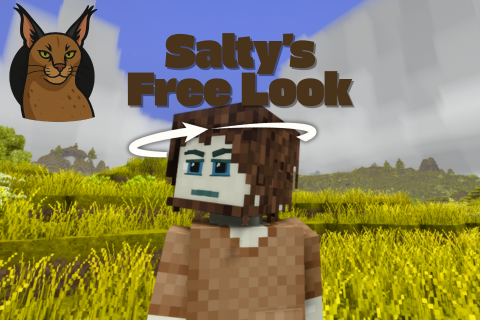
This super tiny mod adds the ability to look around!
Just hold the Free Look key (CAPS LOCK by default):
And you can freely look around without your body following the camera rotation!
You can still maneuver your character with wasd!
It works in the third person modes too!
It probably works with the elk.. have no idea.. did not test it. Let me know in the comments!!
By default you need to hold, but the mod has a single config file that let's you set it to toggle.
Also, This mod pairs well with
(If you like casual strolls here and there)
check out my other mods here:
| Mod Version | Mod Identifier | For Game version | Downloads | Released | Changelog | Download | 1-click mod install* |
|---|---|---|---|---|---|---|---|
| 1.0.4 | freelook | 1326 | Nov 21st at 3:46 AM | FreeLook_1.0.4.zip | 1-click install | ||
|
Now player head rotates with free look. | |||||||
| 1.0.3 | freelook | 6019 | Aug 30th at 3:27 AM | FreeLook_1.0.3.zip | 1-click install | ||
|
removed embedded dlls. | |||||||
| 1.0.2 | freelook | 152 | Aug 29th at 5:00 PM | FreeLook_1.0.2.zip | 1-click install | ||
|
port to 1.21 fixed mouse smooth. | |||||||
| 1.0.1 | freelook | 2369 | Jul 3rd at 3:23 PM | FreeLook_1.0.1.zip | 1-click install | ||
|
Now with: Toggle / Hold modes, check configs!!
Smooth camera reset. | |||||||
| 1.0.0 | freelook | 395 | Jul 1st at 10:31 PM | FreeLook_1.0.0.zip | 1-click install | ||
|
yay | |||||||
Not sure why Auto Config Lib isn't picking this up for tweaking in-game through ImGui. But can confirm it is in .../VintagestoryData/ModConfig. I'm team toggle hotkey and thank you for the option!
I swear the config file thing wasn't there when I first read the description, I guess I was too sleep deprived last night when I read it 😅
Nephelangelo
Yes, kinda like of how minecraft does it, It is possible but out of the scope of this mod :p
Foxtrot88
Check description!
Have you considered making it a toggle hotkey rather than a hold-to-freelook?
This is a great touch. Would it be possible to add also a tendency for the head to move semi independently of the body while using the mouse normally? By which I mean, the body's turning could "lag" behind slightly when you turn your mouse, so that the animation doesn't look so rigid and robotic with the head and body turning at exactly the same rate. I think this would help make the character movement in multiplayer a lot more natural and expressive.
ToddlyToad420
Key bind is changed directly in the game settings!
Go to settings>Controls>serach for free look.
Mount & Blade moment
can someone plz tell me exactly how to change the key bind from caps to left alt? idk what command to type, i have mod config menu up but it only shows my danatweaks settings, im super new, appreciate this mod a lot fr
is this mod fully client side? It doesn't work for me on a MP server
The freelook sensitivity seems to be governed by the mouse move smoothing setting.
With mouse move smoothing at 0 you cant rotate your view.
Am I the only one with this issue?
hello
thanks
can u make able config ange rotation more?
i cant see that is behind with my habitual FOV
using this mod without immersive first person looks really odd on arm placement arms just magically floating way out at ear level lol
@SaltyWater Got it, thanks! I didn't realize I just had to load into a game first before it would show in the bindings list.
DongWizard
Load a world with the mod
go into configs, controlos tab
search for free look
How do you change the keybinding?
Dont know if this would be possible but is there anyway to integrate this with Freetrack so this could be used with TrackIR/Opentrack or something similar?
Hi SaltyWater - can you do us a 1.20 build with a freelook fix pretty please :)
I don't have this mod installed but when my friend tries to join, it says he needs to install it, it's in neither of our mod manager lists or mod files, he did have a config file for it but deleted it, this didn't resolve our issue though.
It appears that the mod is not compatible with 1.21
Game Version: v1.21.0 (Stable)2025-08-26 21:17:46: Critical error occurred in the following mod: freelook@1.0.1
Loaded Mods: catchledge@0.5.0, chargedjump@1.1.0, clickuptorches@1.1.1, freelook@1.0.1, game@1.21.0, betterruins@0.5.0-rc.1, farseer@1.3.2, handytweaks@1.1.0, creative@1.21.0, survival@1.21.0
Involved Harmony IDs: com.freelook.mod
System.MissingFieldException: Field not found: 'Vintagestory.API.Common.ModelTransformNoDefaults.Rotation'.
at FreeLookMod.FreeLookModSystem.Patch_Camera.Prefix(PlayerCamera __instance)
at Vintagestory.Client.NoObf.PlayerCamera.OnBeforeRenderFrame3D_Patch1(PlayerCamera this, Single dt)
at Vintagestory.API.Client.DummyRenderer.OnRenderFrame(Single deltaTime, EnumRenderStage stage) in VintagestoryApi\Client\API\IClientEventAPI.cs:line 87
at Vintagestory.Client.NoObf.ClientEventManager.TriggerRenderStage(EnumRenderStage stage, Single dt) in VintagestoryLib\Client\Util\ClientEventManager.cs:line 204
at Vintagestory.Client.NoObf.ClientMain.TriggerRenderStage(EnumRenderStage stage, Single dt) in VintagestoryLib\Client\ClientMain.cs:line 820
at Vintagestory.Client.NoObf.ClientMain.MainRenderLoop(Single dt) in VintagestoryLib\Client\ClientMain.cs:line 872
at Vintagestory.Client.NoObf.ClientMain.MainGameLoop(Single deltaTime) in VintagestoryLib\Client\ClientMain.cs:line 744
at Vintagestory.Client.GuiScreenRunningGame.RenderToPrimary(Single dt) in VintagestoryLib\Client\MainMenu\Screens\GuiScreenRunningGame.cs:line 172
at Vintagestory.Client.ScreenManager.Render(Single dt) in VintagestoryLib\Client\ScreenManager.cs:line 719
at Vintagestory.Client.ScreenManager.OnNewFrame(Single dt) in VintagestoryLib\Client\ScreenManager.cs:line 663
at Vintagestory.Client.NoObf.ClientPlatformWindows.window_RenderFrame(FrameEventArgs e) in VintagestoryLib\Client\ClientPlatform\GameWindow.cs:line 113
at OpenTK.Windowing.Desktop.GameWindow.Run()
at Vintagestory.Client.ClientProgram.Start(ClientProgramArgs args, String[] rawArgs) in VintagestoryLib\Client\ClientProgram.cs:line 338
at Vintagestory.Client.ClientProgram.<>c__DisplayClass10_0.<.ctor>b__1() in VintagestoryLib\Client\ClientProgram.cs:line 133
at Vintagestory.ClientNative.CrashReporter.Start(ThreadStart start) in VintagestoryLib\Client\ClientPlatform\ClientNative\CrashReporter.cs:line 95
Also I can confirm that the issue with the camera being locked in place is caused by setting smoothing to 0. The lower the smoothing the lower the free cam sensitivity as well.
Think I just figured out the problem.With smoothing set to zero in game, the actual stored value for smoothing is 100. SaltyWater
float num2 = 1f - (float) api.Settings.Int["mouseSmoothing"] / 100f; => 1 - 100/100 = 0; num2 = 0 => delta = 0 => no free look
FreeLookModSystem.dYaw += (double) __0.DeltaX * (double) num1 * (double) num2;
FreeLookModSystem.dPitch += (double) __0.DeltaY * (double) num1 * (double) num2;
Edit: Tried playing with the settings; you can't get the freelook to a good point without introducing lag in the default view.
I'd suggest removing the smoothing from the calculations or duplicate the core game's smoothing logic so that free look and the default view has the same sensitivity.
Ive tried this mod with and wihtout BetterFPCamera and its not working (Camera locks into a place). Im pretty sure mod itself works but some basic mod interrupts it in some way without showing any error. Any idea what mod could be causing it?
Fantastic mod, but can I change the sensitivity for it somehow? When I free look the sensitivity goes waaaay down and it takes ages to look to the side 😅
Oh man. Now we just need head tracker & VR support.
potoes I'm getting the same issue, do you also have BetterFPCamera? I'm guessing its incompatible
potoes
check if theres no other key bind to caps lock
When I hit caps lock my screen is locked forward and nothing happens when I use the mouse.
beres
It happens to the best of us! 😆
osayra
no, u are <3
you are amazing
Can we somehow bind it to something else? Other than that, excellent mod
EDIT: I just saw some people claiming it can be done under the controls section, but I don't see an option. Didn't have the game for long, so any help would be highly appreciated
EDIT #2: Just to clarify for people who are almost as dumb as me, you have to be loaded into a world, to see the option in the control section. Hope this helped :)
ThatGuy69
Thanks! haha <3
this guy just continues to bring quality mods non stop, do you even sleep?
D43VA
Hell yeah sure!
hit me up on discord.
SaltyWater or Nerddogueto. I'm on the VintageStory oficial discord as a modder too!
SaltyWater
Very very cool, honestly should be a vanilla feature! I'm one of those people who compulsively hacks freelook and head tracking into any first-person game I play, so this mod is a godsend for me. Speaking of head tracking - would you be willing to share the source code for this mod? Would love to take a look at how you implemented this. Knowing that freelook is possible I'm now 90% sure I can write a plugin that enables true head tracking (camera & player movement fully independent from each other, camera steered by data from OpenTrack, mouse data steers player movement). With your mod, head tracking users have two issues: freelook can't be toggled permanently (have to hold down a key, inconvenient) and mouse movements actually need to move the player as usual instead of moving the camera (camera movement is taken care of by head tracking already, and players need a way to rotate the player character). With your permission, I'd like to take a stab at implementing this based on your code.
VaelophisNyx
It's not exactly native TrackIR support, but I play VS on a triple monitor setup with Tobii 5 head tracking using OpenTrack in mouse emulation mode. X = Yaw, Y = Pitch, modest deadzone in the center for both axes, hotkeys for recentering and pausing tracking on my mouse (for menus), Bob's your uncle. It's shockingly playable this way, honestly miss it when it's not on. Only downside is that freelook isn't independent from movement - which this mod might actually be able to fix :3 Currently testing.
CRAZY mod, this should be a vanilla feature
Calbain
Thanks!!
Michaloid
Works best in immersive first person, you can use in the other mode but arms get rendered alone. It's strange. Wouldn't recommend!
VaelophisNyx
I don't even know what TrackIR is! 😆
OmegaHaxors Doesn't work very well, the mouse detaches but targeting is still in the center of the screen
DecaByte It shows up in the control menu as Free Look, default bound to Caps Lock
You should tie it to the alt key, since pressing that key frees up your mouse and allows you to target blocks that aren't nessesarily straight in the middle of your screen.
Which key is used for it? Looks like you forgot to say in the discription.
Is this a immersive first person feature or just normal first person?
how big of a stretch goal is TrackIR support ;P
gamingoninsulin
Yeah! Just hold the key and press whatever directional key you want, the mod only disables the body rotation following the camera direction! You can freely move around!
question how to walking in for example not forward but side ways work just with wasd ? or can you tunr it off with a push of a button for example look good ;)