
Mods / Envelopes

Author: SiiMeR
Side: Both
Created: Feb 20th at 11:52 PM
Last modified: Nov 17th at 1:54 PM
Downloads: 46567
Follow Unfollow 293
Recommended download (for Vintage Story 1.21.5):
envelopes_2.1.1.zip
1-click install
Envelopes
Imagine this: you are a ruler, and you would like to discuss an alliance with a neighboring kingdom.
To start the discussions, you will have to contact the king. For this, you have 4 options:
1) Visit the kingdom and discuss it in person. This takes time and is risky.
2) Invite the king over. This also takes time and planning, but probably is less risky.
3) Send a messenger with a verbal message to the king. Safe and fast, but requires you to have a trustworthy messenger.
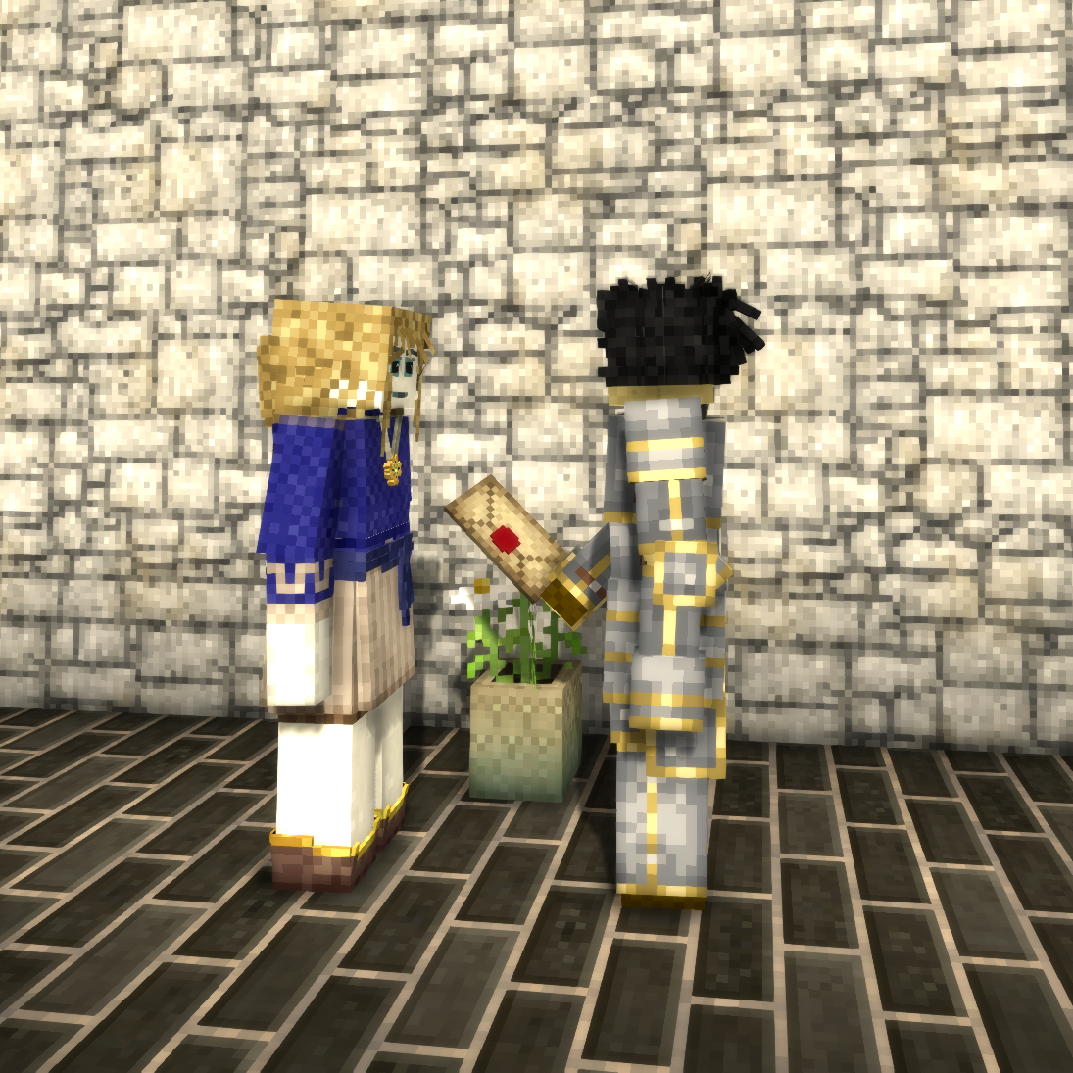
4) Send a letter to the king. Safe and fast, but requires you to have a trustworthy courier.
You decide to take out your ink and quill, and draft a letter:
> Dear King, I would like to form an alliance between us. Hope to hear back from you soon.
You sign the letter and find a trusted courier. The courier takes the letter to the king. Later that week, you receive a reply and you successfully manage to establish the alliance.
In Vintage Story, there is currently no way to hide the contents of such a letter. The courier could actually have been working with some interested 3rd parties, and now your confidential information is out there.
This problem could be alleviated by putting your letter inside an envelope and sealing it with a wax stamp. The courier might still break the seal and read its contents, but at least the receiving end would know that the envelope had been tampered with. This gives you a chance to go after such a courier.
Guide
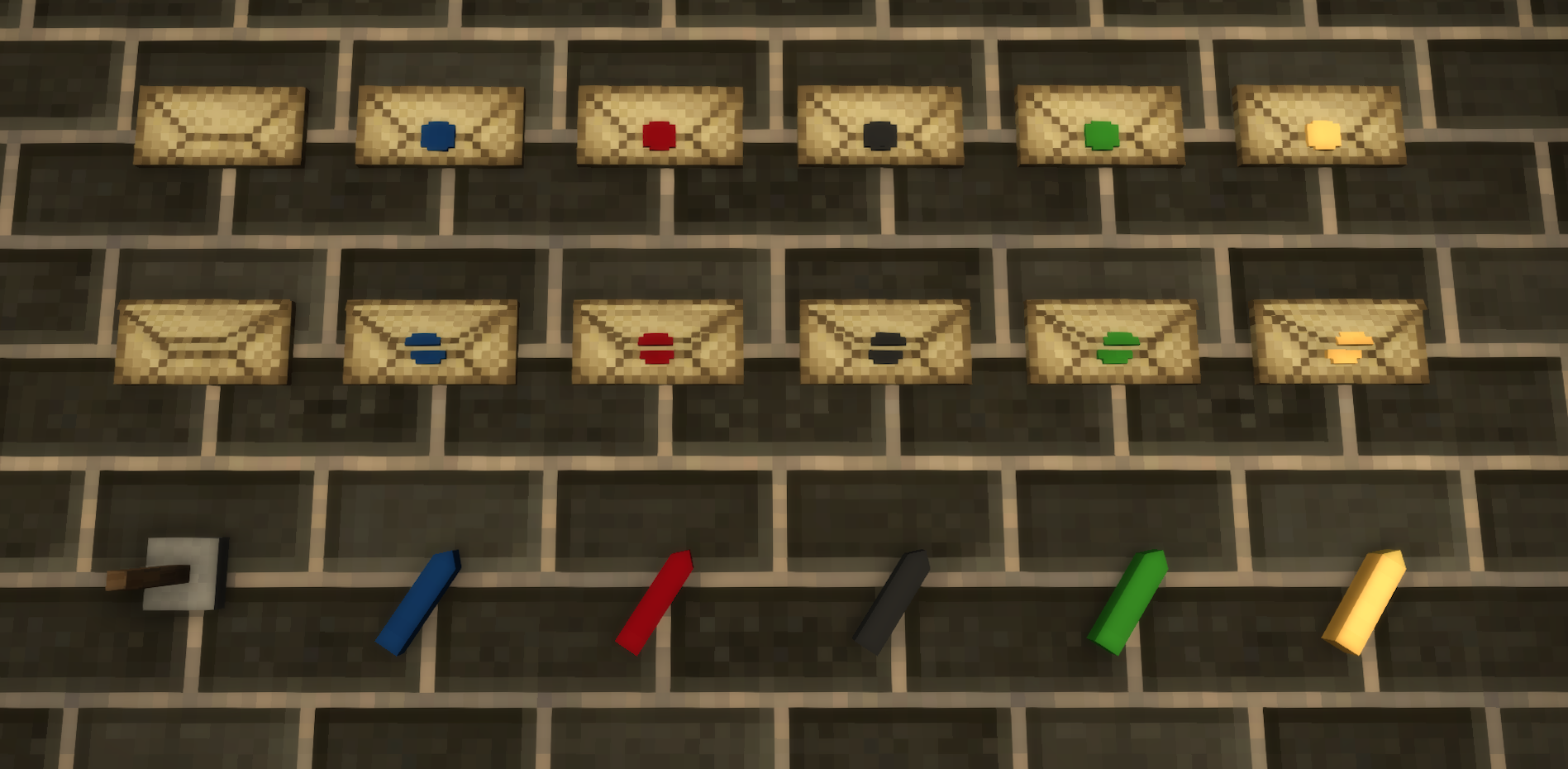
1. Make an empty envelope by combining resin and paper in the crafting grid to fold the envelope and glue it together
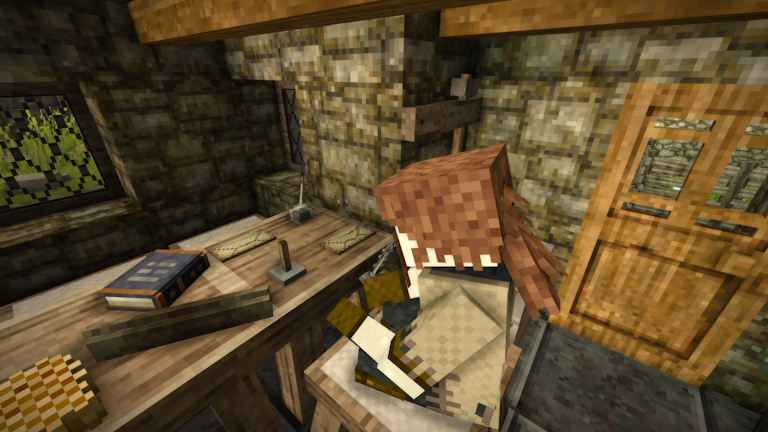
2. Write something on a piece of parchment. Optionally sign it.
3. Combine the parchment and the empty envelope in a crafting grid.
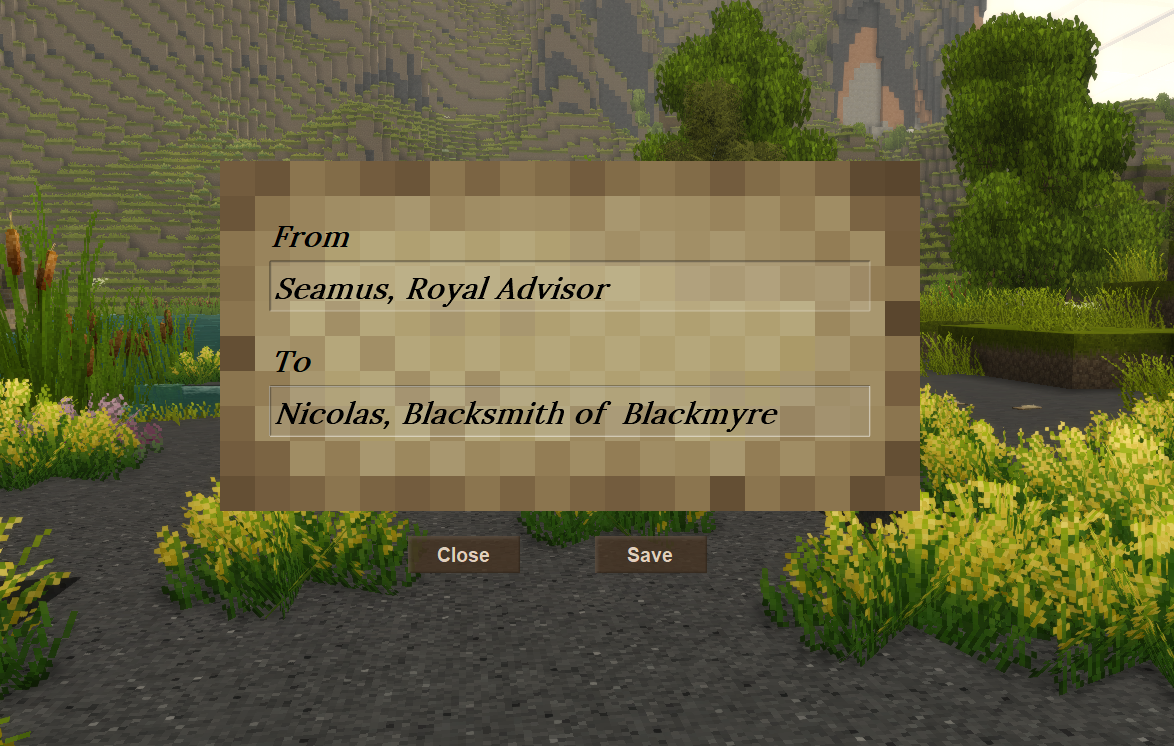
4. Hold an ink and quill in your offhand and Shift + Right Click (might be different depending on your keymap) to write the From/To information on the envelope. (You write it on the full stack of envelopes in your hand, so be careful)
5. Now you can right-click to open the envelope again and take the parchment out.
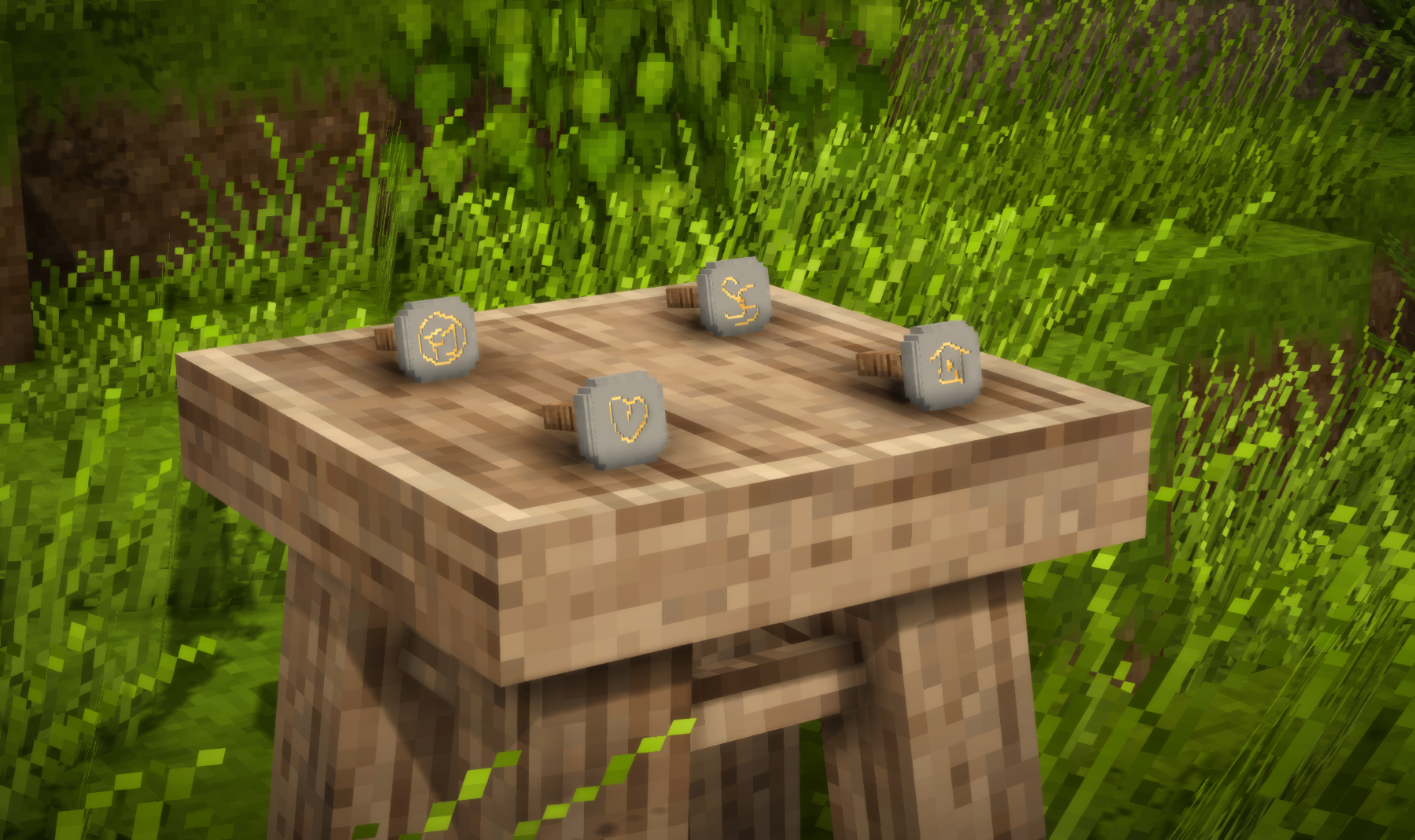
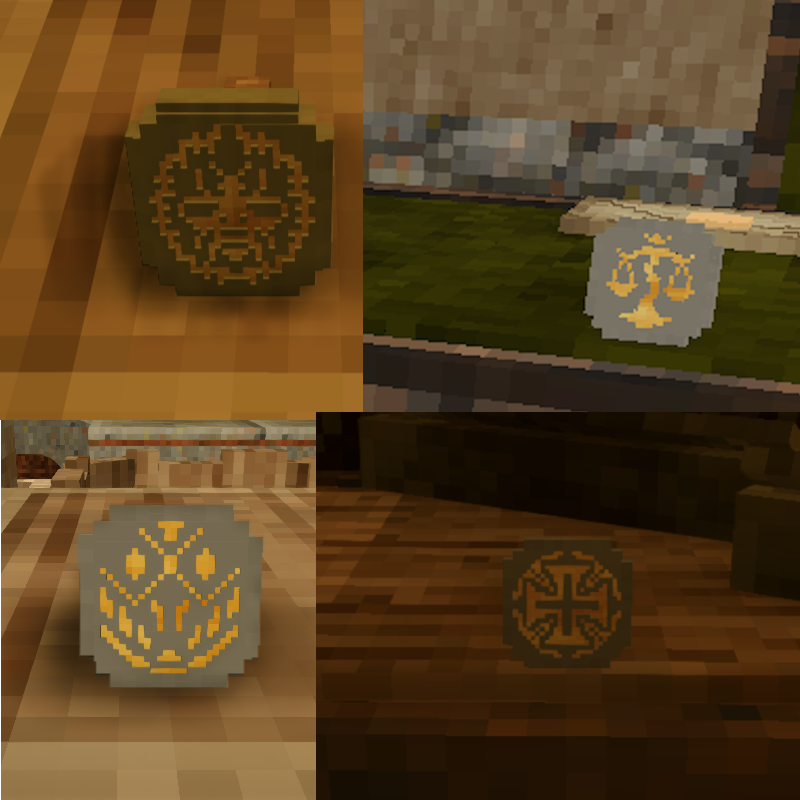
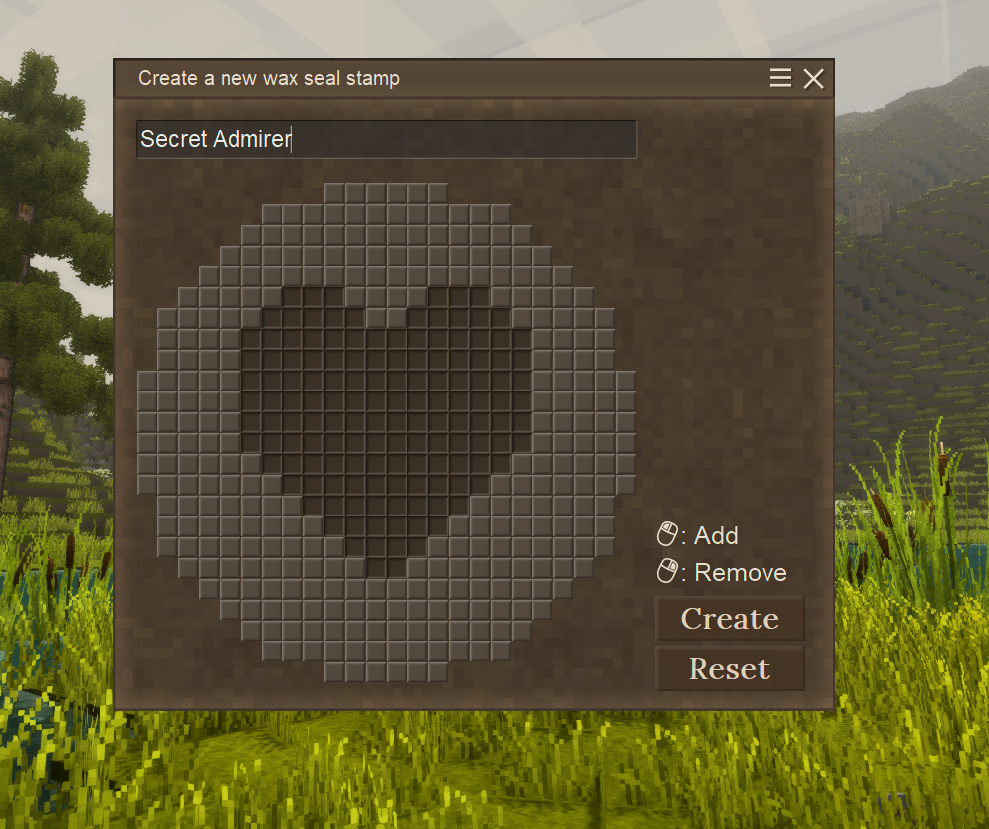
6. Make a wax seal stamp and right-click while holding it. This opens the stamp editor. Carve something out and select a name for the stamp. Hit the create button to save your work and lock the design in.
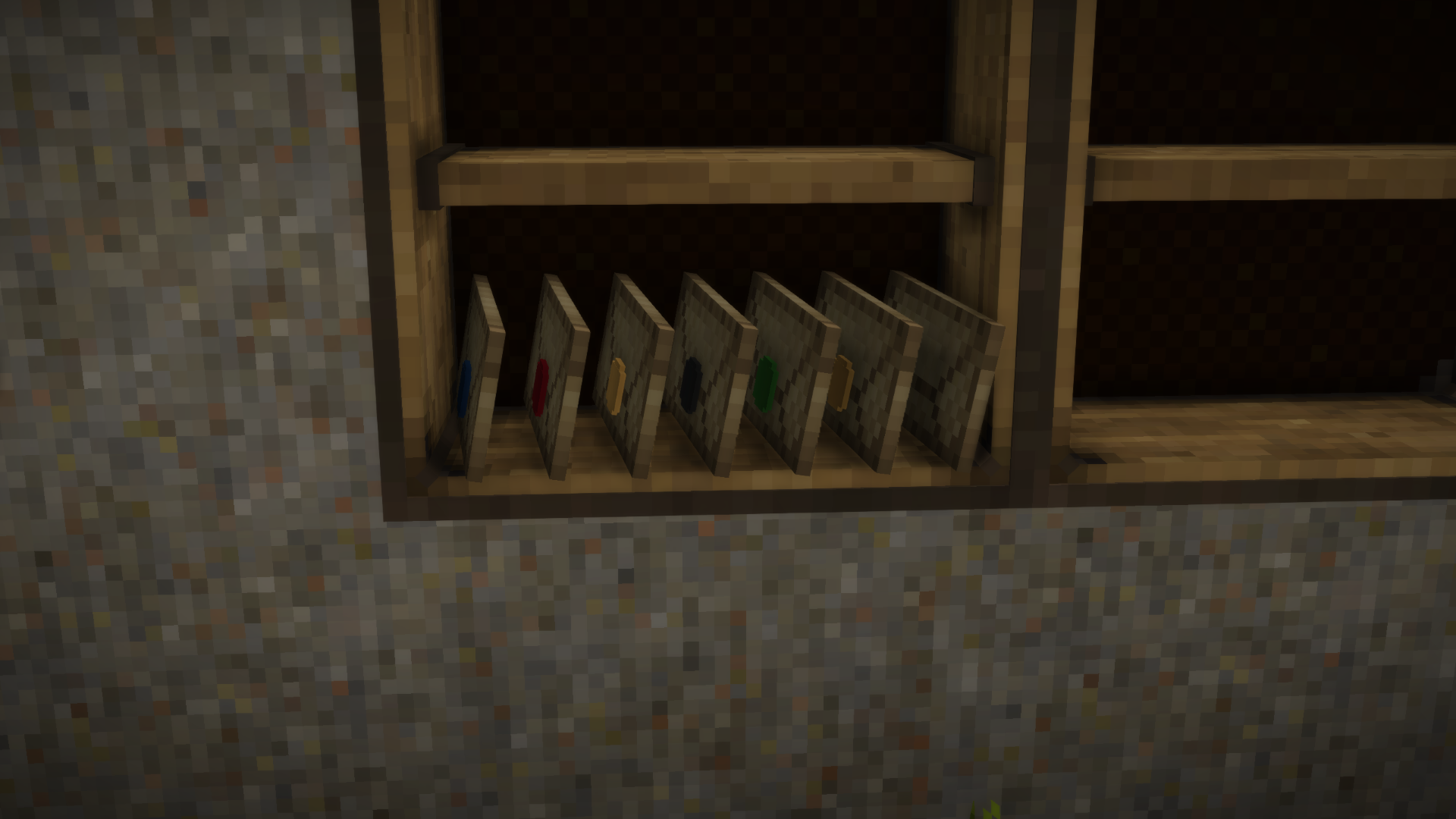
7. Make yourself a stick of wax by combining a bowl with some paint (red, green, blue, black) with a piece of beeswax.
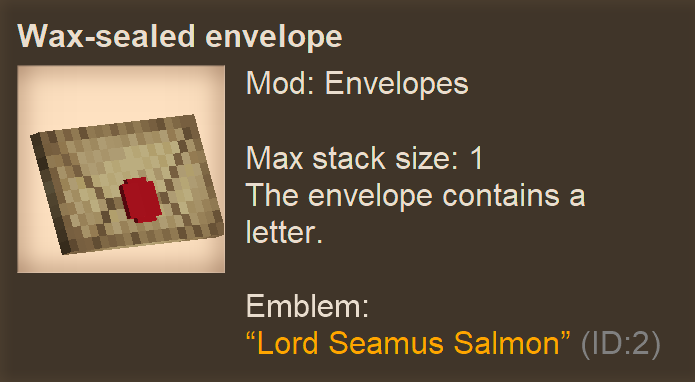
8. To imprint the stamp on the envelope, combine a closed envelope with a stick of wax and the seal stamp in the crafting grid. This will produce a wax-sealed envelope with the emblem imprinted in the wax.
9. Right-click while holding the wax-sealed envelope to open it. A confirmation will pop up to ask if you are sure. You will then receive the opened envelope and the parchment inside.
10. You may put the parchment back into the seal-broken, opened envelope (by combining them again in the crafting grid). You can not reseal the envelope, however. You can put any parchment back in.
11. Your wax seal stamp has a durability. Once it's running out, you have to make a copy by combining the stamp with an empty wax seal stamp. This will consume both parts, making it effectively possible to have only 1 copy of every stamp.
12. You can use a knife on an opened envelope that had a wax seal on it to remove the wax, making the envelope reusable.
Note for server owners
The envelope contents and the stamps are stored in the ModData folder, inside the saveidentifier folder(something like c0e26e5e-b974-4d15-a920-5abc8f068a67), in SQLITE database files named stamps.db and envelopes.db
Future plans:
* in-world crafting of envelopes
* in-world sealing of envelopes, possibly by having to melt the wax beforehand
| Mod Version | Mod Identifier | For Game version | Downloads | Released | Changelog | Download | 1-click mod install* |
|---|---|---|---|---|---|---|---|
| 2.1.1 | envelopes | 1770 | Nov 17th at 1:54 PM | envelopes_2.1.1.zip | 1-click install | ||
|
* When putting an parchment into the envelope, the attributes from the envelope will now be preserved (like the From/To) | |||||||
| 2.1.0 | envelopes | 3907 | Oct 28th at 7:21 PM | envelopes_2.1.0.zip | 1-click install | ||
| |||||||
| 2.0.2 | envelopes | 13096 | Sep 1st at 6:53 PM | envelopes_2.0.2.zip | 1-click install | ||
|
* Recompiled to hopefully fix crash when opening handbook or creative inventory | |||||||
| 2.0.1 | envelopes | 233 | Aug 31st at 11:03 AM | envelopes_2.0.1.zip | 1-click install | ||
|
* Updated Ukrainian translation (thanks fk.rage) | |||||||
| 2.0.0 | envelopes | 474 | Aug 30th at 12:55 AM | envelopes_2.0.0.zip | 1-click install | ||
| |||||||
| 1.5.1 | envelopes | 10448 | Jul 14th at 2:12 PM | envelopes_1.5.1.zip | 1-click install | ||
|
* Fixed older stamps not showing their design | |||||||
| 1.5.0 | envelopes | 1313 | Jul 7th at 10:23 PM | envelopes_1.5.0.zip | 1-click install | ||
| |||||||
| 1.4.1 | envelopes | 4309 | May 27th at 5:21 PM | envelopes_1.4.1.zip | 1-click install | ||
|
* Forgot to add the recipe to put books into seal-broken envelopes | |||||||
| 1.4.0 | envelopes | 25 | May 27th at 5:19 PM | envelopes_1.4.0.zip | 1-click install | ||
|
* You can now put books inside envelopes | |||||||
| 1.3.2 | envelopes | 357 | May 25th at 12:35 PM | envelopes_1.3.2.zip | 1-click install | ||
| |||||||
| 1.3.1 | envelopes | 307 | May 23rd at 12:09 PM | envelopes_1.3.1.zip | 1-click install | ||
|
* Updated Ukrainian translation (thanks DeanBro) | |||||||
| 1.3.0 | envelopes | 132 | May 21st at 11:36 PM | envelopes_1.3.0.zip | 1-click install | ||
| |||||||
| 1.2.5 | envelopes | 1220 | Apr 26th at 10:58 AM | envelopes_1.2.5.zip | 1-click install | ||
| |||||||
| 1.2.2 | envelopes | 4376 | Mar 20th at 6:22 PM | envelopes_1.2.2.zip | 1-click install | ||
| |||||||
| 1.2.1 | envelopes | 1302 | Mar 9th at 8:12 PM | envelopes_1.2.1.zip | 1-click install | ||
| |||||||
| 1.2.0 | envelopes | 267 | Mar 8th at 8:54 PM | envelopes_1.2.0.zip | 1-click install | ||
|
New feature: write a from/to on the envelope | |||||||
| 1.1.0 | envelopes | 754 | Mar 6th at 8:41 PM | envelopes_1.1.0.zip | 1-click install | ||
|
NEW FEATURE: WAX SEAL STAMPS
| |||||||
| 1.0.1 | envelopes | 965 | Feb 27th at 11:28 PM | envelopes_1.0.1.zip | 1-click install | ||
|
Fixed a crash when viewing an envelope sealed by a player not currently online | |||||||
| 1.0.0 | envelopes | 1312 | Feb 21st at 12:06 AM | envelopes_1.0.0.zip | 1-click install | ||
|
First release | |||||||
The emblem is already rendered on the stamper anyway. The way this mod prevents forgery is by having the ID and the emblem name shown on the envelope. This is an UI solution, I know, but it works fine
the only issue that comes up with the grid-view hud idea, is that anyone could "look" at the seal, and then copy it from there with a screenshot or just looking repeatedly.
some things i can think of;
1) somehow make it smooth out, instead of showing the exact grid that you use to make the seal. this makes it harder to exactly copy it, without spending a lot of effort on it. probably really difficult.
2) make each pattern exclusive, and the forger is forced to add a flaw or difference in. probably hard as well, figuring out how to store and check against current patterns.
3) or, more ridiculous and complicated, wax can be different ratios of color. so a person can have a specific shade that they use, plus the seal. this would give forgers a run for their money. but code wise, probably complicated.
perhaps , instead of dying wax before hand, it can be selected (hex?) when the stamp seal is made/carved?
Good idea, VixTetsuri
I've gotten an idea for the "stamp render" SiiMeR. Since you have the hud for making stamp molds, why not show it (in the wax's color) when going to open the envelope, just uneditable and all? That way they can see the accurate pressing of wax since that would be in your view when going to open the envelope in the first place.
Yes, they are not currently rendered. The technology is not there yet, but I will work on it at one point MightyFox
So are the stamps currently not viewable on the sealed wax envelopes? I cannot get it to work no matter which stamp i use, its always just a solid block of wax on the envelope.
no crash
Sorry for taking so long to respond SiiMeR.
Seems like the bug is fixed for me! I'll let you know if I find any further issues, I tested the creative menu as well and had no crash there.
Can you try v2.0.2 and report if it is fixed? Dr_Jekylle Rexxia Matsan
When I press H to open the Handbook entry for sticks, my game crashes. Says main culprit is Envelopes.
Here's the crash log:
Running on 64 bit Windows 10.0.19045.0 with 16347 MB RAM
Game Version: v1.21.0 (Stable)
9/1/2025 10:19:32 AM: Critical error occurred in the following mod: envelopes@2.0.1
Loaded Mods: chiseltools@1.15.1, craftablecompanion@1.2.2, darcesdriftersredone@1.2.3, eyesofmesana@1.0.0, hangingoillamps@1.0.5, millwright@1.2.7, overhaullib@1.4.0, plumpkins@1.1.1, primitivesurvival@3.9.4, prospecttogether@2.1.0, restoredhaircolors@1.0.1, scrollrackable@1.4.0, sortablestorage@2.4.2, specialexpandedbags@1.1.5, game@1.21.0, vsimgui@1.1.12, hornsr@1.0.0, wildfarmingrevival@1.4.0, alchemy@1.7.14, animalcages@4.0.0, attributerenderinglibrary@2.1.0, betterfirepit@1.1.6, betterjonasdevicesfixed@2.0.4, BetterProspecting@1.7.0, betterruins@0.5.0, butchering@1.10.0-rc.2, canjewelry@0.5.6, cannibalism@1.0.0, carryon@1.10.3, combatoverhaul@0.7.1, configlib@1.10.1, envelopes@2.0.1, extrainfo@1.10.0, hudclockpatch@1.1.1, maltiezcrossbows@1.5.1, maltiezfirearms@1.2.0, medievalexpansionpatch@1.3.0, moldsplus@1.0.4, noticeboard@1.1.2, pelaguswinds@1.2.2, petai@4.0.0, playermodellib@1.0.3, claywheel@1.1.3, purposefulstorage@1.4.1, realsmoke@0.6.5, rivers@4.7.2, rpvoicechat@2.3.22, rubberbandaid@1.0.0, serversidedobsydianxshumancolors@1.0.0, slowtox@3.0.0, smithingplus@1.7.4, stonebakeoven@1.2.0, toolsanimations@1.2.2, traitacquirer@0.9.6, creative@1.21.0, survival@1.21.0, xlib@0.8.17, armory@1.2.0, autoconfiglib@2.0.8, cats@4.0.0, em@3.3.0, morearrows@1.1.1, quiversandsheaths@0.3.3, reforgedtools@1.2.51, shearlib@1.2.0, wolftaming@4.0.0, xinvtweaks@1.8.1, xskills@0.8.20, zrustdrops@2.0.0, exoskeletons@0.4.2, tailorsdelight@2.0.0, theworkingclasses@1.0.4, wool@1.7.0, dressmakers@1.6.0
System.TypeLoadException: Could not load type 'Vintagestory.GameContent.ShapeTextureSource' from assembly 'VSSurvivalMod, Version=1.0.0.0, Culture=neutral, PublicKeyToken=null'.
   at Envelopes.Behaviors.RenderStampEmblem.CreateMesh(ItemStack itemstack)
   at Envelopes.Behaviors.RenderStampEmblem.OnBeforeRender(ICoreClientAPI capi, ItemStack itemstack, EnumItemRenderTarget target, ItemRenderInfo& renderinfo) in .\Behaviors\RenderStampEmblem.cs:line 132
   at Vintagestory.API.Common.CollectibleObject.OnBeforeRender(ICoreClientAPI capi, ItemStack itemstack, EnumItemRenderTarget target, ItemRenderInfo& renderinfo) in VintagestoryApi\Common\Collectible\Collectible.cs:line 416
   at Vintagestory.Client.NoObf.InventoryItemRenderer.RenderItemstackToGui(ItemSlot inSlot, Double posX, Double posY, Double posZ, Single size, Int32 color, Single dt, Boolean shading, Boolean origRotate, Boolean showStackSize) in VintagestoryLib\Client\Render\InventoryItemRenderer.cs:line 197
   at Vintagestory.Client.NoObf.RenderAPIGame.RenderItemstackToGui(ItemSlot inSlot, Double posX, Double posY, Double posZ, Single size, Int32 color, Boolean shading, Boolean rotate, Boolean showStacksize) in VintagestoryLib\Client\API\RenderAPIGame.cs:line 280
   at Vintagestory.API.Client.SlideshowItemstackTextComponent.RenderInteractiveElements(Single deltaTime, Double renderX, Double renderY, Double renderZ) in VintagestoryApi\Client\UI\Elements\Impl\Interactive\Text\Richtext\SlideshowItemstackTextComponent.cs:line 213
   at Vintagestory.API.Client.GuiElementRichtext.RenderInteractiveElements(Single deltaTime) in VintagestoryApi\Client\UI\Elements\Impl\Interactive\Text\GuiElementRichtext.cs:line 483
   at Vintagestory.API.Client.GuiComposer.Render(Single deltaTime) in VintagestoryApi\Client\UI\GuiComposer.cs:line 737
   at Vintagestory.API.Client.GuiDialog.OnRenderGUI(Single deltaTime) in VintagestoryApi\Client\UI\Dialog\GuiDialog.cs:line 396
   at Vintagestory.GameContent.GuiDialogHandbook.OnRenderGUI(Single deltaTime) in VSSurvivalMod\Systems\Handbook\Gui\GuiDialogHandbook.cs:line 559
   at Vintagestory.Client.NoObf.GuiManager.OnRenderFrameGUI(Single deltaTime) in VintagestoryLib\Client\Systems\Gui\GuiManager.cs:line 309
   at Vintagestory.Client.NoObf.ClientMain.RenderToDefaultFramebuffer(Single dt) in VintagestoryLib\Client\ClientMain.cs:line 1010
   at Vintagestory.Client.GuiScreenRunningGame.RenderToDefaultFramebuffer(Single dt) in VintagestoryLib\Client\MainMenu\Screens\GuiScreenRunningGame.cs:line 250
   at Vintagestory.Client.ScreenManager.Render(Single dt) in VintagestoryLib\Client\ScreenManager.cs:line 760
   at Vintagestory.Client.ScreenManager.OnNewFrame(Single dt) in VintagestoryLib\Client\ScreenManager.cs:line 663
   at Vintagestory.Client.NoObf.ClientPlatformWindows.window_RenderFrame(FrameEventArgs e) in VintagestoryLib\Client\ClientPlatform\GameWindow.cs:line 113
   at OpenTK.Windowing.Desktop.GameWindow.Run()
   at Vintagestory.Client.ClientProgram.Start(ClientProgramArgs args, String[] rawArgs) in VintagestoryLib\Client\ClientProgram.cs:line 338
   at Vintagestory.Client.ClientProgram.<>c__DisplayClass10_0.<.ctor>b__1() in VintagestoryLib\Client\ClientProgram.cs:line 133
   at Vintagestory.ClientNative.CrashReporter.Start(ThreadStart start) in VintagestoryLib\Client\ClientPlatform\ClientNative\CrashReporter.cs:line 95
SiiMeR can confirm what Dr_Jekylle said with the creative menu crashing
SiiMeR I just opened this mod's tab in the Creative menu and the game crashed. I am on version 1.21.0. The crash message said something went wrong in the package Envelopes. Thank you for your hard work, btw. Cheers.
Of course 💖 Annastasija
Will you be updating my favorite mod? <3
SiiMeR After Looking at the mod's JSON, I think I understand now. the mod only adds the envelope item, and doesn't add the paper writing, that's inside the base game.
Thanks!
That would be some other mod that would do it. It is not in the scope of this mod captanredbeard
When you sign the paper, it adds the "written by" tag to the item description. Would it be possible to add a similar feature but with the first few lines or so of the letter followed by ... and it updates when the save or the sign button is pressed, just like the sign function.
an example might be
"
Title: Salutatations from Jamestown
Dear Mrs. Smith, I have arrived at jamestown, it's been quire rainy since I have landed....
"
and to read the full contents you click the parchment like you do currently, but you get the first few lines from the item hover description.
Can't seem to get the write from/to menu to open up, following the guide exactly..
EDIT: I had to hold shift + the sprint keybind + right click The guide leaves out the sprint key info.
Thank you for the woad change!
This is so great for RP servers !
No plans for that as this would be a different process involving ink Pear120
Any plans to add stamping parchment directly? Wanting to make some "official declaration" documents, would be cool to add the wax seal to it to make it properly official. Envelopes are good for delivering to people, but I'm looking to make stamped documents for beaurocratic purposes. Sure, can just sign it, but having the office's official wax stamp on it would be cool.
This is such a cute mod!!
The issue has been fixed in the latest version,thanks for reporting LeoSpades
So, not sure why but everytime I put paper in the envelope and take it out of the crafting grid I crash, and it dupes to envelope with nothing in it when I get back in? Is there any known compabitly issues with other mods anyone knows of?
Awesome! I did see in the notes you were working on that, didn't know if there was a shift-righclick option on the stamp or something that brought the menu back up but locked. I love the attention to detail in this mod, I can't wait to see how it comes along, great work!
SiiMeR
Currently, the design is no longer viewable after creation.
However, I am currently working on making the design be visibly shown on the stamp itself and on the sealed envelope. It is a bit complicated as I haven't made custom meshes before. At the same time, it is pretty exciting to figure it out slowly.
Vykax
Is there a way to see the seal after it's been created? Without stamping with it
gg
Hit after hit. Thanks for updating the mod so fast. This'll go a long way to preventing me from sticking my chili recipe into the Senate mailbox.
Yeah, a natural synergy between our mods Crabb
This would go very well with You've Got Mail :D
Absolutely fantastic mod for RP servers, what a treat! I hope this is picked up by a lotta people. c:
Out now Ragolution
Cool! I'm definitely looking forward to it!
I will consider supporting other items (any item really) later on.
I am currently working on the next version, which will add wax seal stamps with customizable designs. those can be named too. Should help differentiate envelopes.
As for the envelopes themselves, I am considering allowing writing to the back of the envelope (like a To: section)
Ragolution
Could you add support for other items inside envelopes? For example, Vellum from bookcrafters or perhaps money? A config for this would be cool, too. 😊
Also it's a bit tough to tell them apart, when you have multiple envelopes. Maybe we could write things on the envelopes before they're sealed.
I was confused as to why this mod was, then noted that there were no letters in vanilla.
Doing gods messengers work, keep it up!
Finally something to cram in people's mailboxes with illicit offers for "low rate totally unstolen chickens"
Thank you!
@Juko
@Harark
This will be a wonderful addition to many RP servers. Great work!
As someone who has actively played as a postman in multiple RP communities before, seeing this mod makes me a very happy camper! Keep up the good work!