
Mods / Craftable Cartography Fork



Author: kastrom3
Side: Both
Created: Feb 25th at 11:07 AM
Last modified: Nov 7th at 7:18 PM
Downloads: 4000
Follow Unfollow 149
Recommended download (for Vintage Story 1.21.5):
CraftableCartography_0.1.10.zip
1-click install
This modification is a modified version of the original mod by ProfCupcake, since some decisions in the mod did not suit me.
This mod disables access to coordinates, cardinal directions and the map. To get all this information, you need to use items:
- Compass - cardinal directions
- Sextant - coordinates
- Map - guess what))
Details of changes to the original mod with reasons Сlick to read))
Compasses:
- Now all types of compasses must be held in your hand so that they can work (Either the active hotbar slot, or the second-hand slot)
- Primitive compass - was completely transferred from my Physical Map mod (I decided to add it because in fact nothing prevents you from making a simple compass at the beginning of the game)
- Has a cheap craft
- Allows you to see only the cardinal directions
- Compass
- Now again shows the cardinal directions and degrees in the window, and you no longer need to use it to find out direction (Using it like a sextant is not justified, because you do not need to do calculations for it, the compass shows the cardinal directions constantly)
- However, due to strong rotation the arrow will fluctuate and it will need time to stabilize
- Only pieces of iron ore can be used in crafting (Limonite, Hematite and Magnetite) (In the original mod, you can use any metal as an arrow, even diamagnetics, which are not magnetized at all. In the Physical Map, I used iron ore because they can be found in nature already magnetized and can be used for compasses)
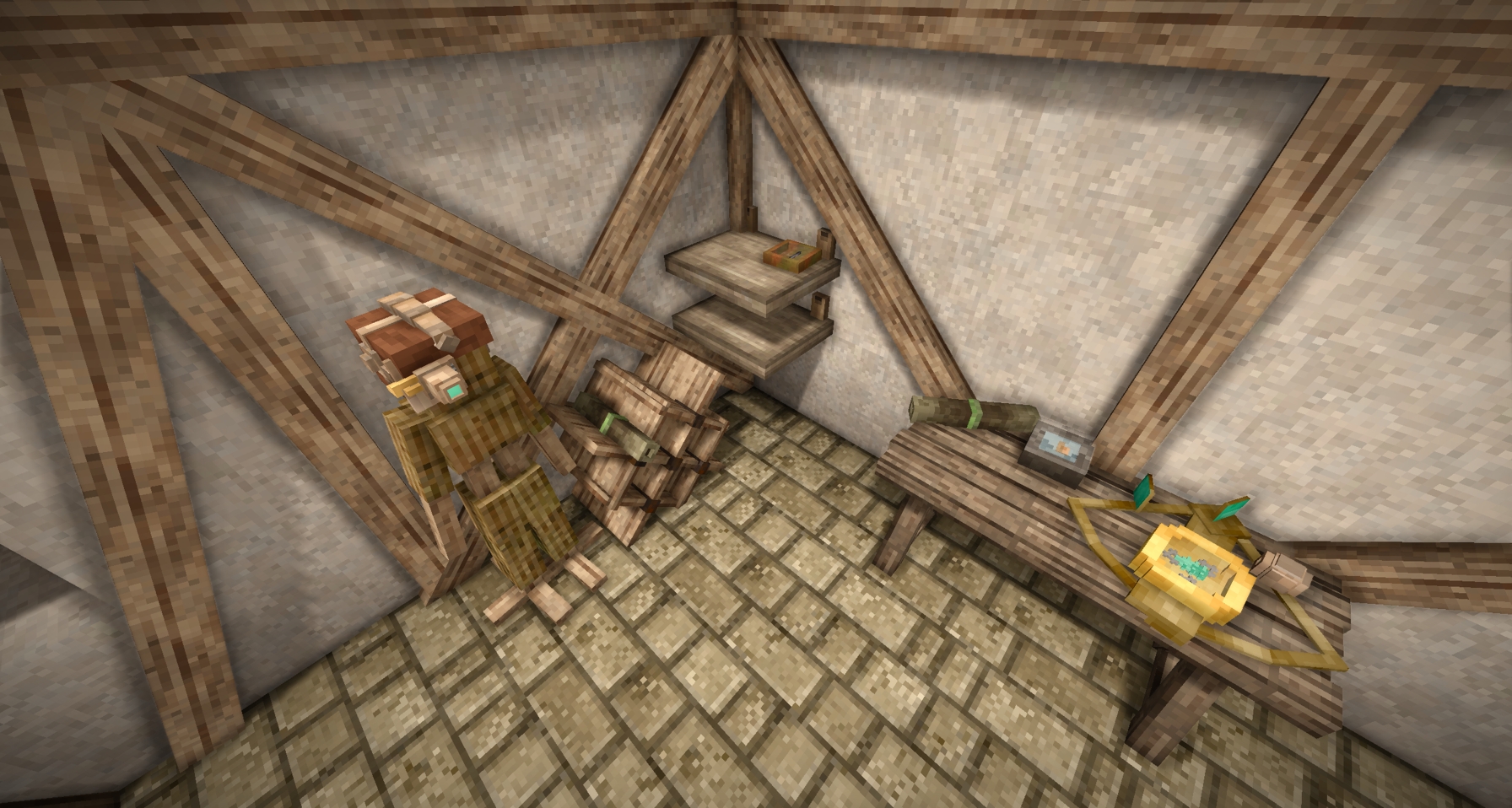
- Now the compass, as well as the primitive one, can be placed on the floor and shelf
- Temporal compass
- Now combined with the temporal sextant, i.e. shows and directions with degrees and coordinates, and, unlike conventional compasses, its values do not fluctuate (The temporal compass for only determining cardinal directions is unreasonably expensive, so it was combined with the temporal sextant to be more useful)
- Also, now if you hold it in your hands, the coordinates will be visible on the map
- The crafting has been changed, now it requires parts of Jonas and rusty gears
- The model that combines the sextant and the temporal compass from the Physical Map has been changed
- Now you can put it on the floor, but it always takes up a whole block, you can't put it on a shelf
Sextants:
- Sextant
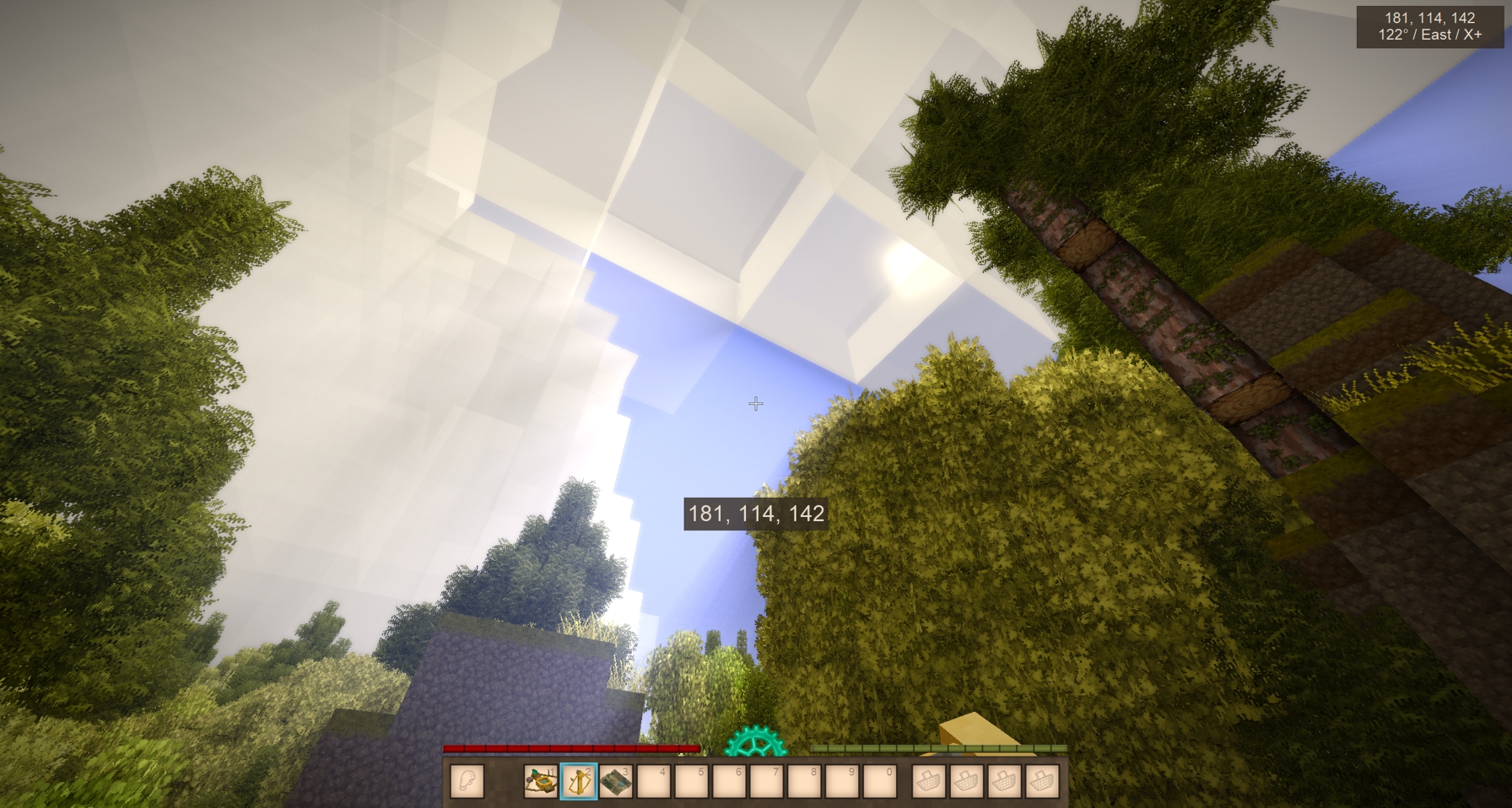
- Now, under certain conditions, it is impossible to determine the coordinates: (To use the sextant, you must have direct access to the sun, so if something is blocking it, you will not be able to calculate the coordinates)
- If it is raining
- If you are not illuminated by the sun enough (Does not work with dynamic shadow shaders. Roughly speaking, if there is a block casting a shadow above you or it is dark enough outside, the sextant will not work)
- Fixed a bug where the determination of coordinates accelerated during the player's movement, now the process will gradually reset
- A second mode for the elevation angle display mode (angle relative to the horizon)
- Now you can put it on the floor, but it always takes up a whole block, you can't put it on a shelf
- Now, under certain conditions, it is impossible to determine the coordinates: (To use the sextant, you must have direct access to the sun, so if something is blocking it, you will not be able to calculate the coordinates)
- Temporal sextant - was removed from the mod
Map and JPS:
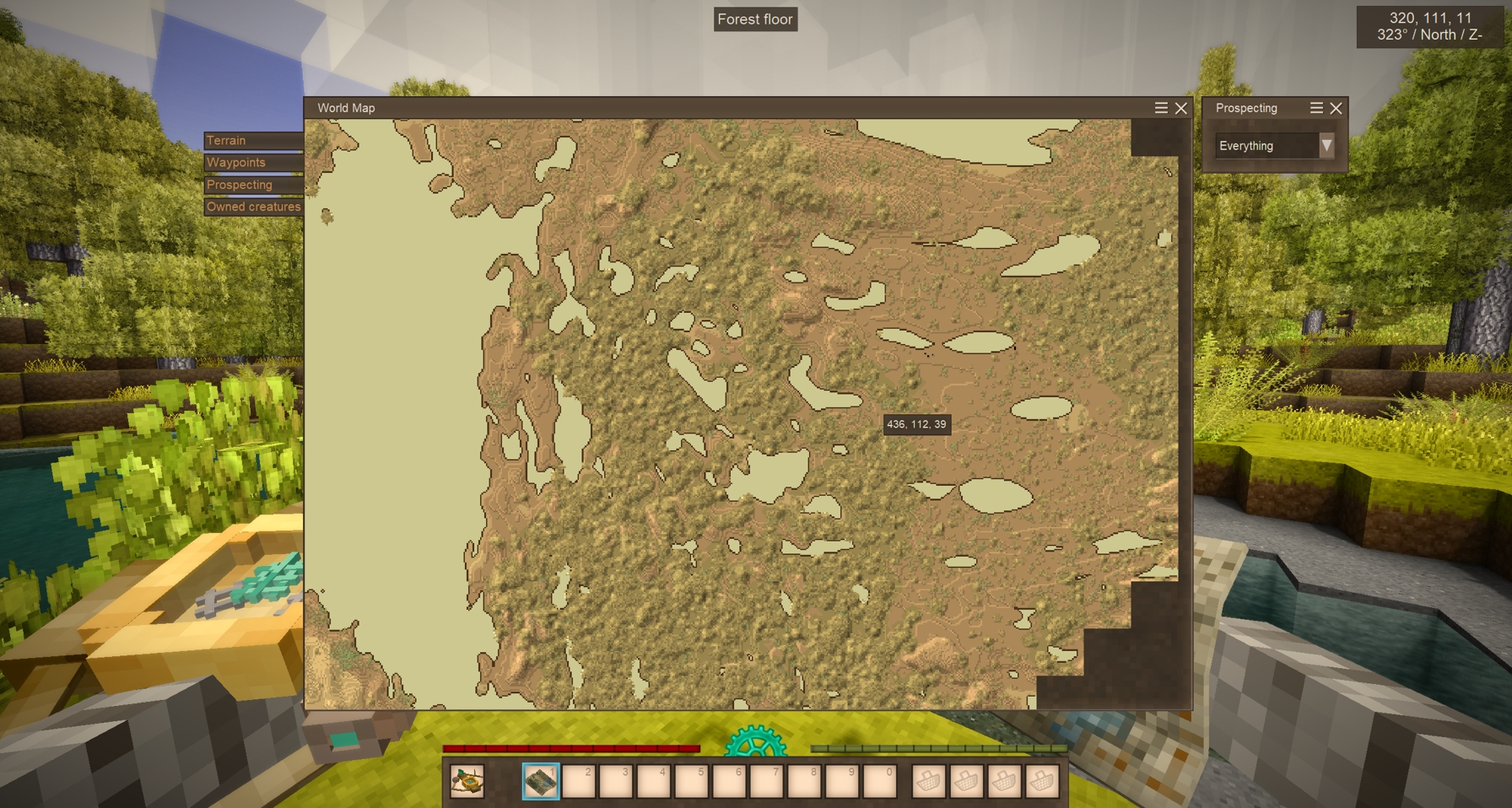
- Map
- With the map, coordinates, the location of Elk on the world map will no longer be displayed (Due to the fact that the coordinates were not disabled, this made sextants useless because using paper and coal, you could always find out your approximate coordinates)
To display coordinates, you must either take a temporal compass or put on JPS - Fixed a bug where, when you press the space bar in the world map, the map was centered on the player's position, allowing you to determine your location
- Now you can put it on the floor, shelf and scroll stand in the form of a scroll
- The front texture was changed to a more suitable
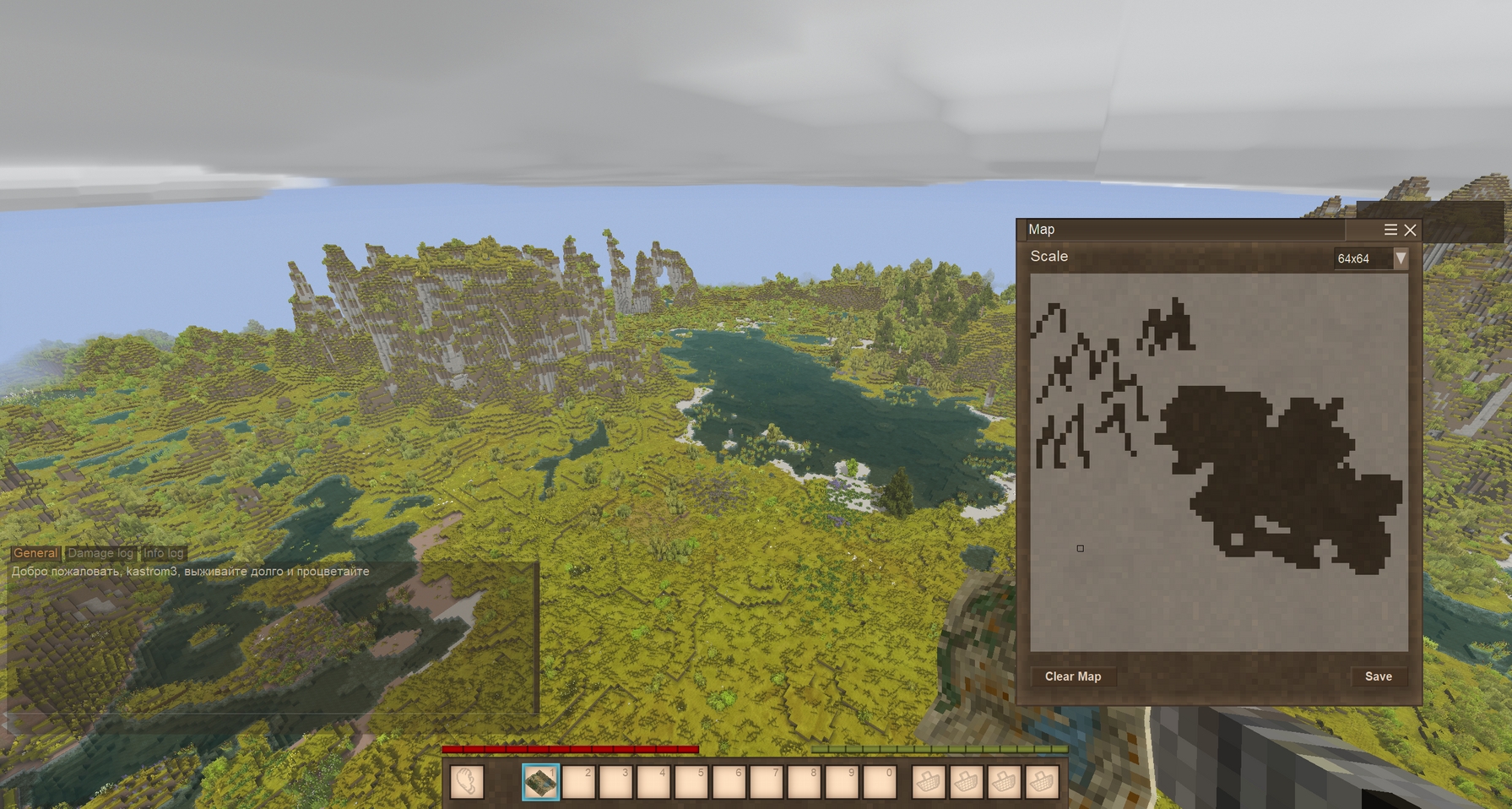
- A second mode is available through configuration, where you'll have to manually draw the terrain (special thanks to YangWenLi for his help)
- Drawing is only possible in black and white. You can either click on each pixel or drag while holding down the left mouse button
- You can choose from three scales: 16x16, 32x32, and 64x64 (On low-end PCs, performance issues may occur at higher scales (At least at 128x128 on my 4070Ti Super, FPS dropped significantly) )
- You can also rename maps to differentiate them
- With the map, coordinates, the location of Elk on the world map will no longer be displayed (Due to the fact that the coordinates were not disabled, this made sextants useless because using paper and coal, you could always find out your approximate coordinates)
- JPS
- Now it is a helmet that needs to be put on in the armor slot (In the form of a helmet, it is less out of the style of the game and makes it more balanced by reducing the maximum level of protection. Now it will not be possible to use it always)
- Now requires charging with a temporal gear
- One temporal gear is enough for 12 days
- At the same time, maximum helmet charge is 24 days (i.e. you can load 2 gears)
- Also, if you put on a helmet, the map will again be centered on the player's position, i.e. behaves vanilla (Without this, even if you accidentally pressed the space bar in the world map, the mini map also retained its position and stopped following the player)
- The craft was changed, now it requires parts of Jonas, a plate of cupronickel and leather
- The model was changed, which is based on the model of the night vision mask
Configuration:
CompassTextBox (default: false) - If true, standard compasses will display the cardinal direction and degrees in the coordinates window. If false, only the interface mode will be available
DrawnMap (default: false) - If true, the map can only be used in manual drawing mode. If false, it will function as usual
MaxCharges (default: 2) - How many times you can add temporal gears before the JPS is fully charged
Compatibility:
This mod may conflict with other modifications that affect the map and coordinates window.
There is compatibility:
- Combat Overhaul (special thanks to Mr_Posey for his help)
Planned innovations:
- Configuration expansion
- RealisticMode - disables all temporal items in the mod
- jpsFuelHours - how many hours of fuel each temporal gear will provide
- Indicating structure coordinates in the map/message description after use (this applies to vanilla items that indicate the location of lore structures)
- Fixing the original mod's compass interface so it is smaller and can be used without using the item (i.e., so you can see a small compass UI just by holding the item in your hand)
Данная модификация является изменённой версией оригинального мода от ProfCupcake, поскольку некоторые решения в моде меня не устраивали.
Данный мод отключает доступ к координатам, направлениям света и карте. Что-бы получать всю эту информацию, необходимо использовать предметы:
- Компас - стороны света
- Секстант - координаты
- Карта - угадайте что))
Подробности изменений оригинального мода с причинами Нажми что-бы прочитать))
Компасы:
- Теперь все виды компасов необходимо держать в руке что-бы они могли работать (Либо активный слот хотбара, либо слот второй руки)
- Примитивный компас - был полностью перенесён из моего мода Physical Map (Решил добавить потому что по факту вам ни что не мешает сделать простейший компас в начале игры)
- Имеет дешёвый крафт
- Позволяет видеть только стороны света
- Компас
- Теперь вновь показывает стороны света и градусы в окне, и его больше не нужно использовать что-бы узнать направление света (Использование так-же как и секстанта не оправданно, ибо для него не нужно делать расчёты, компас показывает стороны света постоянно)
- Однако от сильного вращения стрелка будет колебаться и ей потребуется время что-бы стабилизироваться
- В крафте можно использовать только кусочки железной руды (Лимонит, Гематит и Магнетит) (В оригинальном моде можно использовать в качестве стрелки любой метал, даже диамагнетики, которые вообще не намагничиваются. В Physical Map, я использовал железную руду из-за того что они могут встречаться в природе уже намагниченными и их можно будет использовать для компасов)
- Теперь компас, так-же как и примитивный можно класть на пол и полку
- Темпоральный компас
- Теперь объединён с темпоральным секстантом, т.е. показывает и стороны света с градусами и координаты, при этом в отличии от обычных компасов, его значения не колеблются (Темпоральный компас для только определения сторон света неоправданно дорогой, поэтому был объединён вместе с темпоральным секстантом что-бы быть полезнее)
- Так-же теперь если его держать в руках на карте будет видно координаты
- Был изменён крафт, теперь требует части Джонаса и ржавые шестерёнки
- Была изменена модель которая совмещает в себе секстант и темпоральный компас из Physical Map
- Теперь можно класть на пол, но он всегда занимает целый блок, на полку класть нельзя
Секстанты:
- Секстант
- Теперь при определённых условиях определить координаты невозможно: (Для использования секстанта необходимо иметь прямой доступ к солнцу, так-что если его что-то загораживает рассчитать координаты не получиться)
- Если идёт дождь
- Если вы недостаточно освещены солнцем (Не работает с динамическими тенями шейдеров. Грубо говоря если над вами есть блок отбрасывающий тень или на улице будет достаточно темно, то секстант работать не будет)
- Исправлен баг при котором во время движения игрока определение координат ускорялось, теперь процесс будет постепенно сбрасываться
- Доступен второй режим отображения угла возвышения (угол относительно горизонта)
- Теперь можно класть на пол, но он всегда занимает целый блок, на полку класть нельзя
- Теперь при определённых условиях определить координаты невозможно: (Для использования секстанта необходимо иметь прямой доступ к солнцу, так-что если его что-то загораживает рассчитать координаты не получиться)
- Темпоральный секстант - был удалён из мода
Карта и JPS:
- Карта
- С картой больше не будут отображаться координаты и местоположение Вапити на карте мира (Из-за того что координаты небыли отключены, это делало секстанты бесполезными ведь используя бумагу и уголь, всегда можно было узнать свои примерные координаты)
Для отображения координат надо либо взять темпоральный компас, либо надеть JPS - Исправлен баг при котором по нажатии на пробел в карте мира, карта центрировалась на положении игрока, позволяя определить ваше местоположение
- Теперь можно в виде свитка класть на пол, полку и стойку для свитков
- Была изменена передняя текстура на более подходящую
- Доступен второй режим через конфигурацию, в котором вам придётся вручную рисовать рельеф (отдельная благодарность за помощь YangWenLi)
- Рисовать можно только чёрно-белом формате, можно как прокликивать каждый пиксель, так и водить с зажатой ЛКМ
- Вы можете выбрать 1 из 3-х масштабов: 16x16, 32x32, 64x64. (на слабых ПК могут возникнуть проблемы с производительностью при большом масштабе (По крайней мере при 128x128 на моей 4070Ti Super значительно проседал FPS) )
- Так-же можно переименовать карту, для того что-бы их различать
- С картой больше не будут отображаться координаты и местоположение Вапити на карте мира (Из-за того что координаты небыли отключены, это делало секстанты бесполезными ведь используя бумагу и уголь, всегда можно было узнать свои примерные координаты)
- JPS
- Теперь это шлем который нужно надевать в ячейку брони (В виде шлема он меньше выбивается из стилистики игры и делает его более сбалансированным снижая максимальный уровень защиты. Теперь не получиться его использовать всегда)
- Теперь требует зарядки темпоральной шестерёнкой
- Одной темпоральной шестерёнки хватает на 12 дней
- При этом максимум шлем можно зарядить до 24 дней (т.е. можно закинуть 2 шестерёнки)
- Так-же если надеть шлем то карта вновь будет центрироваться на положении игрока, т.е. ведёт себя ванильно (Без этого при даже случайном нажатии на пробел в карте мира, мини карта так-же сохраняла свою позицию и переставала следовать за игроком)
- Был изменён крафт, теперь требует части Джонаса, пластину из мельхиора и кожу
- Была изменена модель, которая основана на модели маски ночного видения
Конфигурация:
CompassTextBox (по умолчанию false) - Если true, то обычные компасы будут отображать направление света и градусы в окне с координатами. Если false, то будет доступен только режим интерфейса
DrawnMap (по умолчанию false) - Если true, то карту можно будет использовать только в режиме ручного рисования. Если false, то будет работать как обычно
MaxCharges (по умолчанию 2) - сколько раз вы можете добавлять темпоральных шестерёнок до полного заряда JPS
Совместимости:
Данный мод может конфликтовать с другими модификациями влияющие на карту и окно координат.
Имеется совместимость:
- Combat Overhaul (отдельная благодарность за помощь Mr_Posey)
Планируемые нововведения:
- Расширение конфигурации
- RealisticMode - отключение всех темпоральных предметов в моде
- jpsFuelHours - сколько часов работы будет добавлять 1 темпоральная шестерёнка
- Указание координат структур в описании карты/письма после использования (речь идёт о ванильных предметах которые указывают местоположение лорных структур)
- Исправление интерфейса компаса оригинального мода, что-бы он был меньше и мог работать без использования предмета (т.е. что-бы можно было видеть небольшой UI компаса просто держа предмет в руке)
| Mod Version | Mod Identifier | For Game version | Downloads | Released | Changelog | Download | 1-click mod install* |
|---|---|---|---|---|---|---|---|
| 0.1.10 | craftablecartographyfork | 541 | Nov 7th at 7:18 PM | CraftableCartography_0.1.10.zip | 1-click install | ||
|
I hope this will fix the crashes when opening the map without a map)) Надеюсь это исправит краши при открытии карты без карты)) | |||||||
| 0.1.9 | craftablecartographyfork | 147 | Nov 1st at 12:53 PM | CraftableCartography_0.1.9.zip | 1-click install | ||
| |||||||
| 0.1.8 | craftablecartographyfork | 672 | Aug 28th at 3:10 PM | CraftableCartography_0.1.8.zip | 1-click install | ||
|
Sextant
Compass
JPS
Configuration
The site did not want to publish the mod with the old modid, so I had to update it, I hope nothing will break ( ̄  ̄|||) Секстант
Компас
JPS
Конфигурация
Сайт не хотел публиковать мод с старым modid, по этому пришлось его обновить, надеюсь ничего не сломается ( ̄  ̄|||) | |||||||
| 0.1.7 | CraftableCartography_fork | 1714 | Mar 19th at 8:34 PM | CraftableCartography_0.1.7.zip | 1-click install | ||
|
Details
Sextant
Compass
Map
JPS
The update speed of the coordinates window has been increased from 250 ms to 150 ms so that the compass oscillations look normal (I hope this will not cause problems) I hope the bug that caused the helmet to break from damage has been fixed (The problem is from the Combat Overhaul mod, but adding energy consumption seems to fix it) Детали
Секстант
Компас
Карта
JPS
Скорость обновления окна с координатами было увеличено с 250 мс до 150 мс что-бы колебания компаса выглядели нормально (надеюсь это не вызовет проблем) Надеюсь исправлен баг из-за которого шлем ломался от урона (Проблема со стороны мода Combat Overhaul, но добавление потребления энергии вроде как исправляет её) | |||||||
| 0.1.6 | CraftableCartography_fork | 461 | Feb 28th at 7:07 PM | CraftableCartography.zip | 1-click install | ||
|
Added compatibility with Combat Overhaul mod. JPS
Добавлена совместимость с модом Combat Overhaul. JPS
| |||||||
| 0.1.5 | CraftableCartography_fork | 433 | Feb 25th at 3:39 PM | CraftableCartography.zip | 1-click install | ||
|
The balance has been changed to be more realistic, and some bugs of the original mod have been fixed. Изменён баланс на более реалистичный, а так-же исправлены некоторые баги оригинального мода. | |||||||
I just realized that I never posted this mod's version of the memory fix that I made in the mean time https://news.kalataka.ru/show/mod/36333. The link in the comment below is for the original version of the craftable cartography.
A memory leak was found in the original mod's compass. It looks like not all of the meshes are deleted/disposed when used. From what I can see on the git this version has the same problem. here is the mod with the fix
From what I can tell, all that was done to fix it is add some more disposes and Deletemesh on the dispose on the file HudCompassNeedleRenderer
Not sure if there's a conflict, but when trying this on a new world, if I press M, my mouse cursor gets stuck on the screen. If I press Escape, the game crashes.
@kastrom3
The idea would be for this to work on every waypoint to keep it consistent, so both player waypoints and prospecting.
If the only way to do this is by opening a the window for setting waypoint when using the sextant and set it automatically in the map when saved, ok, but i think it would be way more immersive to have it better integrated in the action of setting the waypoint in the map with the mouse... Cause by automatically setting it on your position with the sextant will reveal your actual position, and make a sextant behave like a jps
If possible, the more immersive approach in my opinion would be to:
Let me know if this addition or this behaviour is possible, if not i guess the way you deacribed is also fine, although less immersive, but having any way to add the coordinate in a more automatic way help c:
Caelthran
Okay, I think I understand the idea. Will this apply to all available points on the map or just the geo-prospecting?
In principle, I think it could be done so that when using the sextant and pressing a some button:
@kastrom3
Oh ok! I understand the confusion!
Not exactly, what i ment was suggesting a way to set waypoint coordinates and prospecting info before JPS and without using commands in an immersive way:
I hope it is understandable by the translator, for any question, please ask!
Caelthran
I'm translating using a translator, and it seemed to me that you were talking about some way to automatically place points using a sextant or something like that)))
@kastrom3
Oh! So there is a command for placing the reading! That's good c:
I don't understand what you are referring to when you say that you havn't noticed anything out of the ordinary in regards to automatic addition...
Do you mean that there is already an immersive way of automatically getting coordinates on waypoint without using jps or the setreading as i suggested?
If yes, how?
dynamiczbee
Can you send me a list of mods?
I usually test everything in vanilla, so I've never encountered anything like this. It's possible the issue is incompatibility...
Caelthran
Initially, georeconnaissance results worked as expected, but were only displayed on the map if JPS was available.
But recently, I migrated the system for adding results via the setreading command from the original mod. As for automatic addition, I haven't noticed anything out of the ordinary. The system should also work vanilla when using JPS.
kastrom3 it's odd because it's not a proper "crash". The game bascially freezes when I hit M then ESC to leave an invisible map menu. I've recorded the issue but I can't see anything wrong in any of my logs. Everything just stops once I hit that ESC.
kastrom3
ehy! this is a really nice fork of the mod!
i wanted to ask if it would be possible to automatically add the last known position ridden with the sextant to the pins you add to the map, untill you move for a certain amount of blocks from that point, like 30 blocks radius
i'm asking this cause i know that there should be a way to automatically add the last ridden position to prospect, in the original mod, but it is not explained, and at least having them for normal waypoint would be great!
and talking about prospecting, it would be really cool to have a "prospecting waypoint" that add all the information of the last prospecting read to the map but it has to be manually added (with last ridden coordinates as my previous suggestion)
dynamiczbee
Can you send the crash logs?
Hrm, I still get the crash after updating to 1.10
@ManaWei what did you purge? I reinstalled the mod, cleared the cache, and deleted the MapData.
yeah turned out it was some buggy mess with the Json.. did a purge.. works wonders now..
ManaWei dynamiczbee
Try the new version))
Same issue here, hitting M crashes the game for me
my game crashes if i accidentally open the map.. haven't gotten far enough to actually get a map so i have no idea if it crash with one either..
Лучший просто))
please update the mod :)
TrippyTheO
The mod should remember the coordinates you closed the map at and reopen it at the same position. It's possible that after pressing the spacebar, the mod is bugged and stops remembering the position, simply returning to zero coordinates. In this case, you can try pressing the spacebar and moving the map position until it remembers the position again.
It's also possible that the code for updating this position has either stopped executing, or the world is mistakenly taking this data from one file and editing it in another.
In any case, first go to the folder at this path: D:\Users\「Your name」\AppData\Roaming\VintagestoryData\ModData and check all folders with random symbols for the craftablecartography folder. Delete the craftablecartography folder in these folders. This should reset the map position and zoom level.
If that doesn't help, try deleting the unpacked mod in VintagestoryData\Cache\unpack.
If the problem persists, I can only suggest reinstalling the mod after the previous steps.
I'm still working on the update, but as a last resort, you can try updating the mod when I release it.
Hey, kastrom3 thanks for the mod, Im about 153 hours into a world with it and it's great. Still can't see coordinates yet, but I'm a bit slow, ahahah.
I've got a problem, or I don't know how to do something. Is there a way to force your map to "stick" where you were viewing it when you last closed it? Like if I take a Translocater far away, and I'm going to be there for a while, I dont want to have to keep panning from the initial spawn that the map is focused on. I want to be able to "stick" it until I change it.
I assume this is possible already or I just dont know how to do it, because this has actually happened. My map now auto opens far to the south of where it used to open. I don't know how this happened. It's already a feature and I don't know how to activate it or did my game bug out.
If it's not a feature, could it be? If it's already in the game, what in the world did I do?! Thanks much for any help you can provide.
on the newest version it freezes the game if you try to open the map without a map item. At least on the MP server.
SecretFoxfire
I'm already working on it))
neobit
I've already seen this mod and plan to work on either integration or compatibility support.
Although I've already started developing a system for manually drawing the map (but I can't get the UI right).
Would it be possible to have the map be its own instance as it is done with atlasses here https://news.kalataka.ru/show/mod/32289 ? I.e. explored map is an item property, not account.
Definitely ability to copy maps would be a good one coming with it.
We are playing on a server with your mod and it is a blast. Exploration is back to be as it should.
I'm having a small issue with the current version of the game and mod where when I press ctrl+V to close the coordinate HUD (which of course is just an empty brown box when this mod is enabled), it's not closing no matter what I do. I've tried rebinding it to other keys as well, but this simply doesn't seem to work. I removed the mod and opened the world and was able to close the coordinate HUD with no issue, then re-added the mod and the command stopped working again. So something about the current version of the mod + game seems to break this command. Is it possible to fix this somehow? I'm running a server and it's not fun for my players to have to disable the HUD in a different world with the mod turned off before they join the server, to get rid of that brown box until they get a tool to reveal their coordinates.
Thanks for making this fork, and for keeping it updated! I'm enjoying torturing my players with it. :D
Mod seems to be working fine, but I spotted following error in logs:
Another remark: map recipe is too easy in my opinion, maybe it should require Ink&Quill, instead of charcoal?
Saw you are no longer supporting your original map mod and made a fork of the other cartography mod. I and waiting for this one to be updated.
should I have Coordinates active when using this mod or can be Disabled (in settings, not in world setting)
Im asking cause I get blank black window in top right where coordinates should be but they arent since this mod disables them, when I click CTRL V window disapears, but wouldnt that turn off Coords even when using mod?
kastrom3
I see what you're saying and reckon that makes sense, The way I see it a sextant would make pinpointing a map location easier, working in tandem, at least thats how ive been using it.
Still though, very much loving the fork! I love the balancing, and immersion, specifically primitive compass needing iron nuggets.
But yeah id certainly be one to appreciate a config in the future.
Riscmon_ingk
If I'm not mistaken, the original mod still shows coordinates on the map. However, I think this makes the sextant useless, because you can easily determine your approximate coordinates if you simply compare the terrain with the map.
In addition, no one still forbids you to cheat by placing a contrast block (sand in the middle of the grass or vice versa) and see the exact location, or determine the center in a circle of new loaded territories.
But I think I can add the ability to display coordinates on the map to the config, if this is in demand))
Im not sure if im just using these tools incorrectly, but im having a hell of a time making use of the sextant, it feels like im only able to use coordinates in relation to eachother, not in tandem with the map. if the map showed coords or had markers indicating where coords would be i reckon it'd make sense. i think im just missing something.
Edit: also i just realized the compass points to where im pretty sure is east.
Edit: Forget that last part, I got wicked turned around.
Yooo! Thank you so much for updating this! I was really worried you wouldn't. I'm really loving the challenge of starting without a map and having to acquire one myself. It'll probably be a while before I can actually build any of the items but if I run into issues I'll let you know. Thank you for your efforts!
Consistently crashes when you hit M without a map in your hand.
I'm getting a crash in 0.1.7 when pressing the map key 'm' while not actually holding a map.
The map is disabled, minimap disabled in the interface as is coord display. I'll try a few other things to see if theres scenarios that dont trigger this behaviour, as well as testing with other mods disabled.
Edit: After multiple times when this crash was consistant it's now failing to trigger after using the minimap and coord display options. More testing is needed to find good replication,
Egil_Raud
Мой ник в ДС kastrom
If anyone is wondering why it isn't working: world map/coordinates need to be turned ON in world creation for their respective instruments to function. If you're like me and play HS/Wilderness/turn them off manually these commands should enable them so the mod can work:
/worldconfig allowMap true
/worldconfig colorAccurateWorldmap false/true (your choice)
/worldconfig allowCoordinateHud true
Привет, подскажи как с тобой связаться, у меня есть пару идей к моду
Viktoria
Interesting proposal, however I think that it can litter your entire map with dots, if used actively. But I will think about how it can be implemented))
kastrom3 Gotcha okay that makes a bit more sense, I just wanted to confirm what the normal use case really was meant to be for that specific tool. Ideally, to me it'd be nice if like a marker was placed on the map or something when a reading is taken with the sextant but then I imagine that's pretty much verging into the temporal compass's territory, I think the disconnect was more just that the default sextant in theory isn't really intended to be used as a tool to specifically find where you are on the map outright but if I understand correctly is instead mainly to tell you once you figure out where you are on the map that that specific location you now currently stand is the given coordinates.
Viktoria
If you are talking about whether the player icon will be displayed on the map using the sextant, then yes, this cannot be done in any way. However, you can easily navigate by the relief, as well as the map loading area. (If you are loading new chunks, you can understand the approximate loading radius, and you will be in the center of this radius) You can also always put any contrasting blocks so that they are displayed on the map, and you can understand your location.
I just wanted to confirm, unless I'm missing something, what specific function the regular sextant serves? As far as I can see it in its current state, its only real gameplay function is the ability to effectively find your way back to a known location (Like a base), but it and its coordinates cannot be used in any way to ascertain or determine where the individual actually is in the world itself without the use of a temporal compass. Appreciate any clarification!
Some players and I on the Vintage Story Discord have been talking fairly in depth about how a "Crude Map for early game, where players can draw on it themselves." would work, and I wanted to share the ideas here for any modders who would be interested, because I think this could be the basis for a far more interesting and creative mapmaking system. The idea is basically about an early game map, which is drawn 100% by the player themselves. Used in tandem with a Sextant, these player illustrated maps would accumulate detail over time, players would be creating their own Lord Of The Rings style map illustrations, with unique artistic embelishments and distortions that you'd see in old historical maps. We're picturing the functionality like this:
oneil
Try to check if the coordinates window is enabled at all, for this use this command.
/worldconfig allowCoordinateHud
if disabled, add to this command: true
Also try to create a separate world and disable all other mods, perhaps some modifications conflict because of which the compasses do not work.
Hi the compass still doesnt work in the last version :( (no little windows even with the shortcut) all other tools are working fine !
I have gone ahead and made a simple fork of the mod that contains only the classic/traditional tools.
Nephelangelo
You'll probably be interested in this as well. I was the original commenter who asked for this type of fork, which you also expressed interest in.
https://news.kalataka.ru/craftablecartographyclassics
kastrom3 The easiest way to do it would probably be to just disable the crafting recipe. Basically just have a true/false setting in the config for tool (e.g, "Allow JPS: true), and setting it to false just makes the item uncraftable. You wouldn't need to do much other than that.
Hey, this is pretty cool. Interesting changes. The decision to make the JPS a helmet is a particularly nice touch.
I'll add a section to the original mod so people can also be directed to this and decide which they prefer.
A_Whisper
Nephelangelo
Regarding the configuration, I tried to add it, but I don't know yet how to integrate it into the mod)))
I also planned to expand some functionality, so I'll try to figure it all out)) (* ̄▽ ̄)b
This looks excellent. I would also like to echo the commenter below asking for the ability to disable non traditional navigation items, I'm looking to make the navigation more immersive and those don't look as though they would help that goal. Also, it would be amazing if we could draw on the map with charcoal instead of using waypoints. And have maps divided into different pages with size limits, at different scales, which could be copied and shared between players.
Are there plans to add a config where certain items can be disabled? I'd like to keep only the tranditional tools (compass, sextant, map) but remove all the temporal/JPS items.
@Stewbag Run this mod alongisde this to remove more cheesing https://news.kalataka.ru/minimalmapping
Is there any way to make the compass needles spin in game like the Compass2 Mod? Would be more immersive than having a dialogue window opening up.
Great mod and really appreciate the changes made in this fork. Thanks for all the work on this.
It feels like one should still require the map item in conjuction with the JPS heargear to get the full functionality.
Hey, it's a minor issue but the mod seems to crash the game on v1.20.5 when you hit the map key while not having a map item, otherwise everything seems fine.
Thanks for forking this mod, I appreciate you removing what I would consider "cheese" from the original.
Im still waiting for someone to create a solid standalone Compass Mod, and a map akin to how Minecraft has a physical map that doesnt track the player and forces crafting multiple maps or pages. Its still too easy to simply "/waypoint add" and have the map display exactly where you are. People arent even crafting anything beyond the map because they are mostly unecessary.
Is there a way to increase the durability of the JPS. With combat overhaul it breaks with thorn damage from bushes.
Been using the mod for a considerable amount of time in a server and its been a blast!
Tho I'd like to ask if its possible to implement some sort of waypoint AND map discovery with others. Currently using K's Cartography Table and it works fine with the mod but I feel it'd add a lot to the immersion (if it's eve possible that is)
And i guess its good to point out, prospecting can be used to cheat your way around finding your location, although I have no suggestion if you should/ how you could handle that!
Thanks for the dev time, great stuff!
Hi. Is the sextant somewhat innacurate? I mean, does it give you like a zone of coordinates or is there a config for it? I believe it would make it much more immersive if, for example, you had a wider range for your coordinates if it is cloudy and that type of stuff
Hi i seem to have the same problem that joxalot have for the compass not showing the window. tried Ctrl + V and remapping it, didnt help. all the other tools works fine ! (i have combat overhaul). Thanks !
Bughaw
The problem is that it is difficult to implement something like this with AI, but I will try to implement something like this))
Instead of restricting the sextant to a specific time of day, would it be better to link it to daytime specifically, since daytime varies with season and latitude.
I re-uploaded the mod, you can try downloading it again!
---------------------------------
Я перезалил мод можете попробовать ещё раз скачать!
YOOO Thank you so much for the quick response and addressing!!! I cant wait to test it out, tho unfortunately I fear you'll need to reupload the mod again since I think you updated it around the time the ModDB had an outage!
Joxalot
In the mod, for compasses, I removed the code responsible for their use on the right mouse button. Most likely, you just have a hidden window with coordinates, try the combination Ctrl + V or look in the settings in the UI tab - Coordinates (CTRL + V).
Yesterday on the stream, posey just told me about compatibility issues with Combat Overhaul, and even gave me a ready-made code, for which I am very grateful to him, so as you may have already noticed, the update has been released)) (b ᵔ▽ᵔ)b
As for the elk, I have never even seen them, so thanks for the information, I'll see what I can do))
Currently running into a few issues. None of the compass options (Primitive, normal and temporal variations) seems to work. I tried standing still to see if the needle would turn on the normal compass (like the original mod says it would) and nothing, and rightclicking doesnt work either? Am I missing something? Sextants and Map works normally however.
Beside that, the JPS seems to be unwearable when using Combat Overhaul, would that be something that should be patched on CO' side?
And a minor issue (gripe?) is that the tamed elk mount appears on the map, kinda messing with the immersion a bit. Easily fixable by turning off the owned animal tracker tho is it possible to turn the elk amulet into a tracker aswell? Sound like a very nice addition
Despite all, very happy with the fork! Id love to hear how to fix the issues I'm having cause the mod itself is wonderful and I can't wait to use it in my server!
Your fork is very agreebale to me good job 👍
kastrom3
Yep, it does say that... I know for a fact that I did see it... I remember seeing it... I understood it... but then my brain rejected it. Sorry about that! Haha
I think maybe I mentaly rejected those hours because I do know that sextants were also used with stars as well. Regardless, this is a cool mod as it intigrates mapping into actual game play.
Junrall
There in the first point it says that it will not work from 7 pm to 6 am
kastrom3
I know your description says that a sextant only works when you have direct access to the sun. I assume, this is meant to be used with no obstruction between you and the sky and clear weather... no matter if its day or night?
Kirona
click on Details of changes to the original mod with reasons - everything is written there
What did you change compared to the original mod? I'd rather not risk trying this out if I don't have the slightest clue what's different.
Why not make all items in the mod ground storable? This is vanilla behavior, most vanilla items do that anyway